> ## Documentation Index
> Fetch the complete documentation index at: https://watermelon.ai/docs/llms.txt
> Use this file to discover all available pages before exploring further.
# Website visitor status
> Quickly see which website visitors are still active in a conversation, and respond at the right moment.
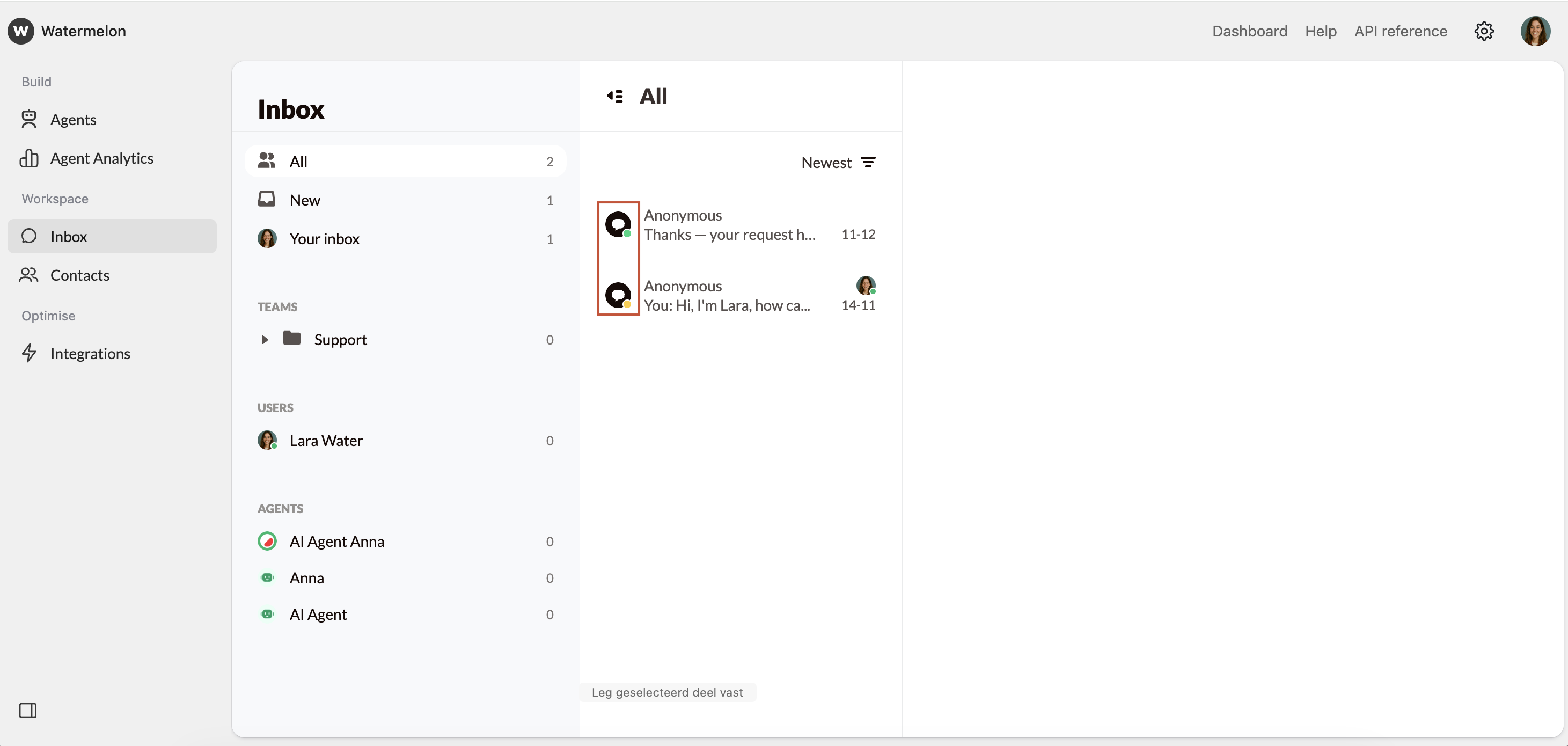
With **visitor status**, you can instantly view whether a visitor is active, has minimized the chat using the minimize option, or has left your website. This action is sent to your Inbox in Watermelon instantly. This feature helps your team focus on the right conversations and manage chats efficiently.
This feature is only available for the chat widget.
 ## What you can do with visitor status
* **Prioritize active visitors** and respond while they’re still online.
* **Recognize inactive visitors** to avoid waiting on users who have minimized or closed the chat.
## Status indicators
Each visitor is marked with a color-coded dot next to their conversation in your Inbox. These colors show their current activity:
| **Status** | **Color** | Description |
| ---------- | ------------------------------------------------- | ------------------------------------------------------------------------------------------------------------------ |
| Active | Green | The visitor has currently opened the chat. |
| Minimized | Orange | The chat has been minimized. The visitor is temporarily inactive but may return and reopen the chat at any moment. |
| Closed | Red | The visitor has left the website. |
The red status may not always appear. When the visitor's browser connection is lost (for example, due to poor internet), Watermelon cannot always update the final status in real time.
## What you can do with visitor status
* **Prioritize active visitors** and respond while they’re still online.
* **Recognize inactive visitors** to avoid waiting on users who have minimized or closed the chat.
## Status indicators
Each visitor is marked with a color-coded dot next to their conversation in your Inbox. These colors show their current activity:
| **Status** | **Color** | Description |
| ---------- | ------------------------------------------------- | ------------------------------------------------------------------------------------------------------------------ |
| Active | Green | The visitor has currently opened the chat. |
| Minimized | Orange | The chat has been minimized. The visitor is temporarily inactive but may return and reopen the chat at any moment. |
| Closed | Red | The visitor has left the website. |
The red status may not always appear. When the visitor's browser connection is lost (for example, due to poor internet), Watermelon cannot always update the final status in real time.