> ## Documentation Index
> Fetch the complete documentation index at: https://watermelon.ai/docs/llms.txt
> Use this file to discover all available pages before exploring further.
# Website
> Learn how to use your website as a source to automatically pull content into your AI Agent’s knowledge.
Using the Website source, you can easily **"crawl"** the pages on your website (using a sitemap, your root domain, or manually added URLs) and **integrate** that information into your AI Agent.
Once crawled, your AI Agent can use this knowledge to answer questions quickly and accurately, and keeps your AI Agent up to date with the **latest information** on your website without manual updates or documents.
Website is available in all plans. Limits differ per plan, for more information, check our [Pricing page](/help-center/plans-pricing/pricing-overview).
## Adding a Website Source
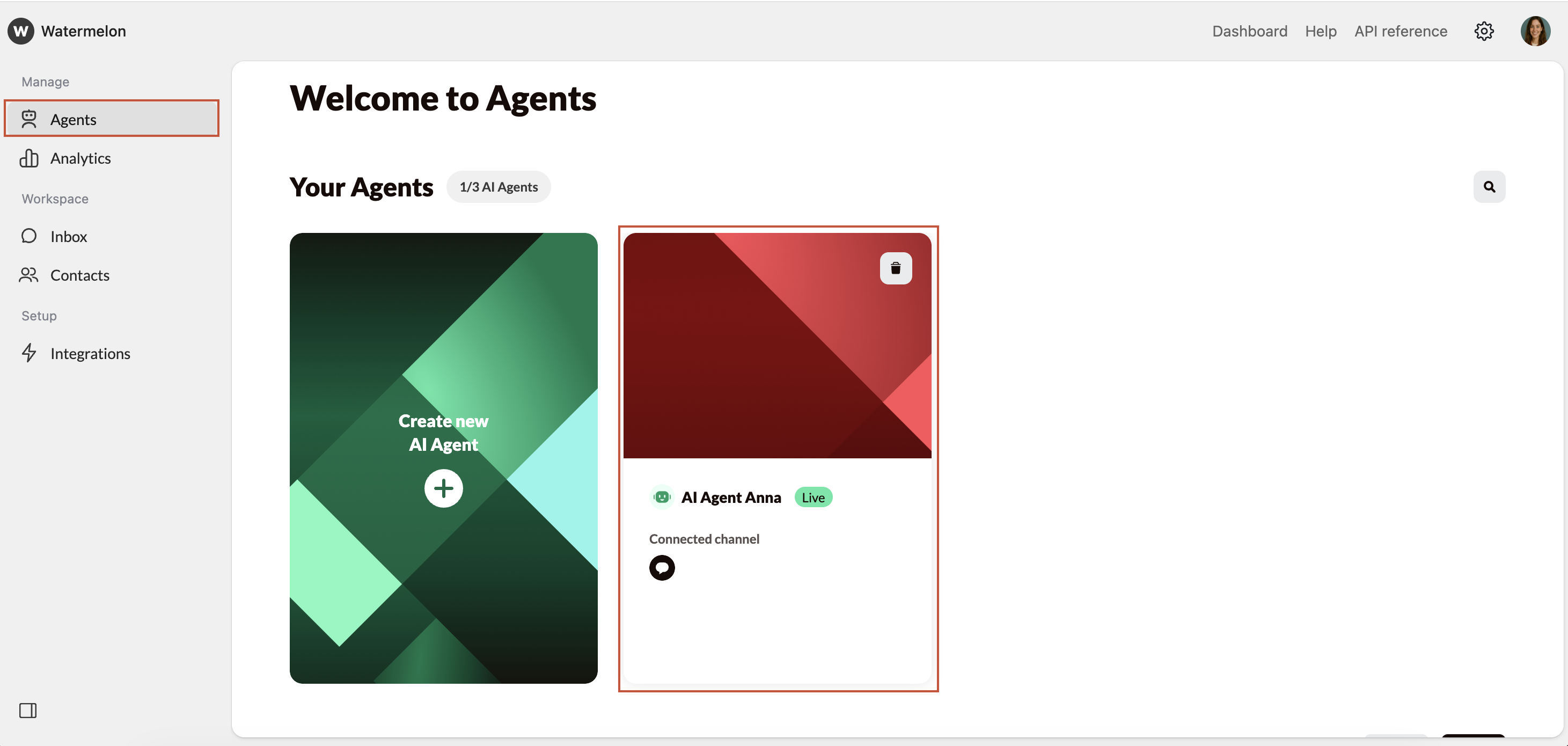
Go to **Agents** in the main menu and select the relevant AI Agent.
 In the Agent menu, click **Website** to view your website settings, URL list, and crawling options.
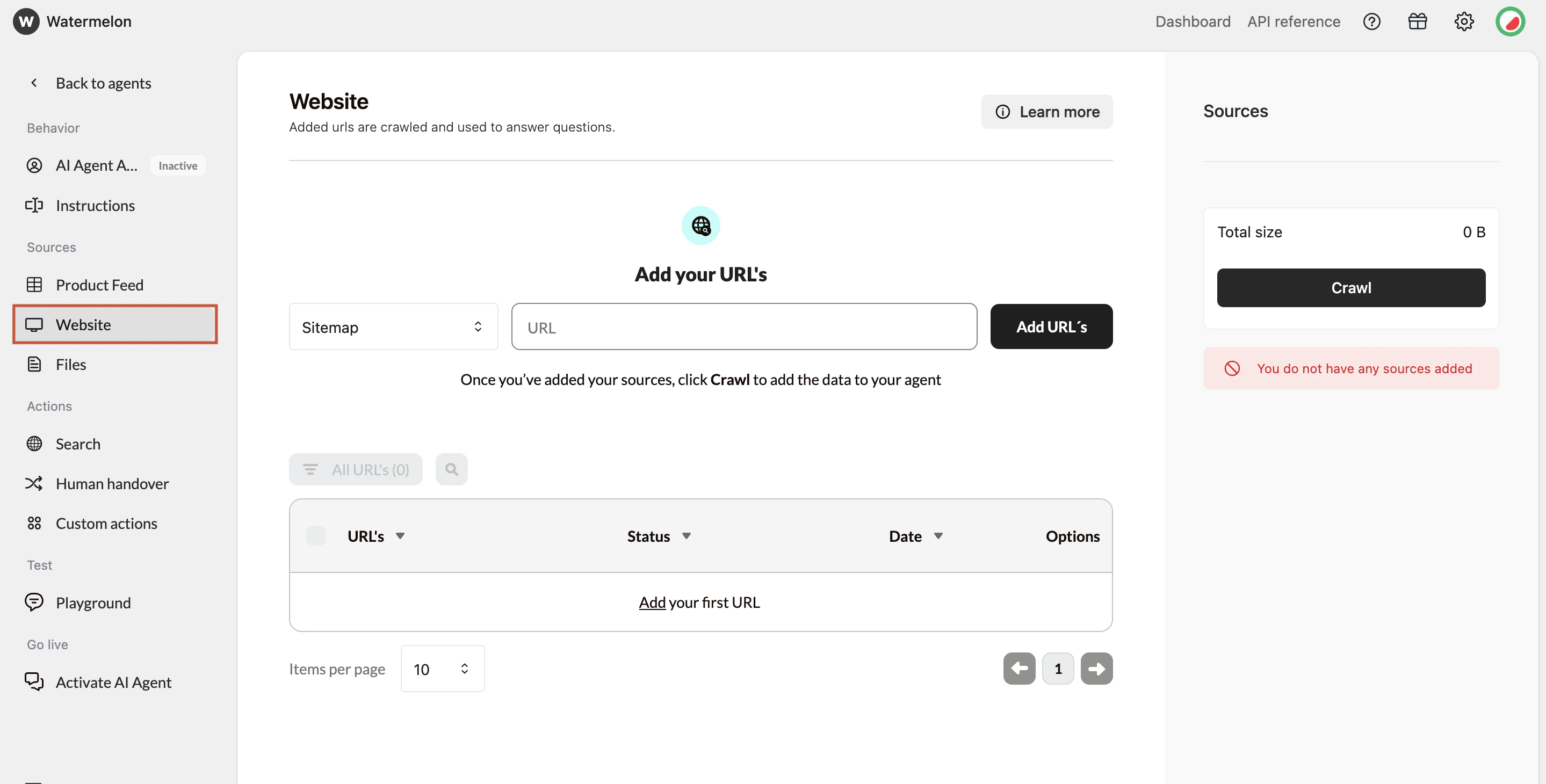
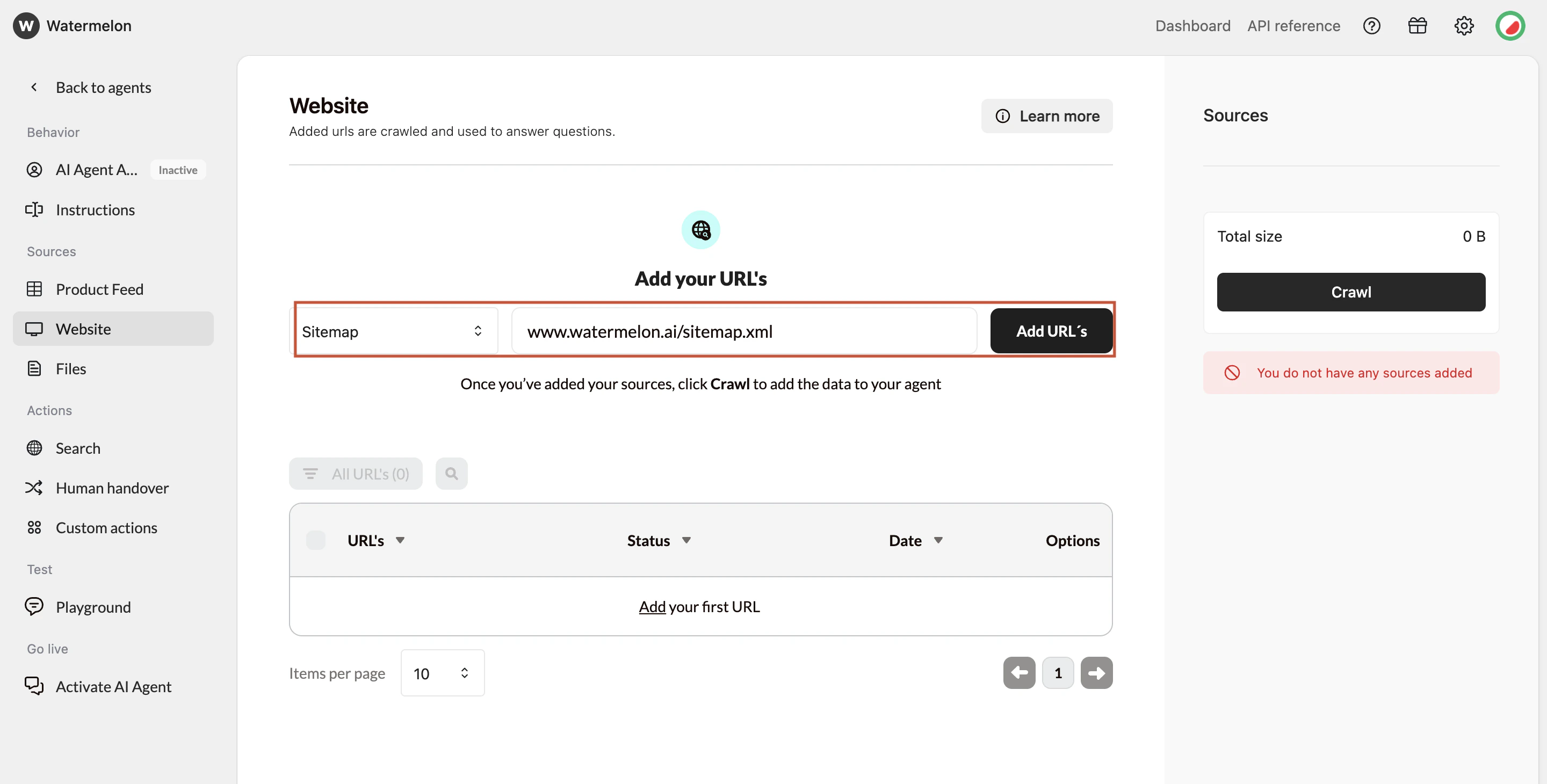 You can add URLs in three different ways:
* **Option A:** Add your sitemap (recommended)
* This gives the **most complete** list of URLs. Enter your sitemap URL (without a trailing slash):
**Example:**
✅ [https://website.com/sitemap.xml](https://website.com/sitemap.xml)
❌ [https://website.com/sitemap.xml/](https://website.com/sitemap.xml/)
* **Option B:** Fetch URLs from your root domain
* Add your homepage (e.g., [https://website.com](https://website.com)) and the system will attempt to **discover pages** across the site.
* **Option C:** Add URLs manually
* Use this for specific pages you want to include **without** crawling the whole site.
After selecting the type of URL, click \*\*Fetch URL's. \*\*Fetched URLs appear in a **table**. This includes:
* The **URL**
* The **date** added
* **Status** indicators
* Toggles for **including/excluding** and for link-sharing
Depending on your **site size,** fetching may take a few moments
If you reach the size limit of your Agent, you'll need to remove sources to **crawl**.
You can add URLs in three different ways:
* **Option A:** Add your sitemap (recommended)
* This gives the **most complete** list of URLs. Enter your sitemap URL (without a trailing slash):
**Example:**
✅ [https://website.com/sitemap.xml](https://website.com/sitemap.xml)
❌ [https://website.com/sitemap.xml/](https://website.com/sitemap.xml/)
* **Option B:** Fetch URLs from your root domain
* Add your homepage (e.g., [https://website.com](https://website.com)) and the system will attempt to **discover pages** across the site.
* **Option C:** Add URLs manually
* Use this for specific pages you want to include **without** crawling the whole site.
After selecting the type of URL, click \*\*Fetch URL's. \*\*Fetched URLs appear in a **table**. This includes:
* The **URL**
* The **date** added
* **Status** indicators
* Toggles for **including/excluding** and for link-sharing
Depending on your **site size,** fetching may take a few moments
If you reach the size limit of your Agent, you'll need to remove sources to **crawl**.
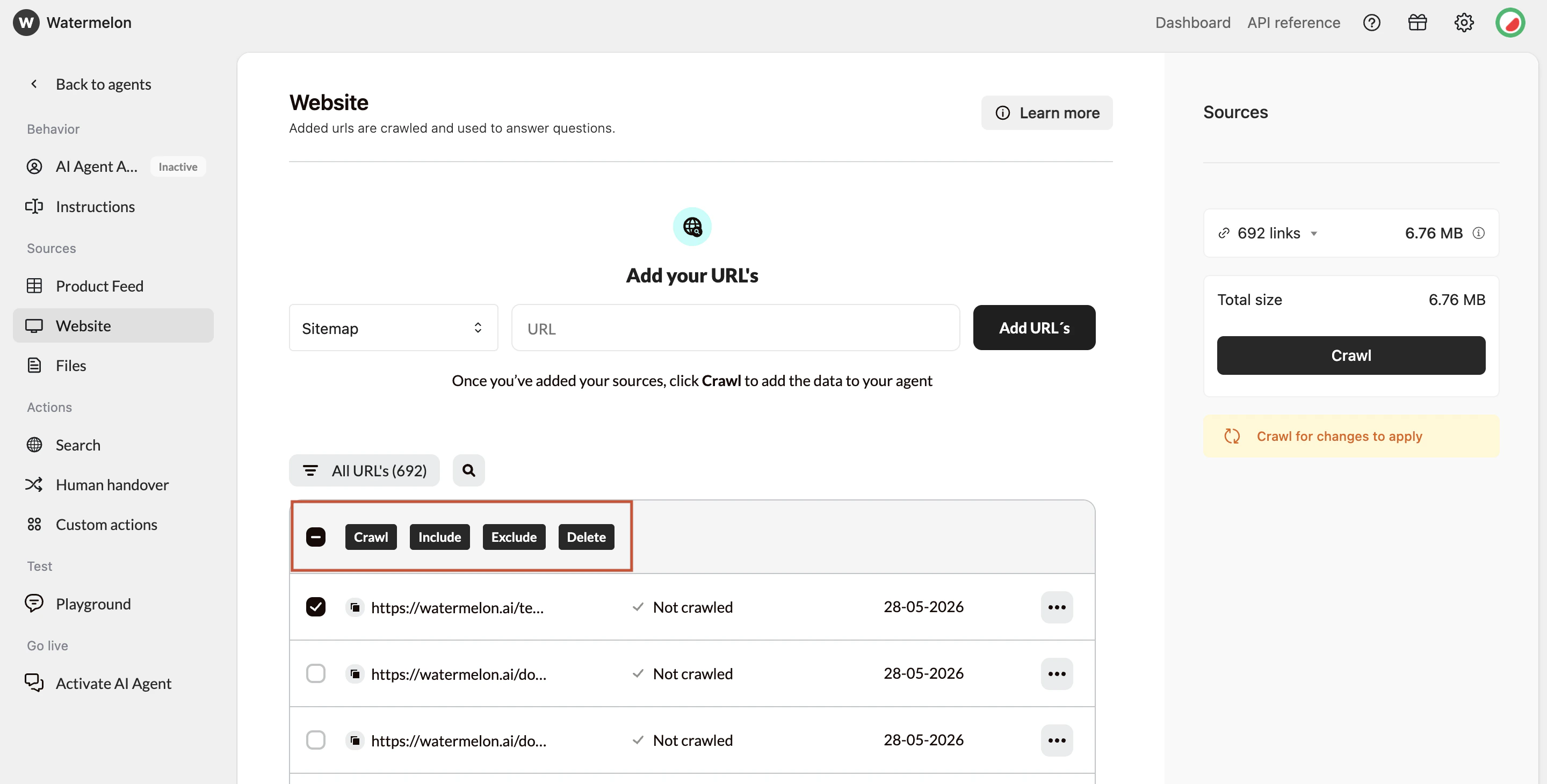 After a URL is fetched, you can choose at any time to:
* **Include** → content will be **added** to the AI Agent
* **Exclude** → page content will be **ignored**
* **Delete URL** → Removing a URL also removes its **stored** content.
These settings let you **fine-tune** which parts of your website your AI Agent uses.
Once your URLs are prepared, select **Crawl** to update your Agent.
After a URL is fetched, you can choose at any time to:
* **Include** → content will be **added** to the AI Agent
* **Exclude** → page content will be **ignored**
* **Delete URL** → Removing a URL also removes its **stored** content.
These settings let you **fine-tune** which parts of your website your AI Agent uses.
Once your URLs are prepared, select **Crawl** to update your Agent.
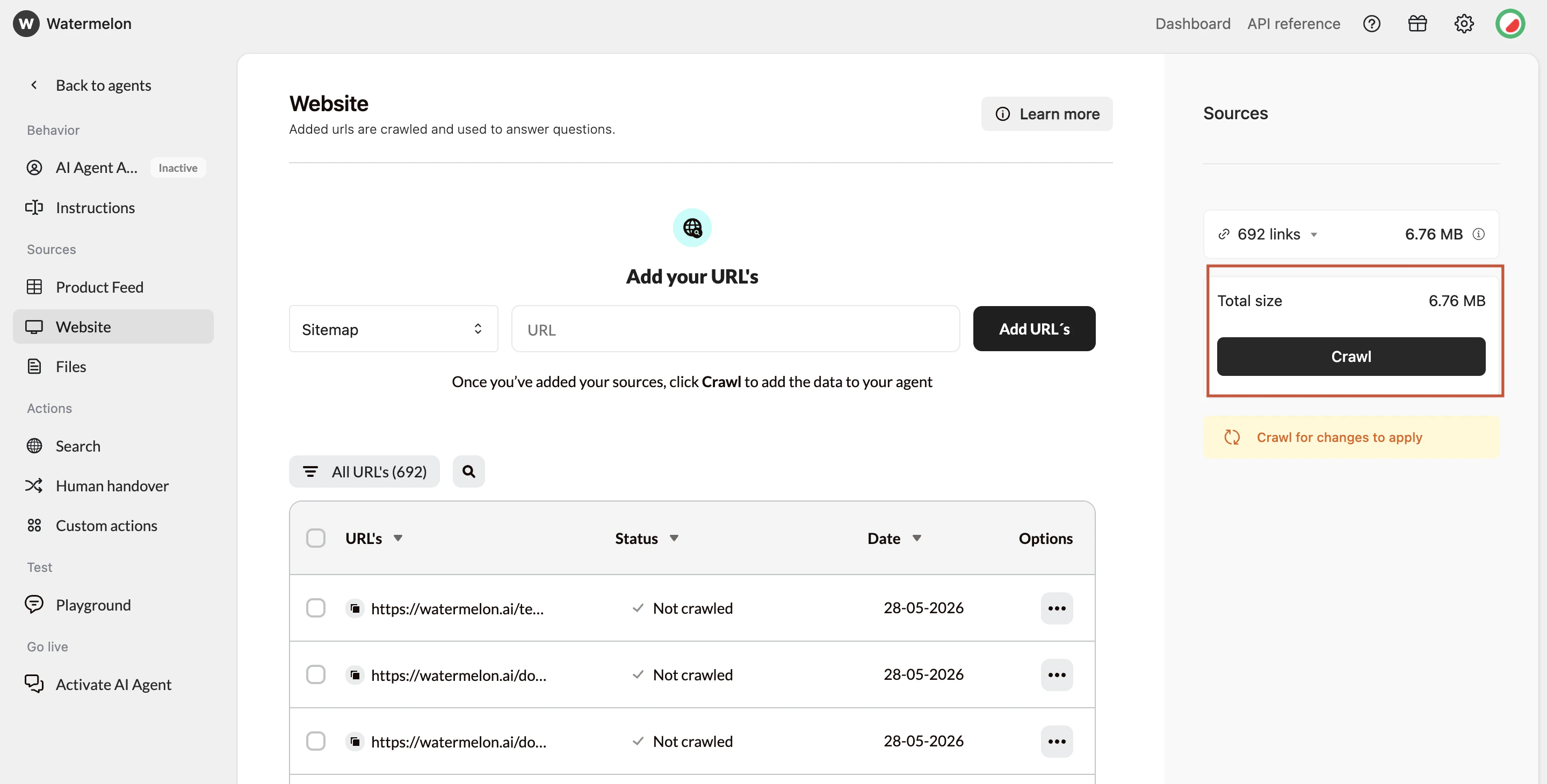 ### **Crawl statuses**
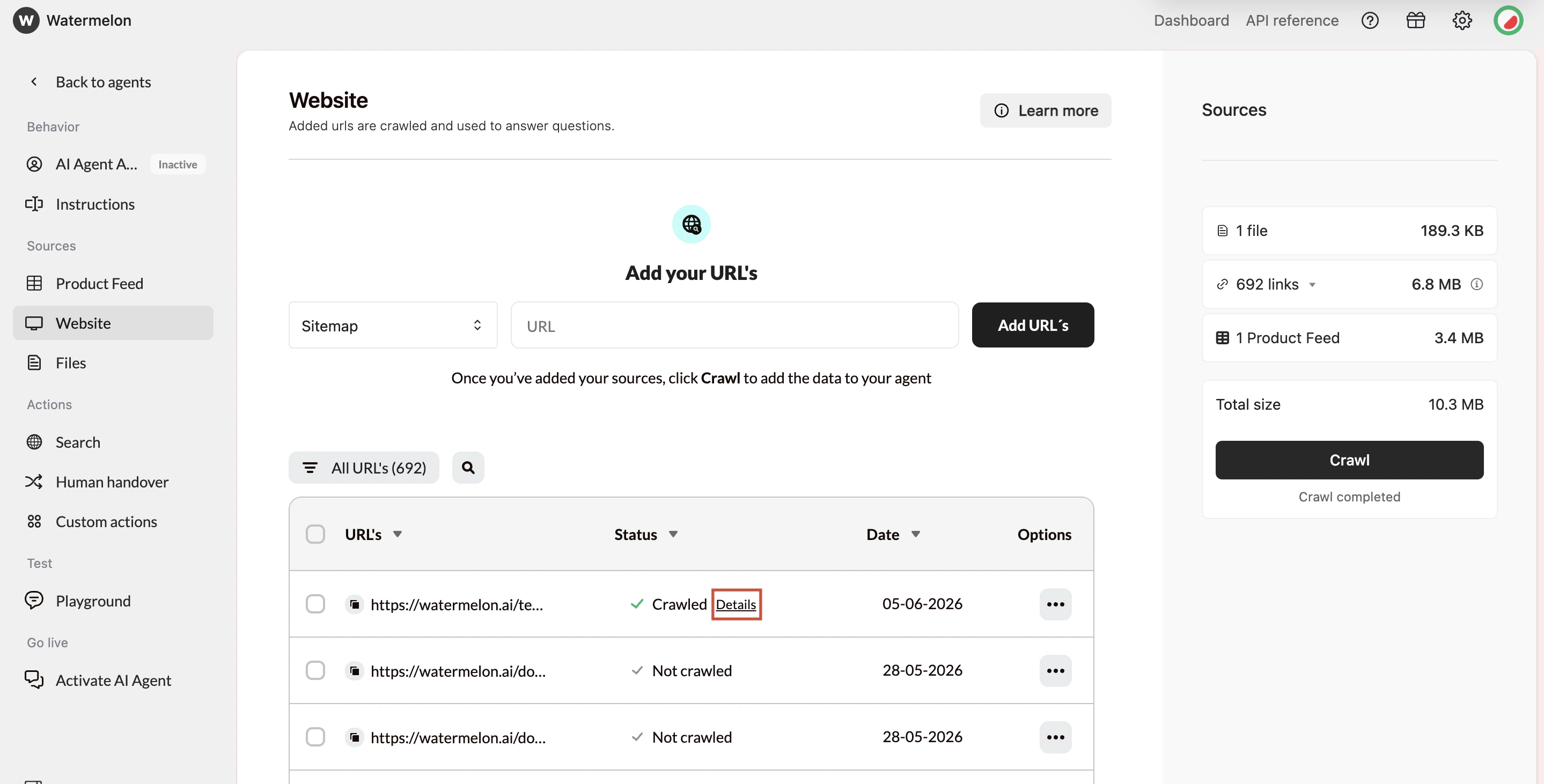
* **Crawled** – Content added successfully
* **Not Crawled** – Not processed yet
* **Queued** – Waiting to be processed
* **Excluded** – Skipped by your choice
After a URL has been crawled, you can click **Details** next to the URL to view the exact information that was extracted from the page. This helps you make sure the information on your website is part of your AI Agent’s knowledge.
### **Crawl statuses**
* **Crawled** – Content added successfully
* **Not Crawled** – Not processed yet
* **Queued** – Waiting to be processed
* **Excluded** – Skipped by your choice
After a URL has been crawled, you can click **Details** next to the URL to view the exact information that was extracted from the page. This helps you make sure the information on your website is part of your AI Agent’s knowledge.
 ### Important behavior notes
* The crawling process may take up to **24 hours** to complete
* You do **not** need to stay on the page or stay logged in; the crawling process will continue automatically
* Failed pages will be retried up to **50 times** before marking a URL as failed
* If crawling a sitemap or domain finishes **within seconds**, it may indicate access issues or a technically difficult site.
* If progress appears **stuck** at 90–100%, the system is still retrying a small number of slower or temporarily unavailable URLs.
Be sure to **re-crawl after website updates** to refresh your AI Agent's knowledge!
## Troubleshooting
Common reasons a URL **cannot** be crawled include:
* robots.txt **restrictions**
* The page **blocks** crawlers.
* Incorrect or **inaccessible** URLs
* **Typos**, wrong protocol, or pages that do not load.
* **Anti-bot** protection
* **CAPTCHAs** or bot detection systems block access.
* Server **errors**
* 404, 500, 504, or temporary **downtime.**
* IP or geographic **restrictions**
* Some sites **block** scraping or certain regions.
* Server **overload**
* Too many requests can cause **timeouts.**
Try correcting the URL, batching crawls, or retrying later.
### Important behavior notes
* The crawling process may take up to **24 hours** to complete
* You do **not** need to stay on the page or stay logged in; the crawling process will continue automatically
* Failed pages will be retried up to **50 times** before marking a URL as failed
* If crawling a sitemap or domain finishes **within seconds**, it may indicate access issues or a technically difficult site.
* If progress appears **stuck** at 90–100%, the system is still retrying a small number of slower or temporarily unavailable URLs.
Be sure to **re-crawl after website updates** to refresh your AI Agent's knowledge!
## Troubleshooting
Common reasons a URL **cannot** be crawled include:
* robots.txt **restrictions**
* The page **blocks** crawlers.
* Incorrect or **inaccessible** URLs
* **Typos**, wrong protocol, or pages that do not load.
* **Anti-bot** protection
* **CAPTCHAs** or bot detection systems block access.
* Server **errors**
* 404, 500, 504, or temporary **downtime.**
* IP or geographic **restrictions**
* Some sites **block** scraping or certain regions.
* Server **overload**
* Too many requests can cause **timeouts.**
Try correcting the URL, batching crawls, or retrying later.