> ## Documentation Index
> Fetch the complete documentation index at: https://watermelon.ai/docs/llms.txt
> Use this file to discover all available pages before exploring further.
# Product feed connection
> When you connect your Product feed (previously known as XML feed) to Watermelon, your Agent automatically stays up to date with the latest product information.
With the Product feed connection, you can easily add your e-commerce products to your Agent's knowledge.
The Product feed is available for Starter, Advanced, Business and Enterprise plans.
Connecting your Product feed to your Agent will take 1-5 minutes.
## Adding Product Feed
Follow the steps below to connect your Product feed.
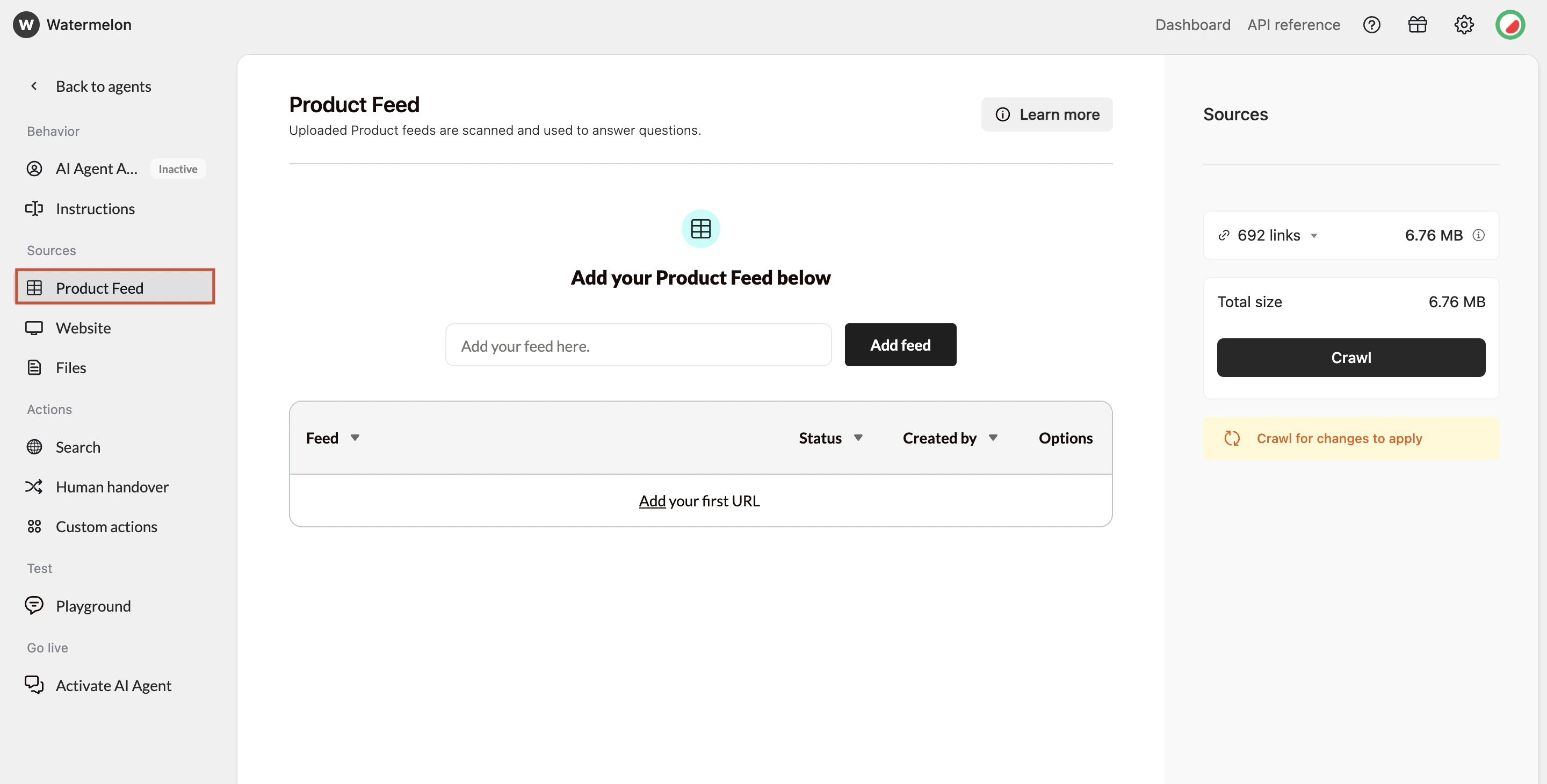
Add your Product feed by pasting the feed URL into the input field and clicking **Add feed**. Only XML feeds are supported — sitemaps and JSON feeds are not accepted.
The maximum file size is 50 MB per Product feed.
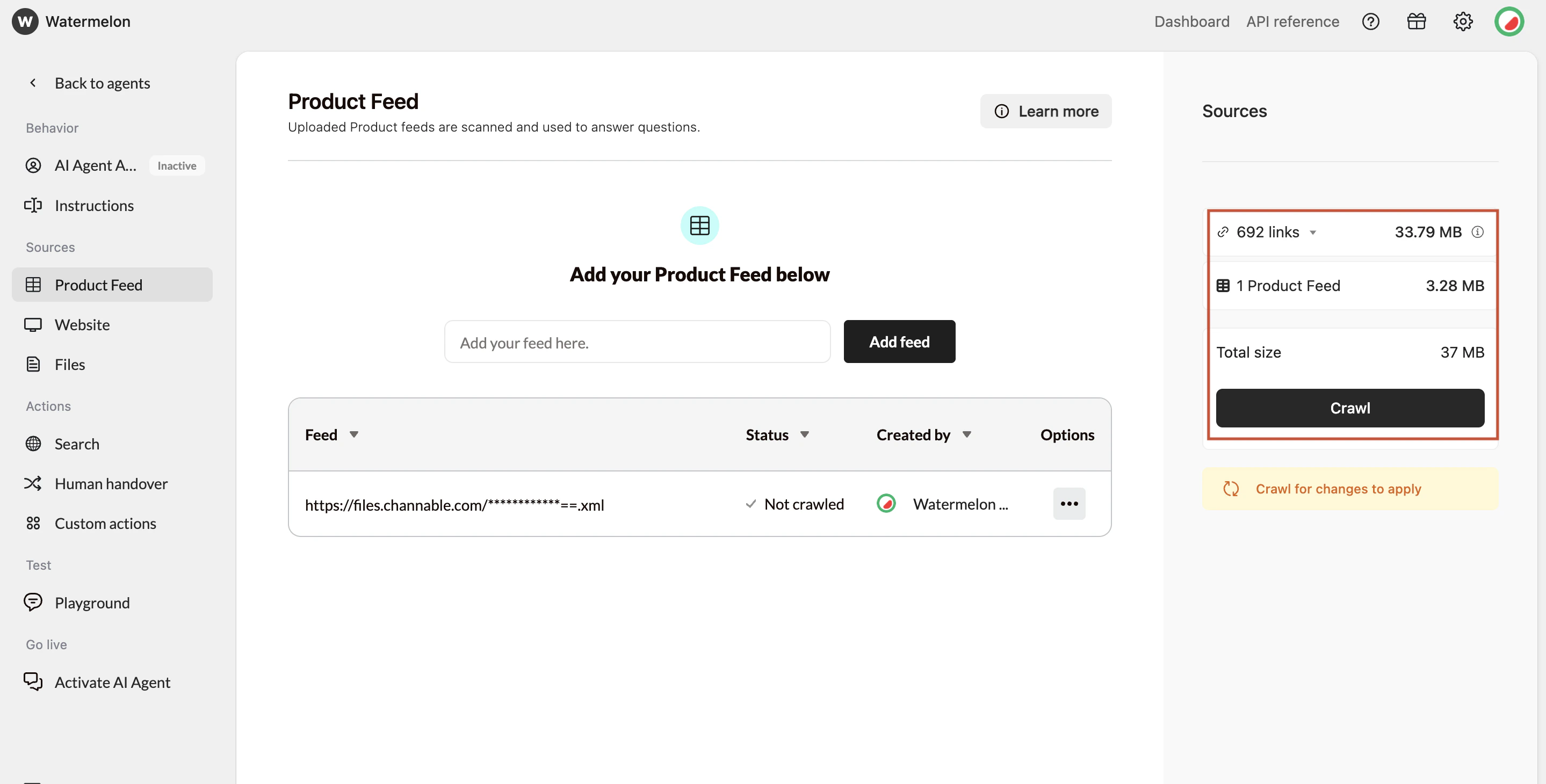
Once added, you can **Crawl** your product feed. You can click \*\*Crawl \*\*to manually update your sources whenever changes occur.
## Product feed options
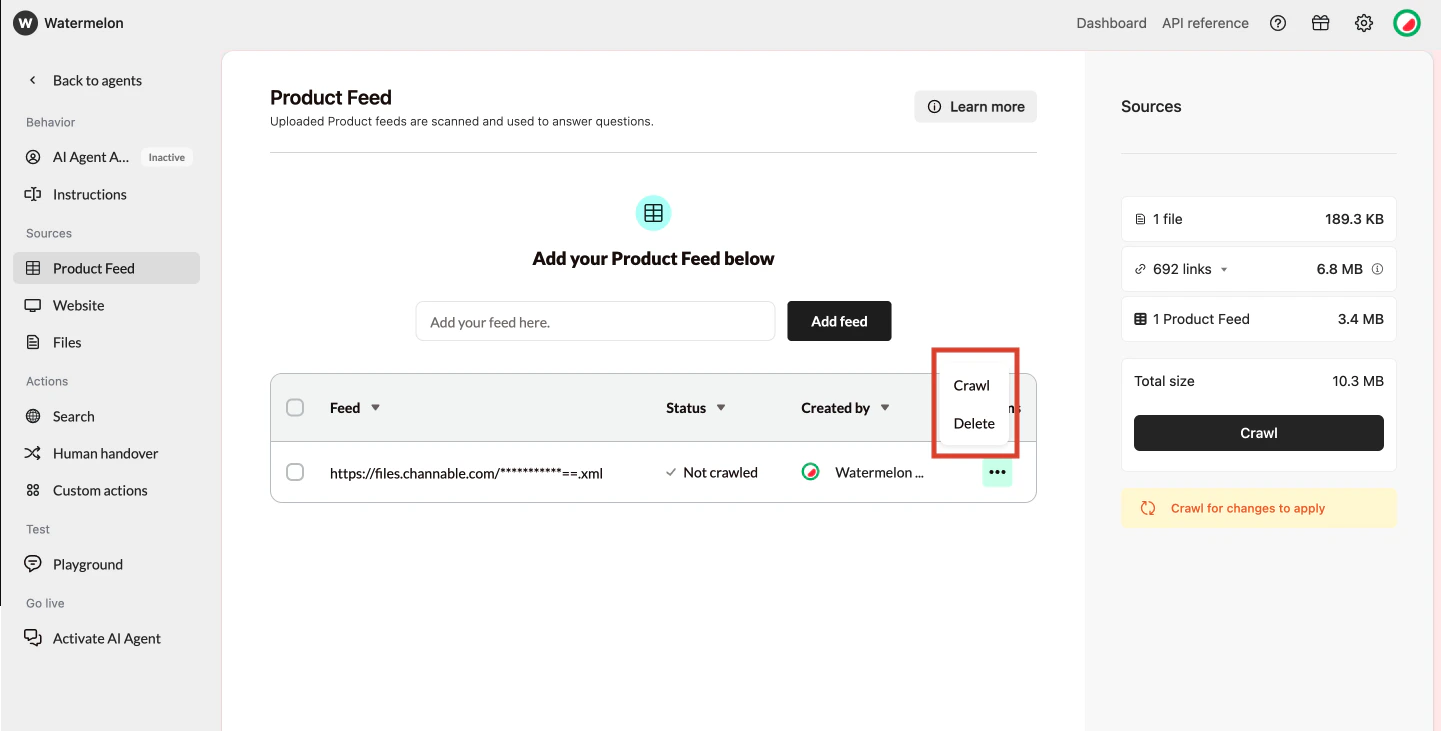
You can manage your feeds by clicking the **Options** button.
* **Delete** – Removes the selected feed and all associated product data.
* **Crawl** – Updates only the selected feed, instead of crawling all sources at once.
## **How the Product feed fits in your agent**
### **Product feed and Website connect**
Don't include any information or instructions about product URLs in the Domain Knowledge. This section should only contain domain-relevant context — rules about URLs are automatically handled by the system.
When using the Product feed together with Website, make sure the crawler skips all product pages. These pages are already included in the Product feed, and crawling them again could cause overlapping or inconsistent information for the Agent.
You can also connect Product feeds from external tools such as **Channable**, **Producthero**, or **DataFeedWatch**. These platforms make it easy to generate structured product feeds that your Agent can use directly — while your Website focuses on other content like blog posts, help pages, or category descriptions.
## **General requirements for an Product feed**
Before looking at specific fields, your Product feed should meet these basic requirements:
* The feed must be **publicly accessible via a URL**
* The feed format must be **XML**
* The feed must contain **structured product-level data**
* Each product should appear **once** in the feed
* The feed should be updated when products change
### **Required fields in an Product feed**
To work properly with Watermelon, your Product feed must contain at least the following fields for **each product**.
| **Field** | Explenation | Values | Example |
| ------------------------ | -------------------------------------------------------- | ----------------------------------------------------------------------------------------------------------------------------------------------------------------------------- | ------------------------------------------------------------------------------------------------------------- |
| **Product ID** | A unique identifier for each product | - Must be unique per product - Should not change over time - Can be a SKU, internal ID, or database ID | `12345` |
| **Product title / name** | The name of the product as shown to customers. | - Clear and descriptive - Avoid internal codes/names only - Prefer the full product name | `Wireless Noise Cancelling Headphones` |
| **Product description** | A textual description of the product. | - Can be short or long - Plain text is preferred - Avoid HTML where possible - This field is crucial for helping your Agent explain what a product is and what it's used for. | `Wireless headphones with active noise cancellation and 30 hours of battery life.` |
| **Product URL** | The direct URL to the product page on your webshop. | - Must be a full URL (including https) - Should lead to a live, accessible page | - `https://www.example.com/` `products/phones` |
| **Price** | The current selling price of the product. | - Use a consistent format - Clearly define the currency - Exclude additional text | - `199.99` or `199.99` |
| **Availability** | Indicates whether the product is available for purchase. | - This helps your Agent avoid recommending unavailable products. | - `in stock` |
### **Strongly recommended fields**
While not strictly required, these fields greatly improve the quality of your Agent's answers.
* **Brand**: Helps distinguish similar products and improves filtering.
* **Example:** `Sony`
* **Category**: Helps your Agent understand how products relate to each other.
* **Example:** `Audio > Headphones`
* **Variants (if applicable)**: If your product has variants (size, color, material), include them clearly.
* Use separate variant entries **or**
* Include structured variant fields
* **Example:** `Black` or `Medium`
 ## **How the Product feed fits in your agent**
### **Product feed and Website connect**
## **How the Product feed fits in your agent**
### **Product feed and Website connect**