> ## Documentation Index
> Fetch the complete documentation index at: https://watermelon.ai/docs/llms.txt
> Use this file to discover all available pages before exploring further.
# Have your agent send files
> You may want your AI Agent to share documents with customers, such as manuals, installation guides, or product information sheets.
At the moment, the Watermelon AI Agent **cannot send files directly** in a conversation. However, you *can* train your AI Agent to **share links to documents** instead.
## **How document sharing works**
The AI Agent can only send **text-based responses**, including links.
This means:
* Files must be accessible via a **public URL**
* The AI Agent sends the **link**, not the file itself
* You control *when* and *how* the link is shared through instructions
### **Step 1: Make sure your file has a URL**
To share a document, it must be available at a publicly accessible URL.
**If your file already has a URL**
If your document is already hosted online (for example on your website, help center, or cloud storage), make sure:
* The URL is public
* No login is required
* The link remains stable over time
You can then proceed directly to writing instructions for the AI Agent.
**Creating a document URL within Watermelon**
If your file does not yet have a URL, you can create one using the **Document Scraper**.
1. Upload the document in the **Document Scraper**
2. Download the document from the Document Scraper
3. Open the downloaded document in your web browser
The URL shown in the address bar is the direct link to your document
4. (Optional) Remove the document from the Document Scraper
If you want the AI Agent to **use the content of the document to answer questions**, leave the document in the Document Scraper.
If you only want to share the link, you can safely delete it after creating the URL.
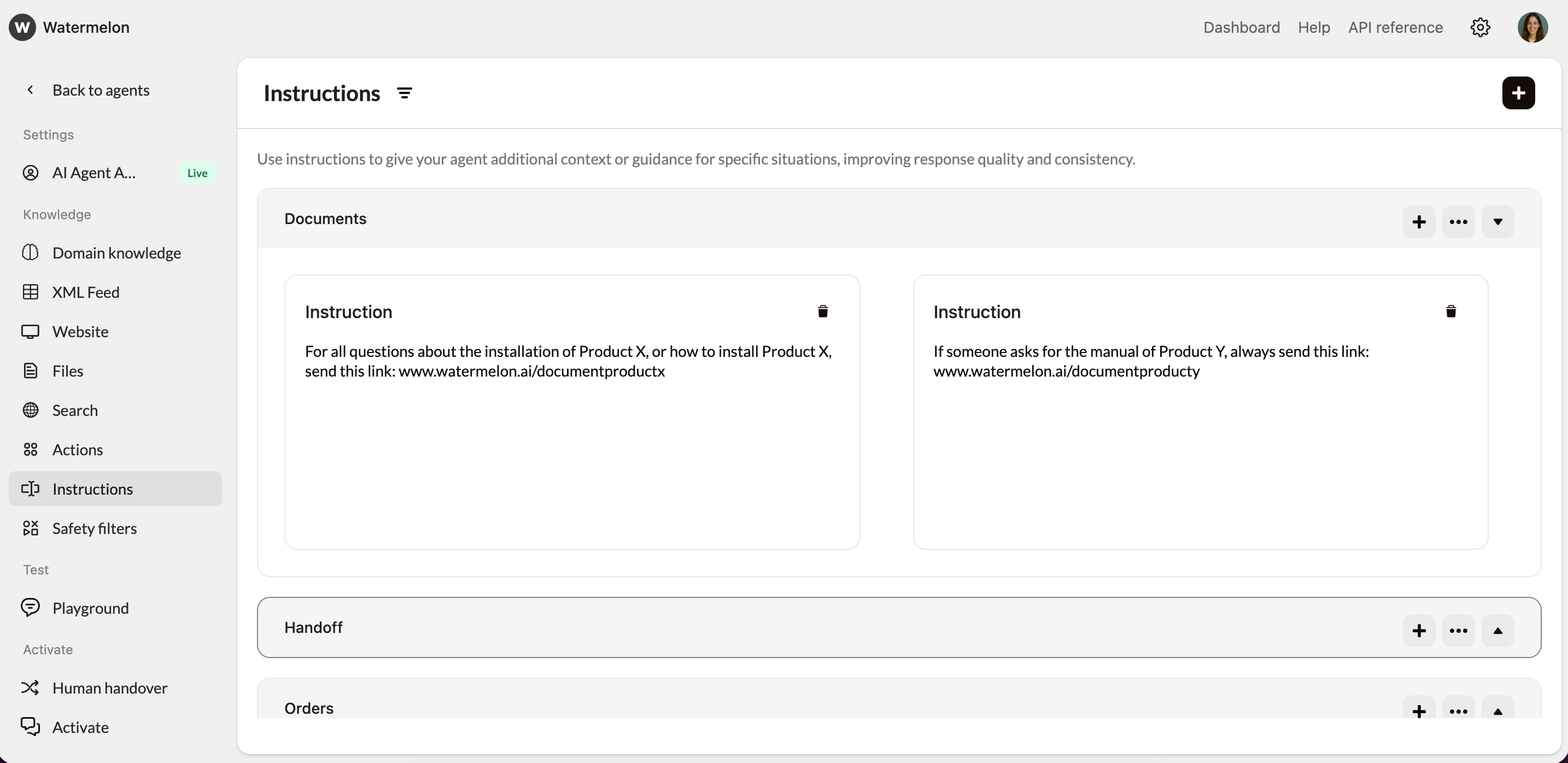
### **Step 2: Write clear instructions for the AI Agent**
Once you have the document URL, you need to tell the AI Agent **when and how** to share it. This is done by adding instructions to the Agent. Be as specific as possible to avoid ambiguity.
**Example 1: Installation guide**
> For all questions about the installation of Product X, or how to install Product X, send this link:
>
> *Document URL*
**Example 2: Product manual**
> If someone asks for the manual of Product Y, always send this link: *Document URL*
 When you update a document, the URL may change and the AI Agent won’t automatically detect this.
Always update the document URL in the Agent’s instructions, or use a stable URL to reduce maintenance.
When you update a document, the URL may change and the AI Agent won’t automatically detect this.
Always update the document URL in the Agent’s instructions, or use a stable URL to reduce maintenance.