> ## Documentation Index
> Fetch the complete documentation index at: https://watermelon.ai/docs/llms.txt
> Use this file to discover all available pages before exploring further.
# Notes
> Notes let you record internal information directly in a conversation. They’re ideal for sharing context, tracking next steps, or keeping a quick reminder about the chat.
## **Why Use Notes**
Notes help keep everyone aligned and ensure smooth collaboration across shifts or teams. Use them to:
* Summarize important details from the conversation
* Record next steps or follow-up tasks
* Share quick updates for another agent taking over
* Provide context before forwarding or reassigning a chat
* Keep an internal log of key customer interactions
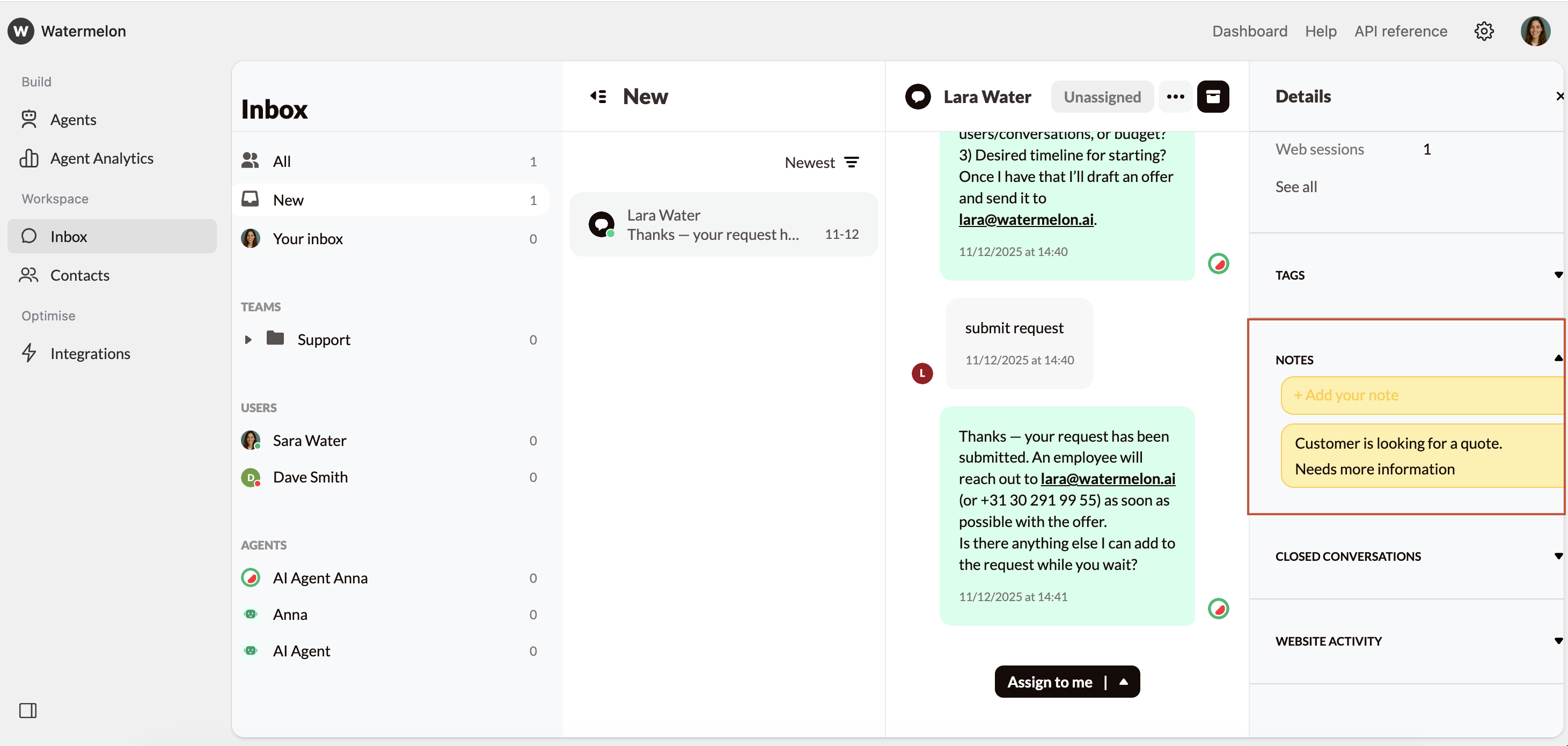
To keep Notes in a conversation, navigate to your Inbox, and select a conversation to get started. In the Details pane in the right, you can add Notes.
 ## **Viewing and Managing Notes**
* All team members with access to the conversation can view notes in the Details Pane.
* Notes are internal only. They are never shown to the customer.
* You can edit or delete your own notes as needed to keep the information current and accurate.
Keep notes clear and concise. Use bullet points or short summaries rather than long paragraphs — this makes it easier for teammates to scan and understand the context at a glance.
## **Viewing and Managing Notes**
* All team members with access to the conversation can view notes in the Details Pane.
* Notes are internal only. They are never shown to the customer.
* You can edit or delete your own notes as needed to keep the information current and accurate.
Keep notes clear and concise. Use bullet points or short summaries rather than long paragraphs — this makes it easier for teammates to scan and understand the context at a glance.