> ## Documentation Index
> Fetch the complete documentation index at: https://watermelon.ai/docs/llms.txt
> Use this file to discover all available pages before exploring further.
# Conversation starters
Help visitors start a conversation faster with clickable starter messages in the chat widget.
Conversation starters are short, clickable messages that appear in the chat widget before a visitor sends their first message.
They help visitors quickly choose a topic, such as pricing, support, booking a demo, or product questions. When a visitor clicks a starter, the message is sent as their first chat message.
Conversation starters are available on **all plans** and only appear in the **chat widget**.
**Limit:** You can create up to **4 conversation starters**. Each starter can contain up to **40 characters**.
## Set up conversation starters
In your Watermelon dashboard, go to **Integrations**.
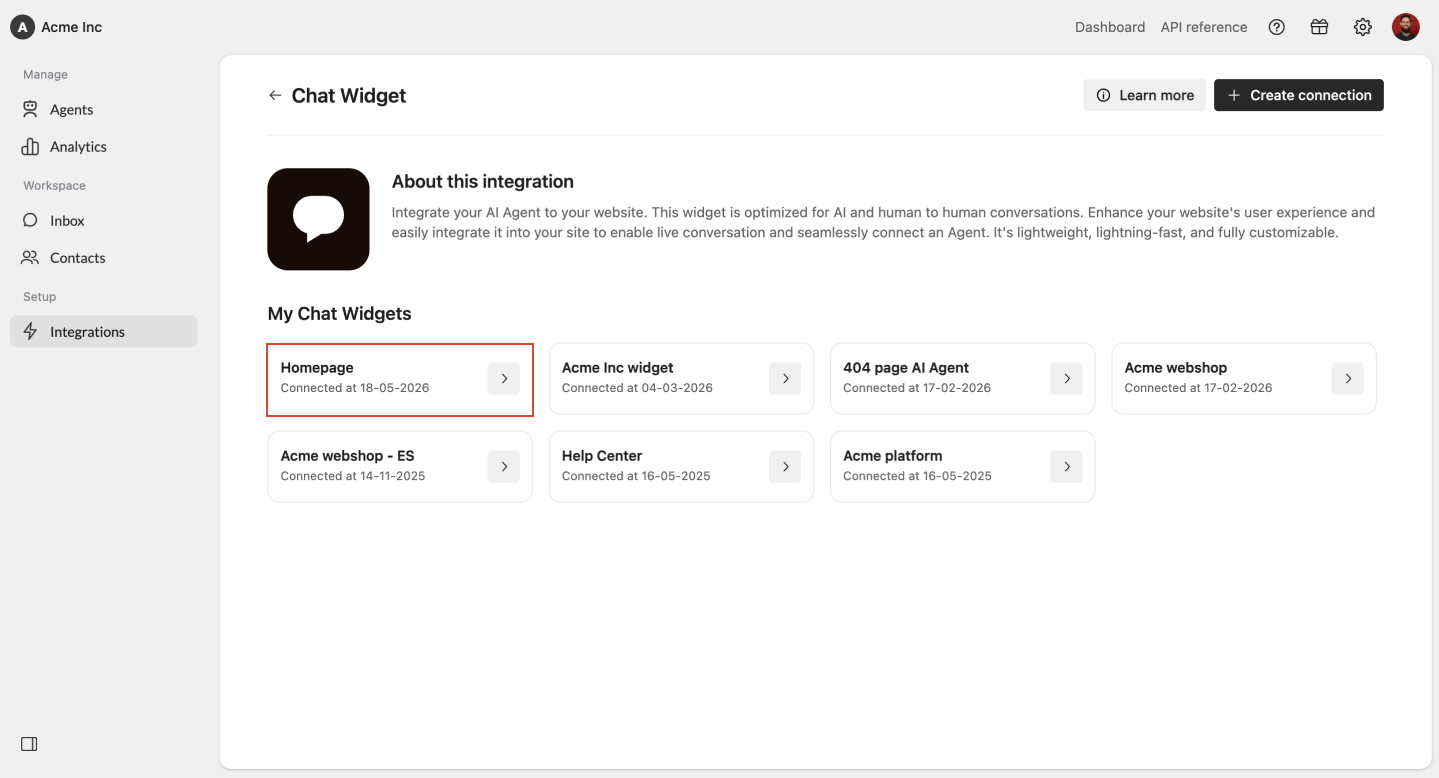
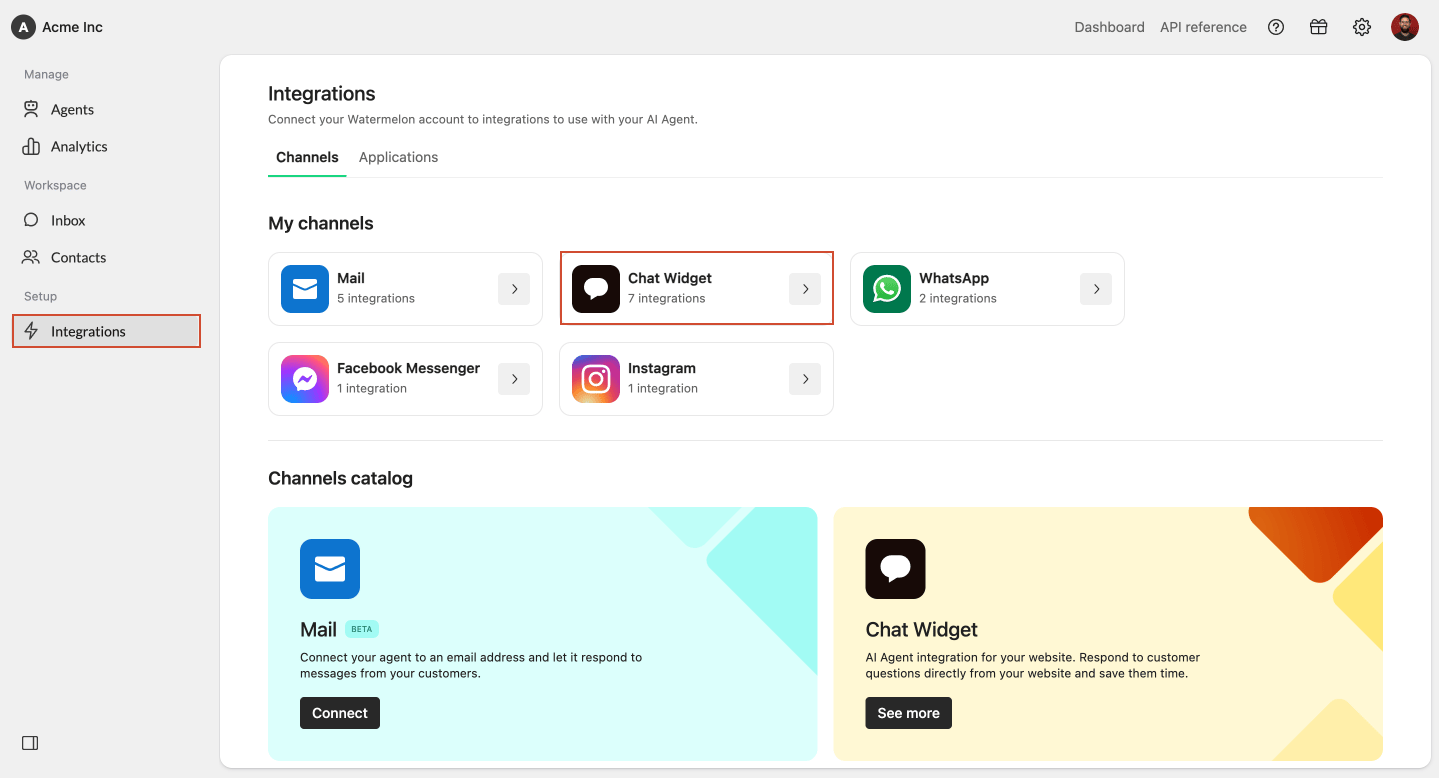 Select **Chat Widget** from the integrations overview. Open the chat widget you want to edit.
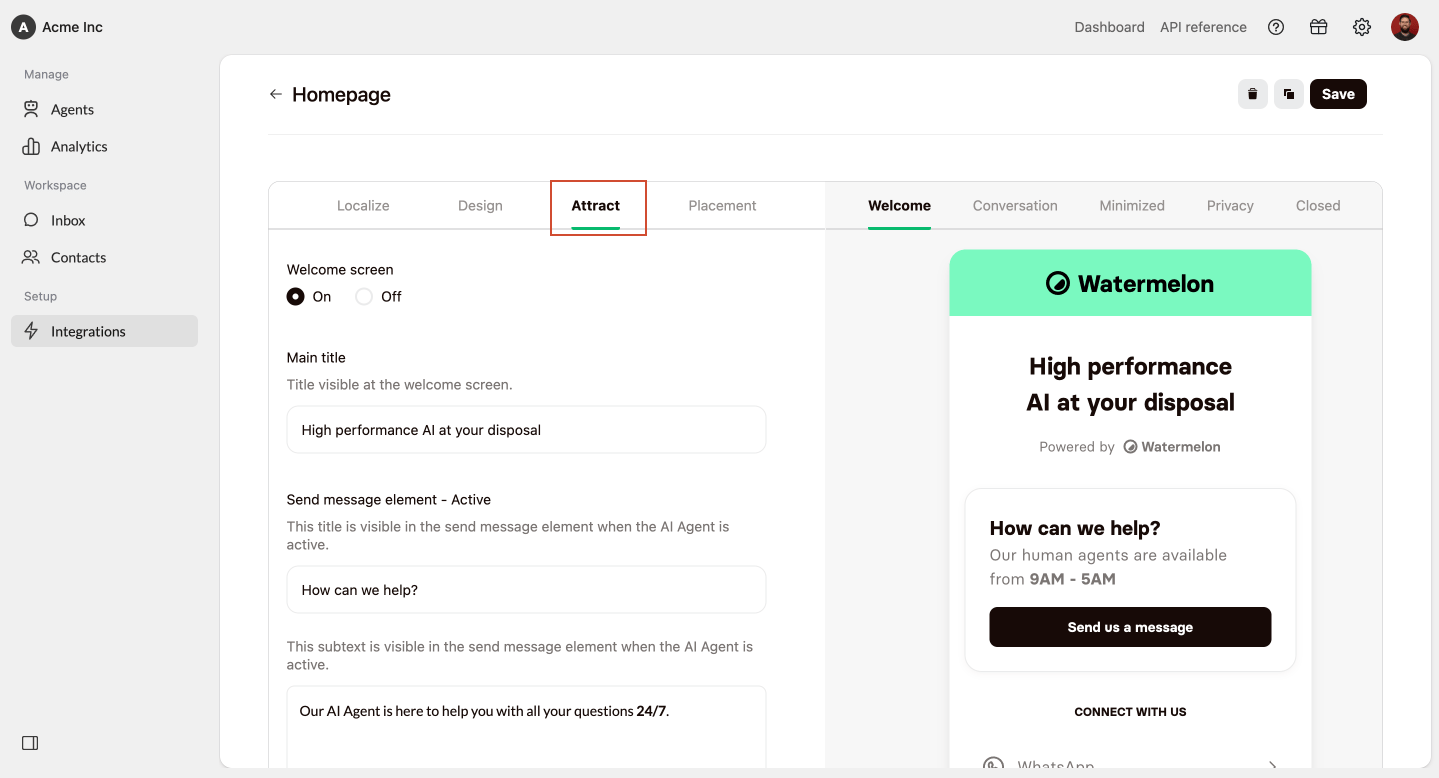
 Click **Attract** in the chat widget settings.
 Scroll down to the **Conversation starters** section. Enable **Conversation starters**.
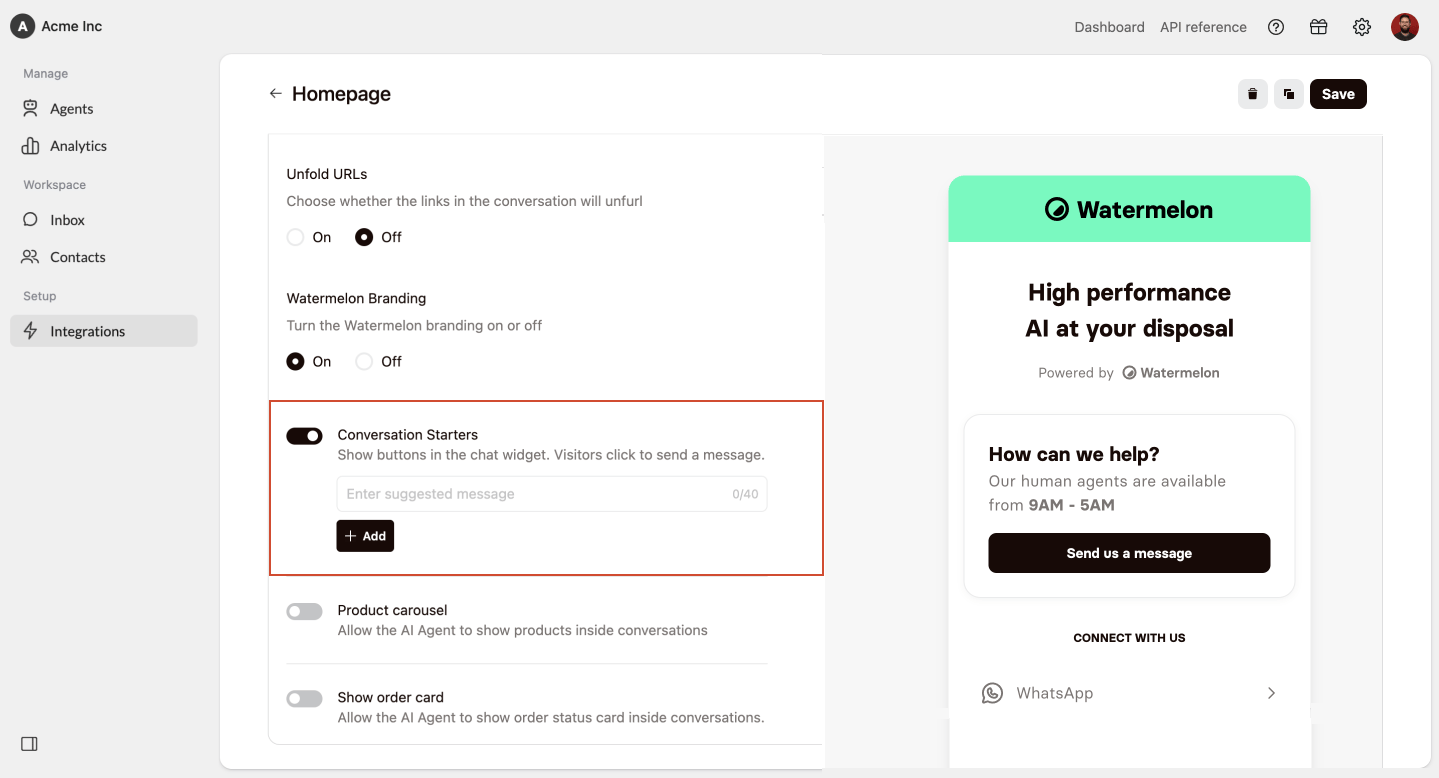 Add up to **4 conversation starters**.
Each starter can contain up to **40 characters**.
Add up to **4 conversation starters**.
Each starter can contain up to **40 characters**.
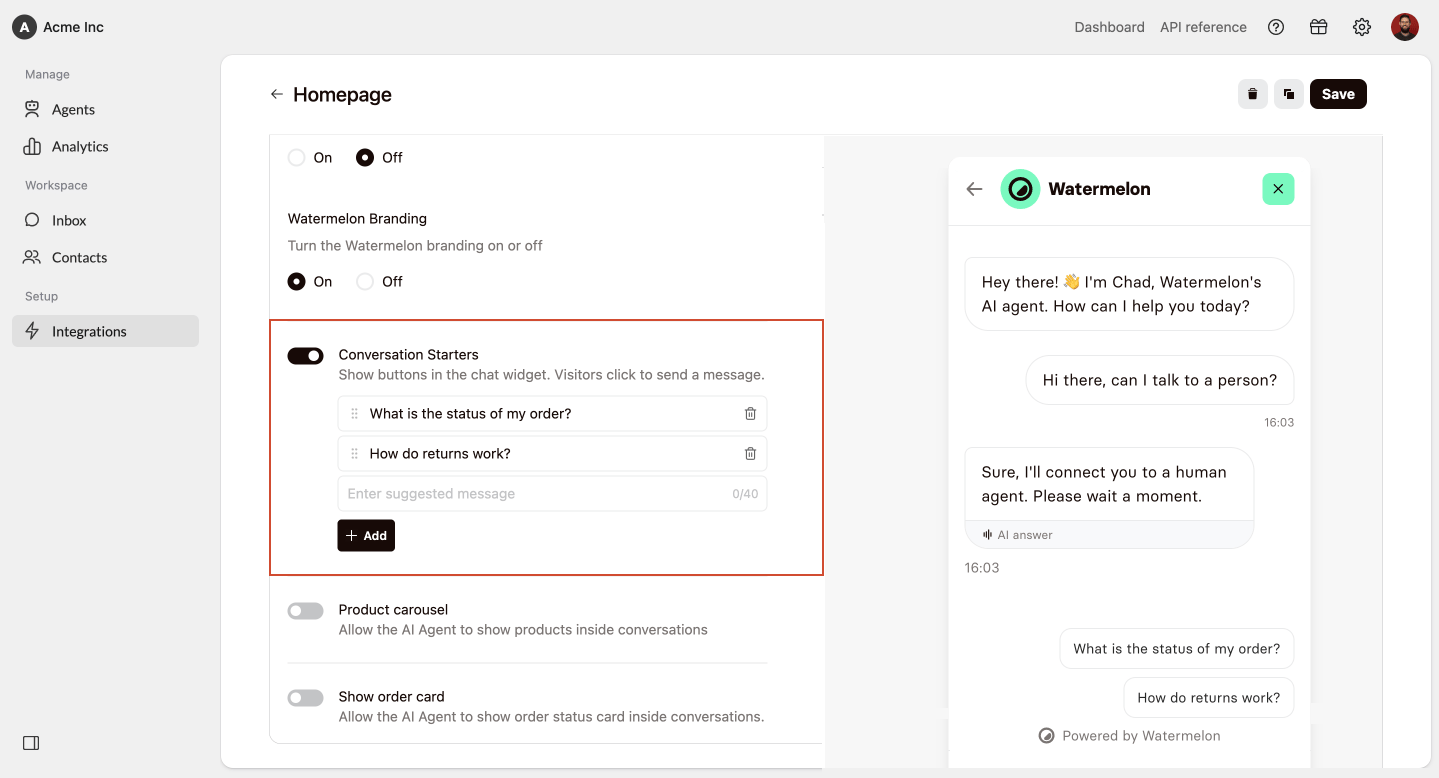 Drag and drop the starters into the order you want visitors to see them.
Click **Save** to publish your changes to the chat widget.
Drag and drop the starters into the order you want visitors to see them.
Click **Save** to publish your changes to the chat widget.
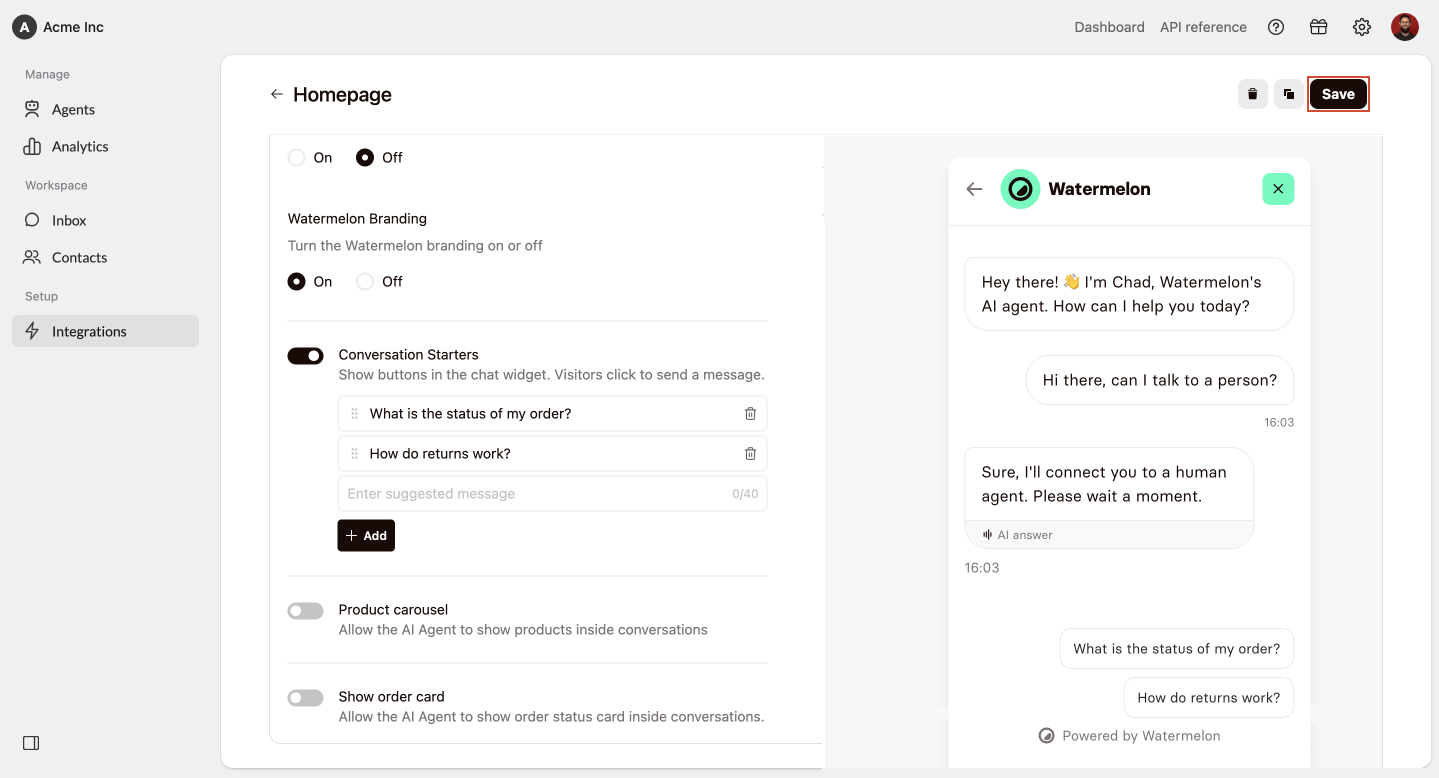 Once saved, the conversation starters will appear in your chat widget.
## Change the order
Go to **Integrations** > **Chat Widget** and select the chat widget you want to edit.
Click **Attract**. Scroll down to the **Conversation starters** section.
Drag and drop the starters into the order you want.
Once saved, the conversation starters will appear in your chat widget.
## Change the order
Go to **Integrations** > **Chat Widget** and select the chat widget you want to edit.
Click **Attract**. Scroll down to the **Conversation starters** section.
Drag and drop the starters into the order you want.
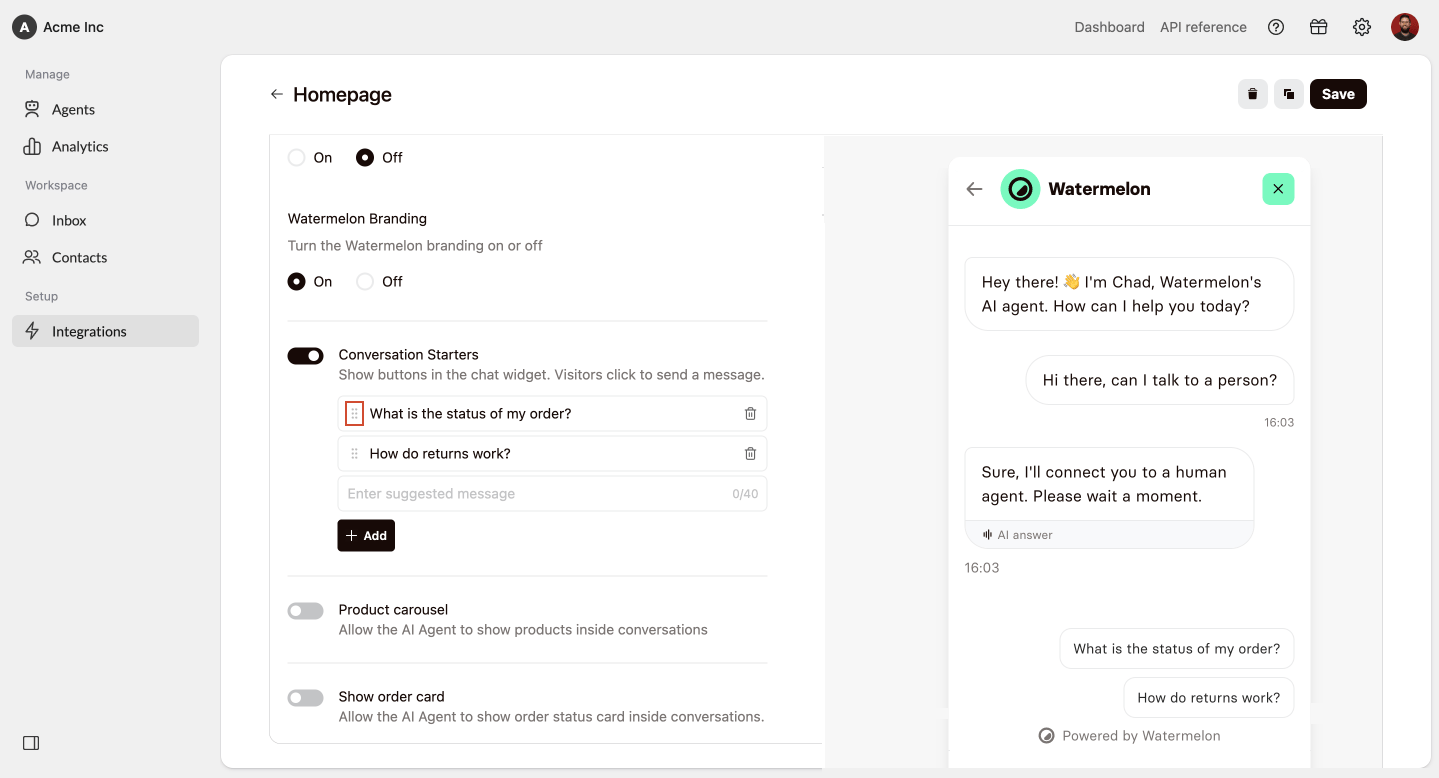 Click **Save** to save your changes.
The order you set here is the order visitors will see in the chat widget.
## Disable conversation starters
Go to **Integrations** > **Chat Widget** and select the chat widget you want to edit.
Click **Attract**. Scroll down to the **Conversation starters** section.
Disable **Conversation starters**.
Click **Save** to save your changes.
The order you set here is the order visitors will see in the chat widget.
## Disable conversation starters
Go to **Integrations** > **Chat Widget** and select the chat widget you want to edit.
Click **Attract**. Scroll down to the **Conversation starters** section.
Disable **Conversation starters**.
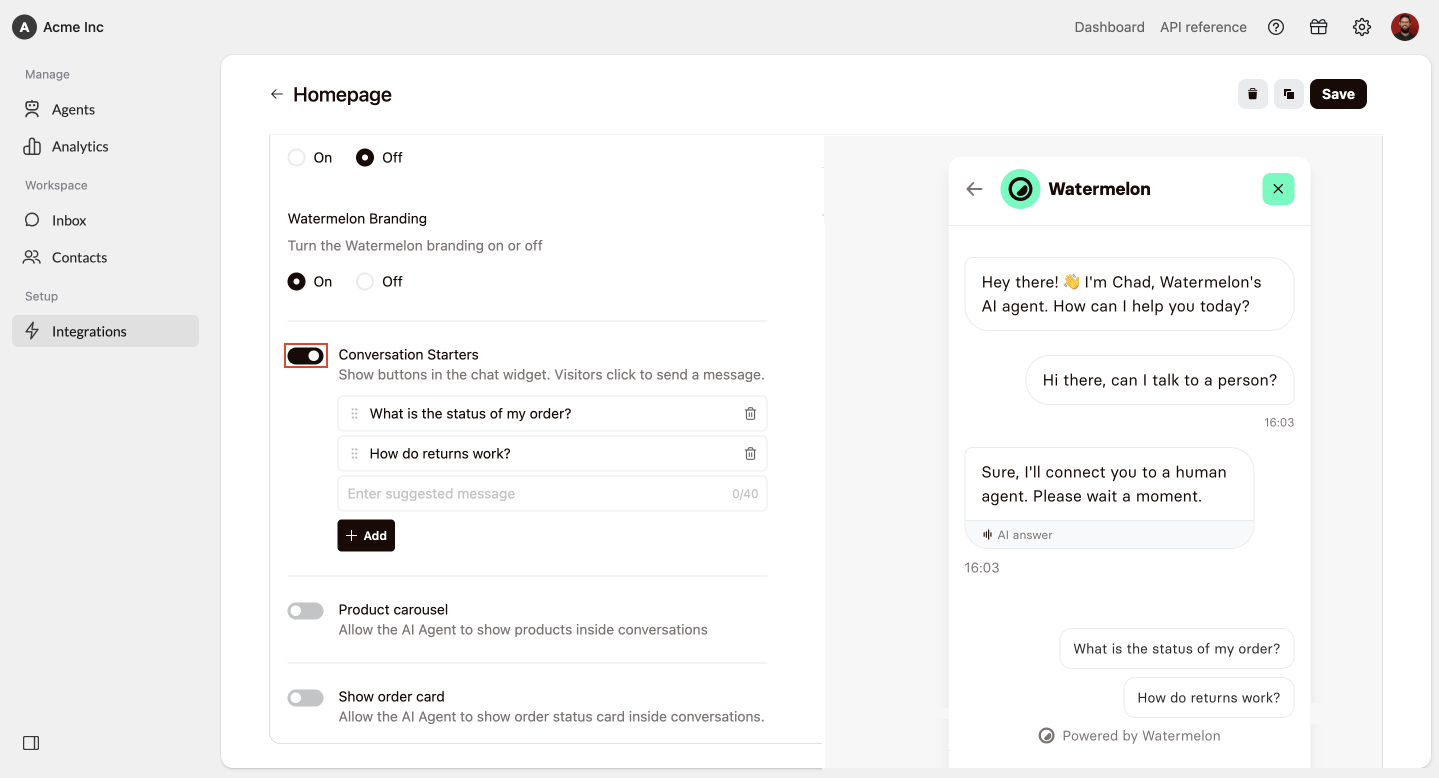 Click **Save** to save your changes.
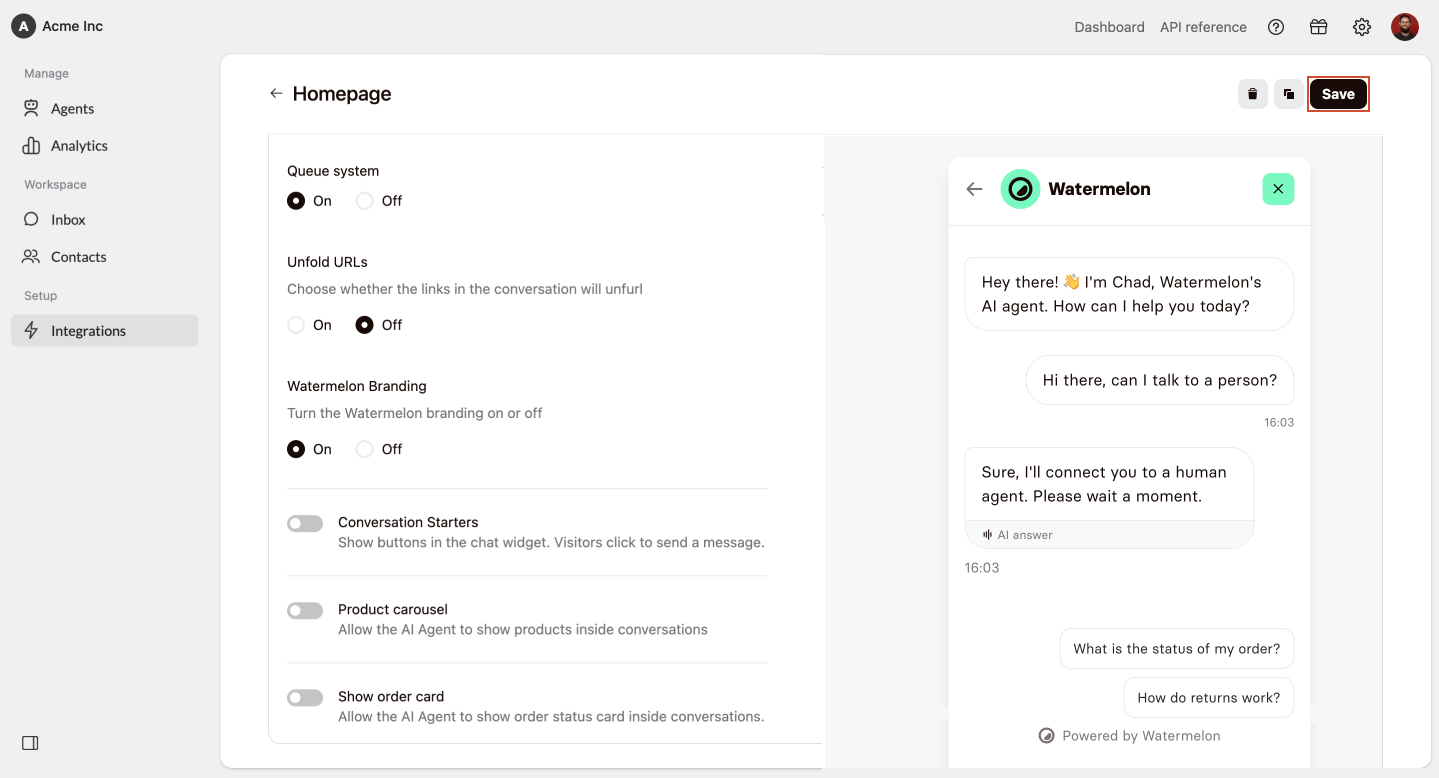 After you save, visitors will no longer see the starters in the chat widget.
## Best practices
Use clear and simple messages. Visitors should immediately understand what will happen when they click.
Add starters for the topics visitors ask about most often, such as pricing, support, or product details.
Write starters like actions, for example “Book a demo” or “View pricing”.
Place the starter visitors are most likely to need at the top.
After you save, visitors will no longer see the starters in the chat widget.
## Best practices
Use clear and simple messages. Visitors should immediately understand what will happen when they click.
Add starters for the topics visitors ask about most often, such as pricing, support, or product details.
Write starters like actions, for example “Book a demo” or “View pricing”.
Place the starter visitors are most likely to need at the top.