

Why use website visitor tracking
Website visitor tracking helps you see what your visitors are doing on your website while chatting with them. You can:- See which page your visitor is currently viewing.
- View how long they’ve been on that page.
- Check their browsing history and total time spent on your website.
Activating website visitor tracking
1
Access chat widget settings
In your Watermelon account navigate to Apps.Select the chat widget you’d like to enable tracking for, then go to Placement.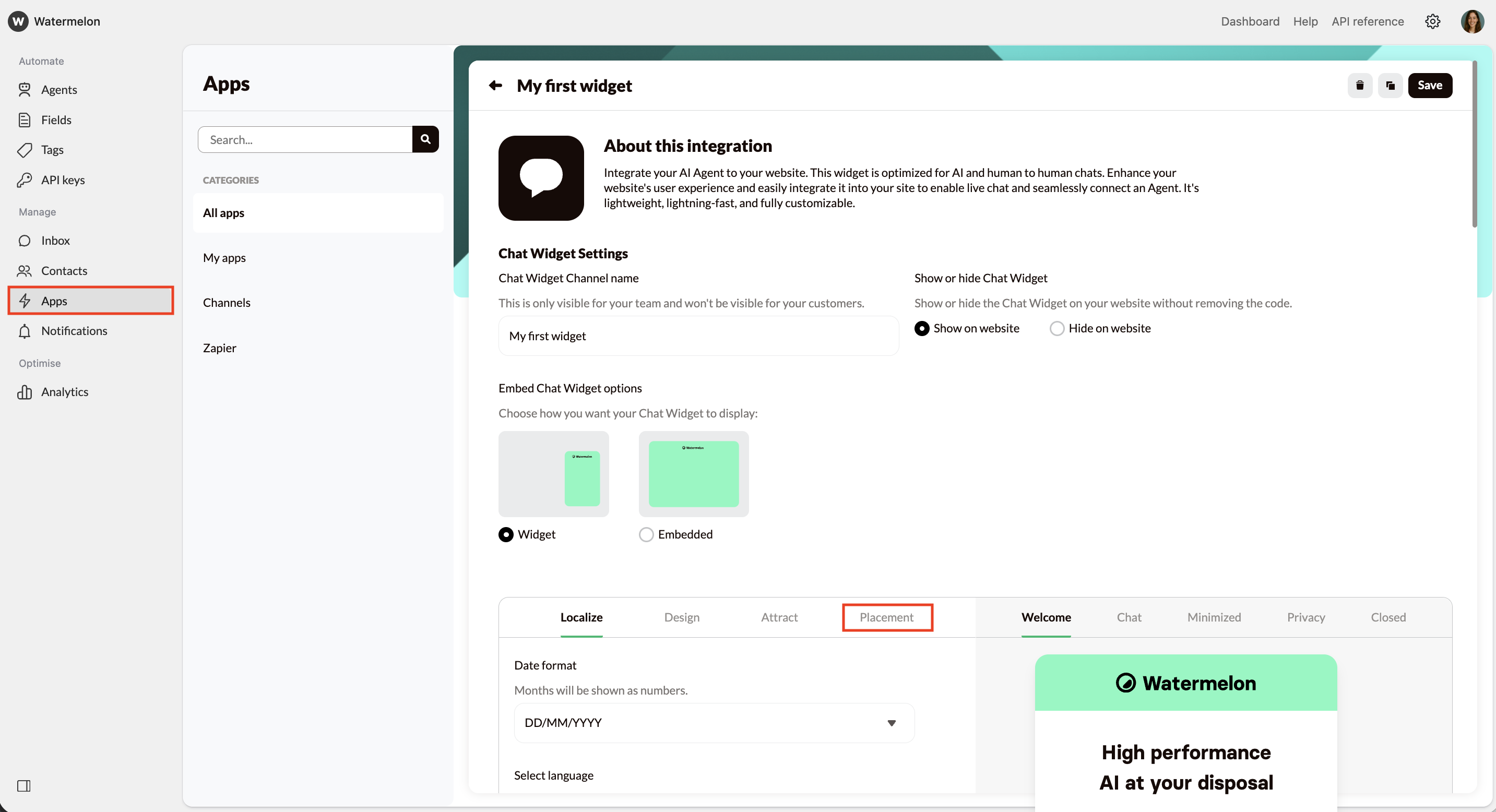
2
Toggle the feature
Find the option Track website visitors. By default, this is turned off.Toggle it on to start tracking your website visitors’ activity instantly.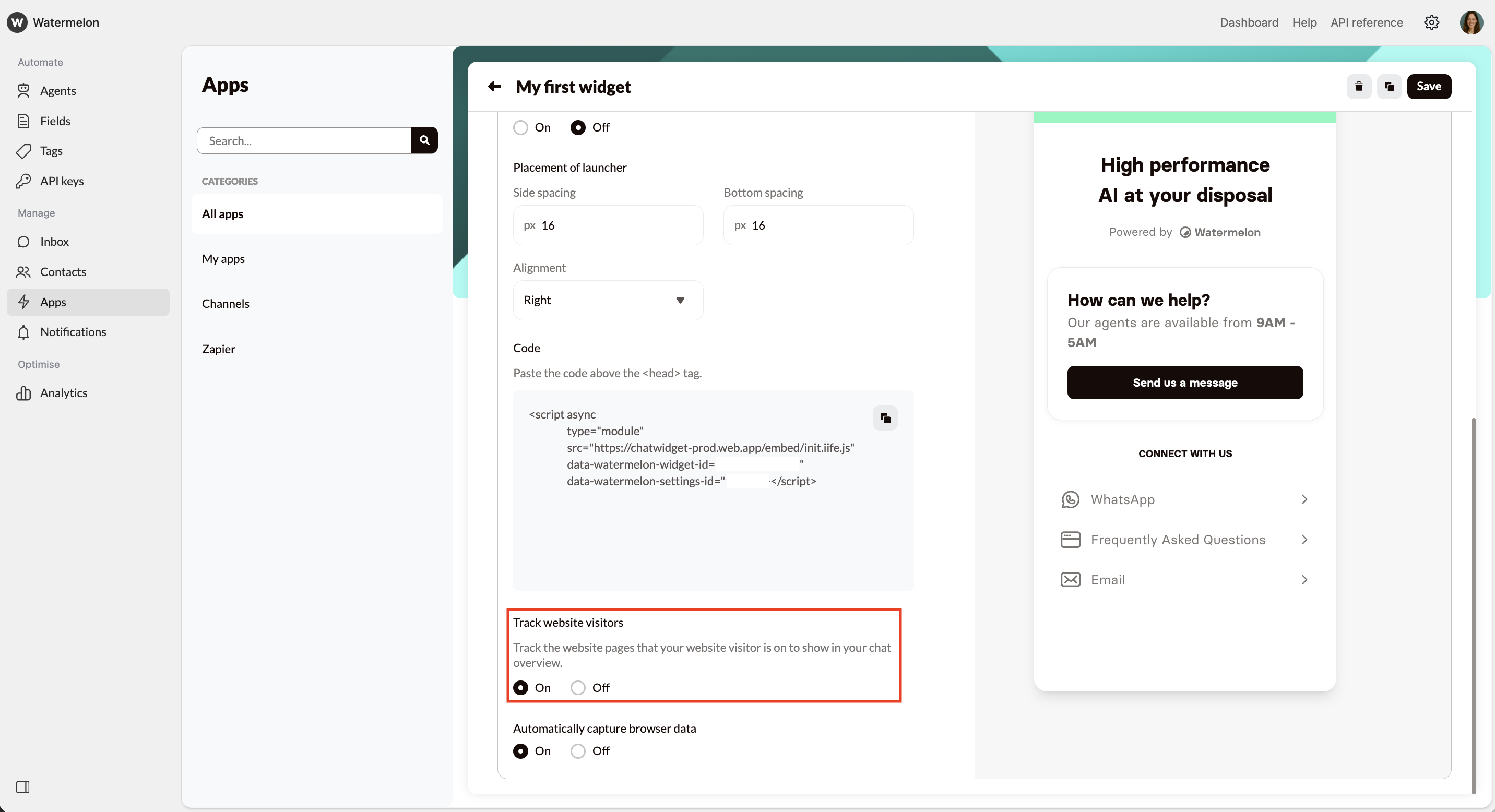
Visitors who were already active before you turned on tracking will appear once they reload the page.
View website activity in conversations
Once website visitor tracking is enabled, you can see real-time insights into how visitors navigate your website in your Inbox. You will find a tab called website activity in the Details of the contact you’re chatting with.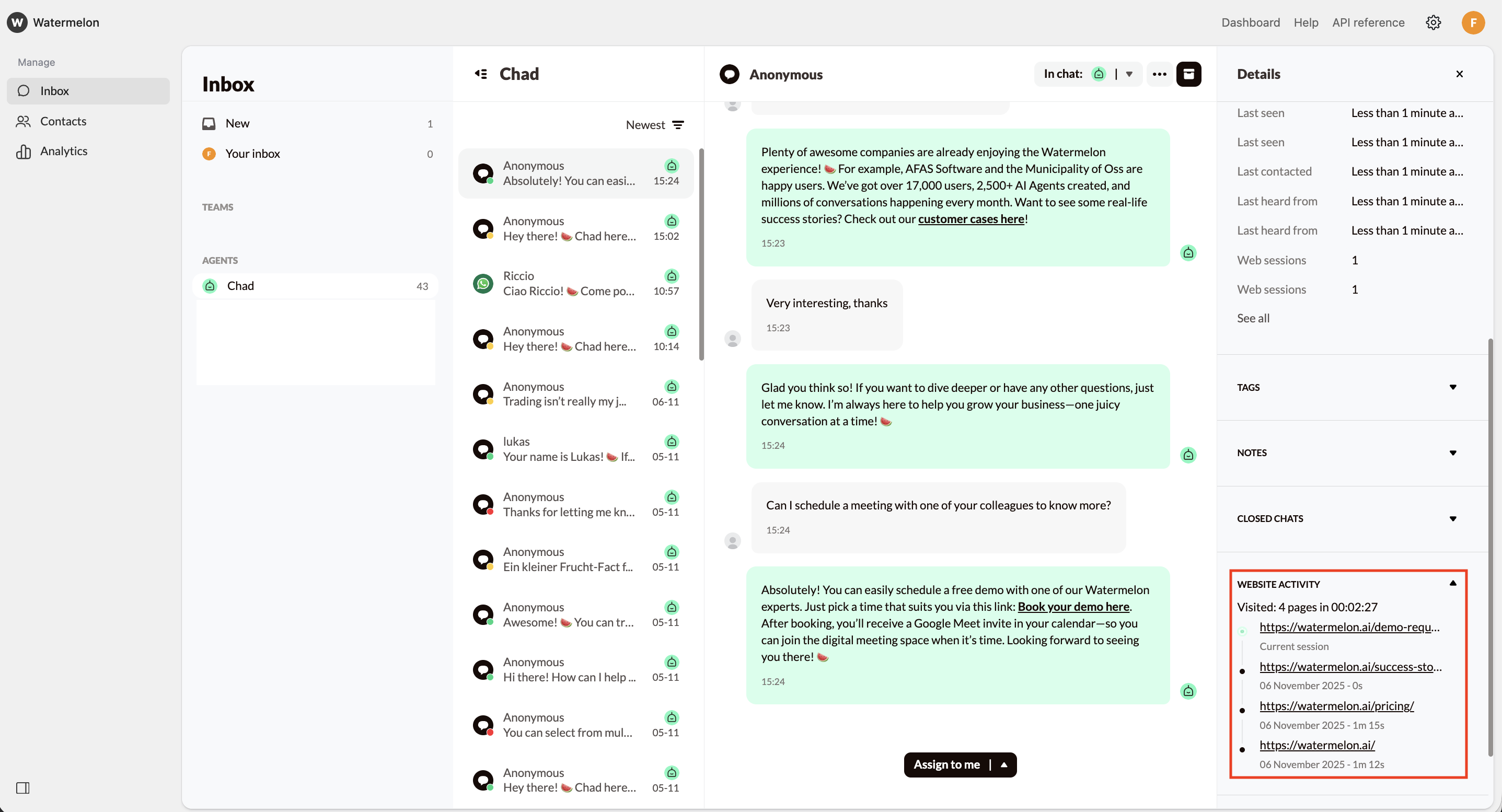
Components
When a visitor closes their browser, it may take a few minutes before Watermelon detects it. After around 4 minutes, the visitor will appear as having left the page.