

What is a field?
A field represents a specific piece of information connected to a contact, such as a name, phone number, or email address.Custom fields
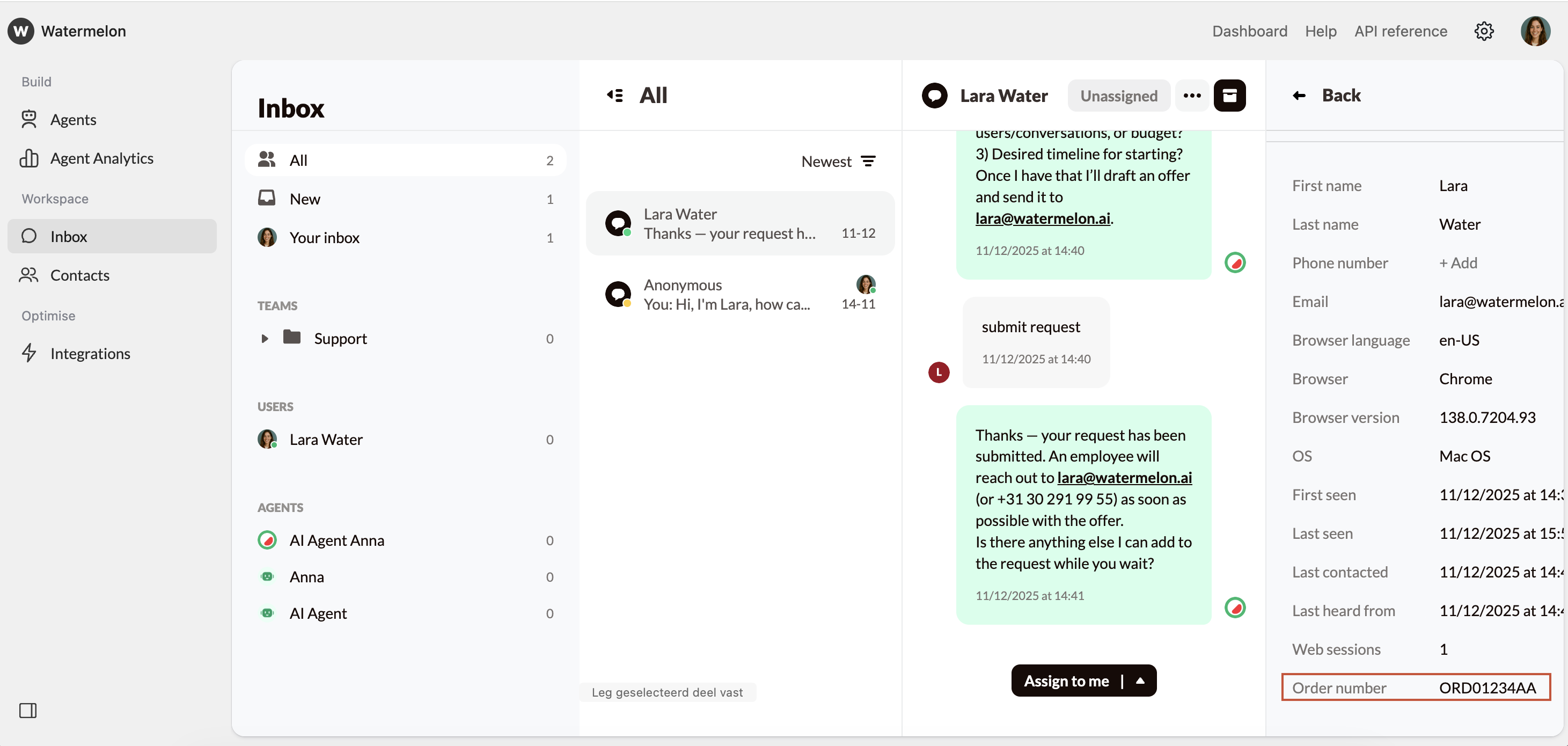
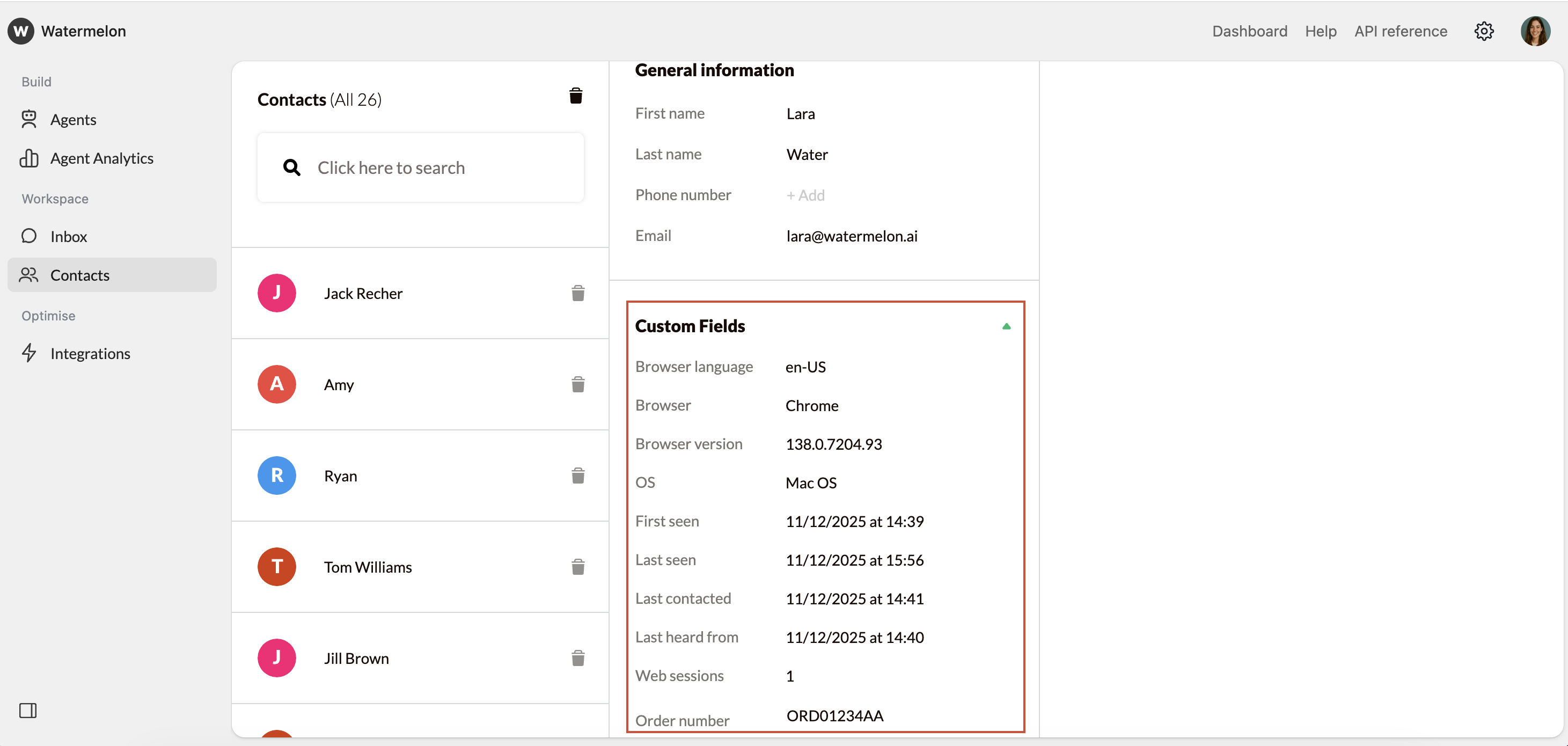
Custom fields are fields you create yourself to store extra information about your contacts. They’re useful when you want to:- Store specific data such as customer number, order number, or subscription type
- Search for contacts based on your own criteria
- Have your Agent reuse specific details during the conversation and when the end-user starts a new conversation
Where to find custom fields?
You can find custom fields at Settings > Fields > Custom fields.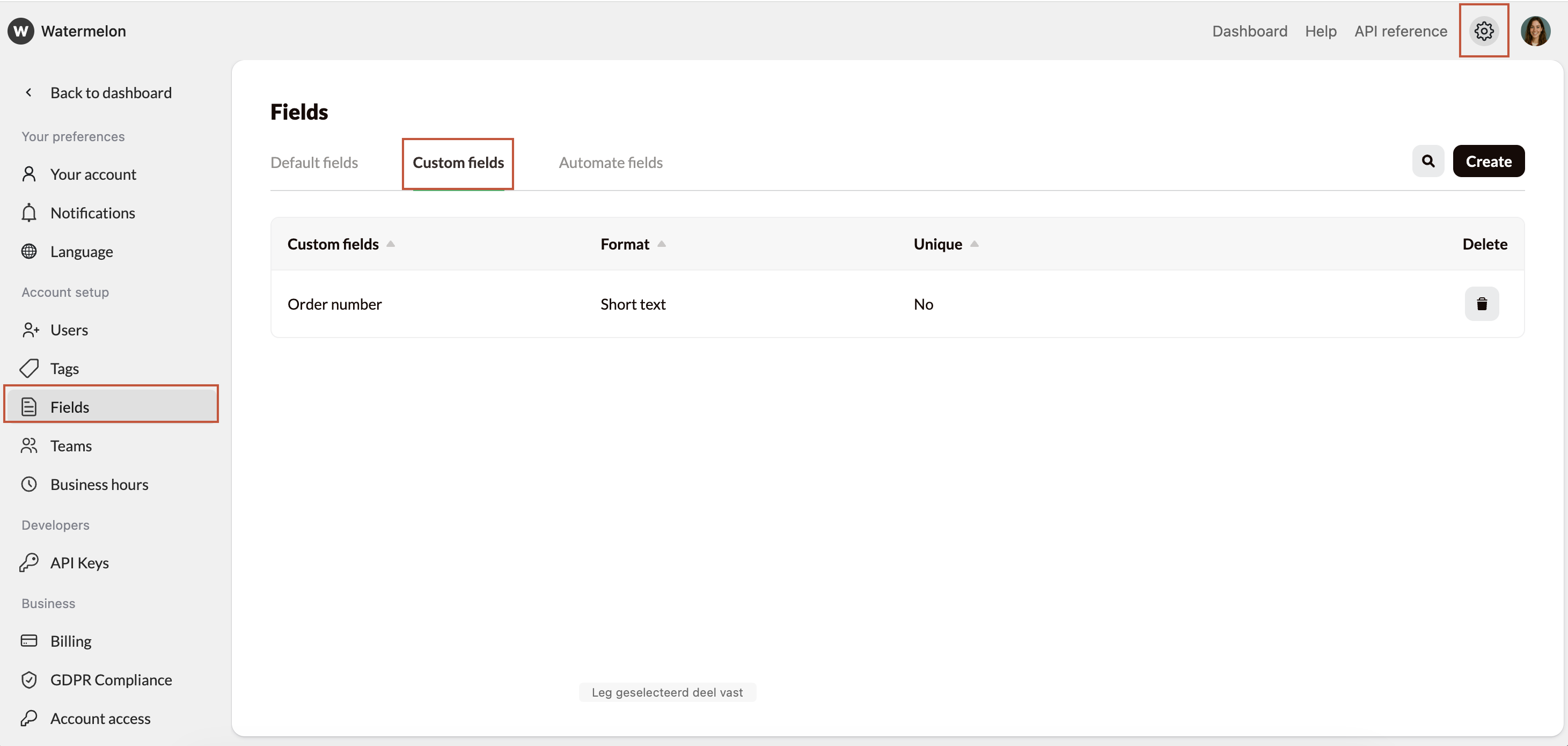
Creating a custom field
Follow these steps to create a new custom field:1
Navigate to custom fields
Open Fields and open the tab custom fields.
2
Create custom field
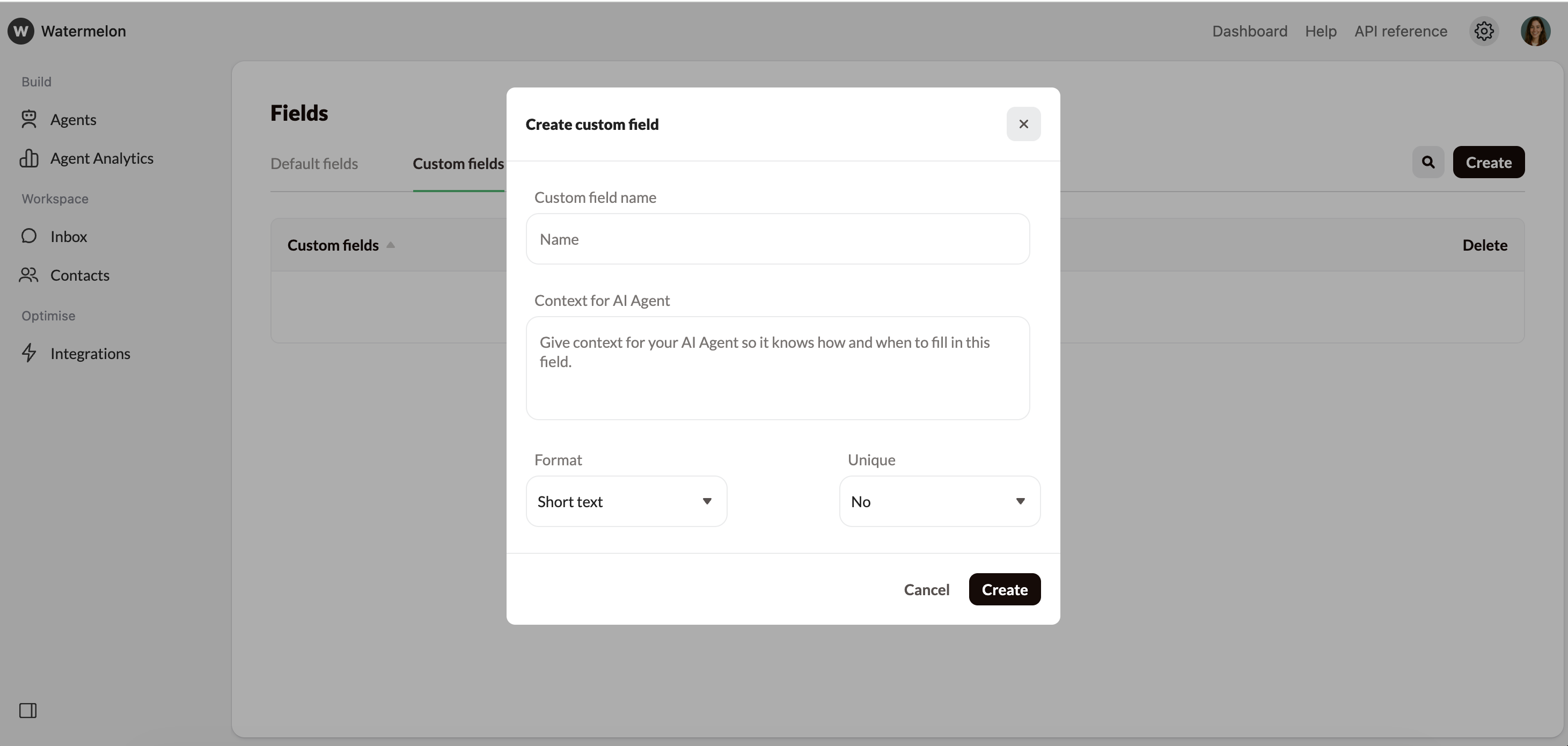
Click Create in the top-right corner. A pop-up will open.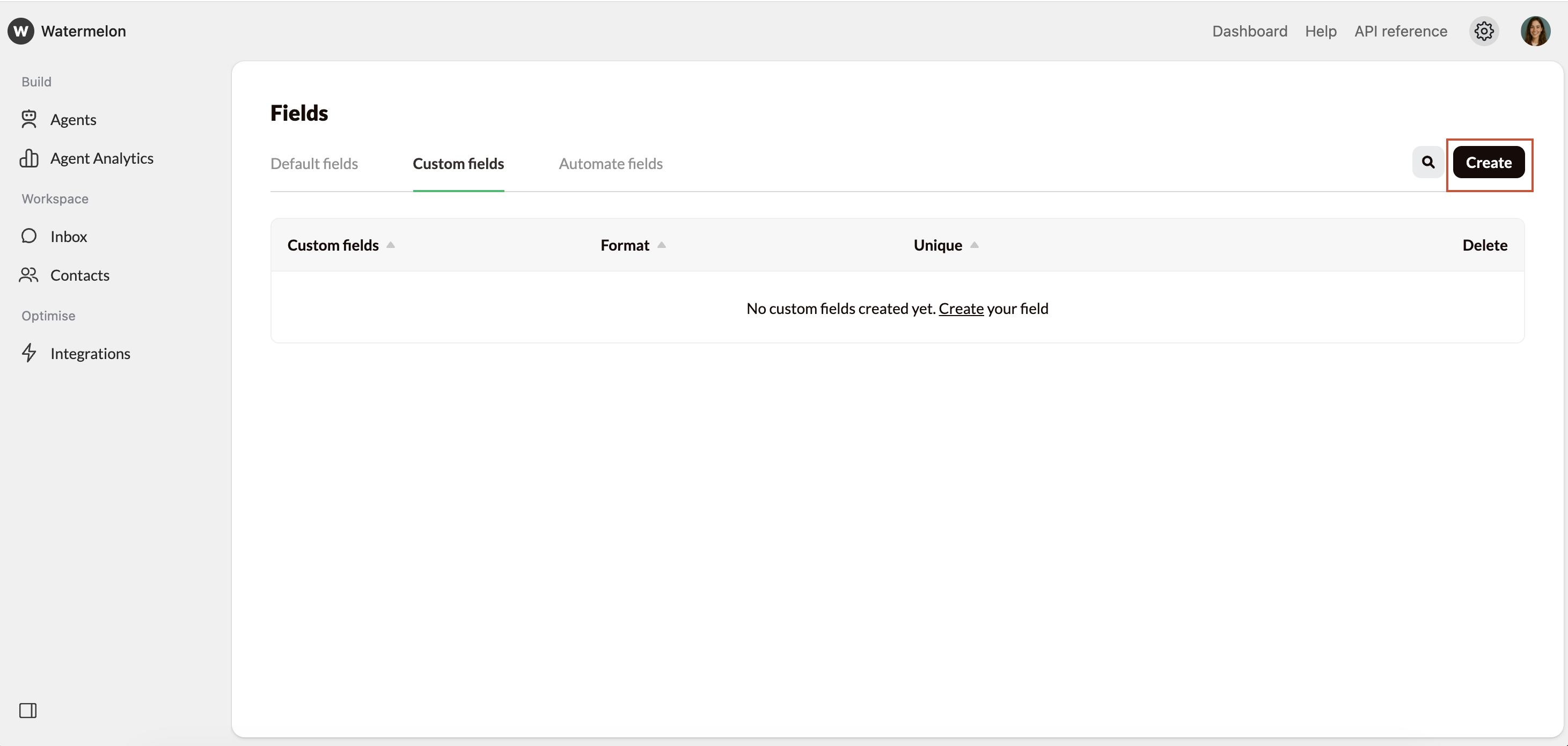
3
Fill in the required fields
Custom field name
Custom field name
Under Custom field name enter a clear description of the information you want to collect, e.g. order number, customer ID or company name.
Context for AI Agent
Context for AI Agent
Under Context for AI Agent give your Agent context so it knows how and when to fill in this field, e.g. “This is an order number. The order number consists of 3 letters and 6 numbers, the three letters are always ORD and the 6 numbers are random. Example of an order number: ORD123456”.
Format
Format
Under format choose the type of data you want to collect. Choose from:
- Short text: Use this for short text, such as names, company names, or addresses.
- Numbers: Only numeric values are allowed. Ideal for customer numbers, order numbers, or quantities.
- Email: Only valid email addresses are allowed (must contain an @).
- Phone: Only phone numbers are allowed.
- Currency: You can select the currency; only amounts with two decimal places are allowed.
- Date: Only dates in a day/month/year or day-month-year format are allowed.
Unique
Unique
Under Unique, indicate whether the field should contain a unique value. Use unique fields for values that uniquely identify a contact, such as customer number, case or ticket number or customer ID. Marking a field as unique helps prevent duplicate contacts.If you don’t use unique fields, you might end up with multiple contact records for the same person, making your overview less reliable.
4
Review your settings and click Create
Once created, your custom field is immediately available in the contact details.
Editing a custom field
Want to edit an existing custom field? Here’s how:1
Navigate to custom fields
Open Fields and open the tab custom fields.
2
Select the custom field you want to update
A pop-up will appear.
3
Edit the information you want to update
- Change the custom field name;
- Change the context for AI Agent;
- Change the format or;
- Change if this field’s unique.
4
Save your changes
Click the save button
Your changes will be applied immediately to all contacts where this field is used.
Deleting a custom field
If you no longer need a custom field, you can delete it:1
Navigate to custom fields
Open Fields and open the tab custom fields.
2
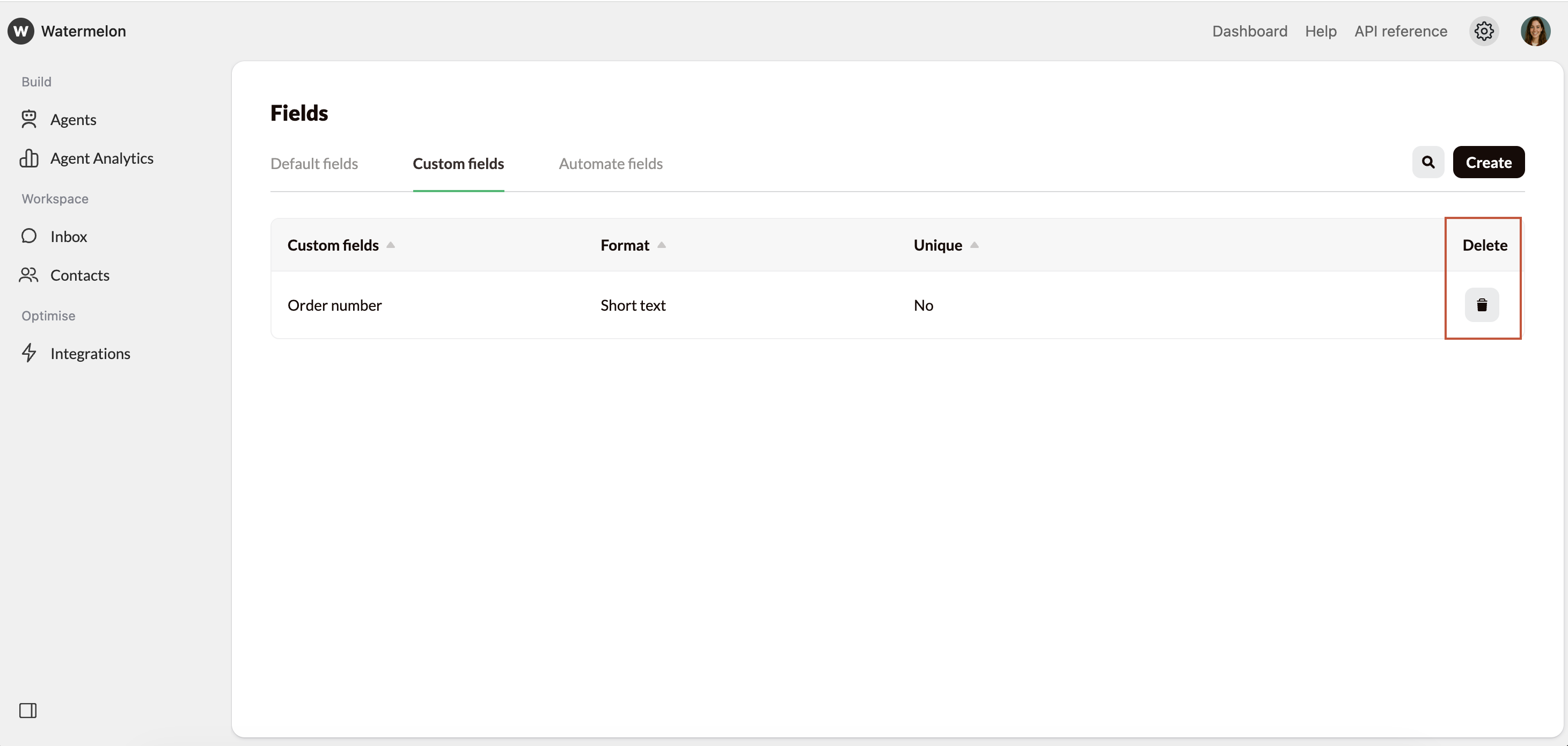
Find the custom field you want to delete
3
Click the trash bin icon to delete the field
4
Confirm your choice
Decide whether you’re sure you want to delete this custom field. Then, in the pop-up click ‘Delete’ again.