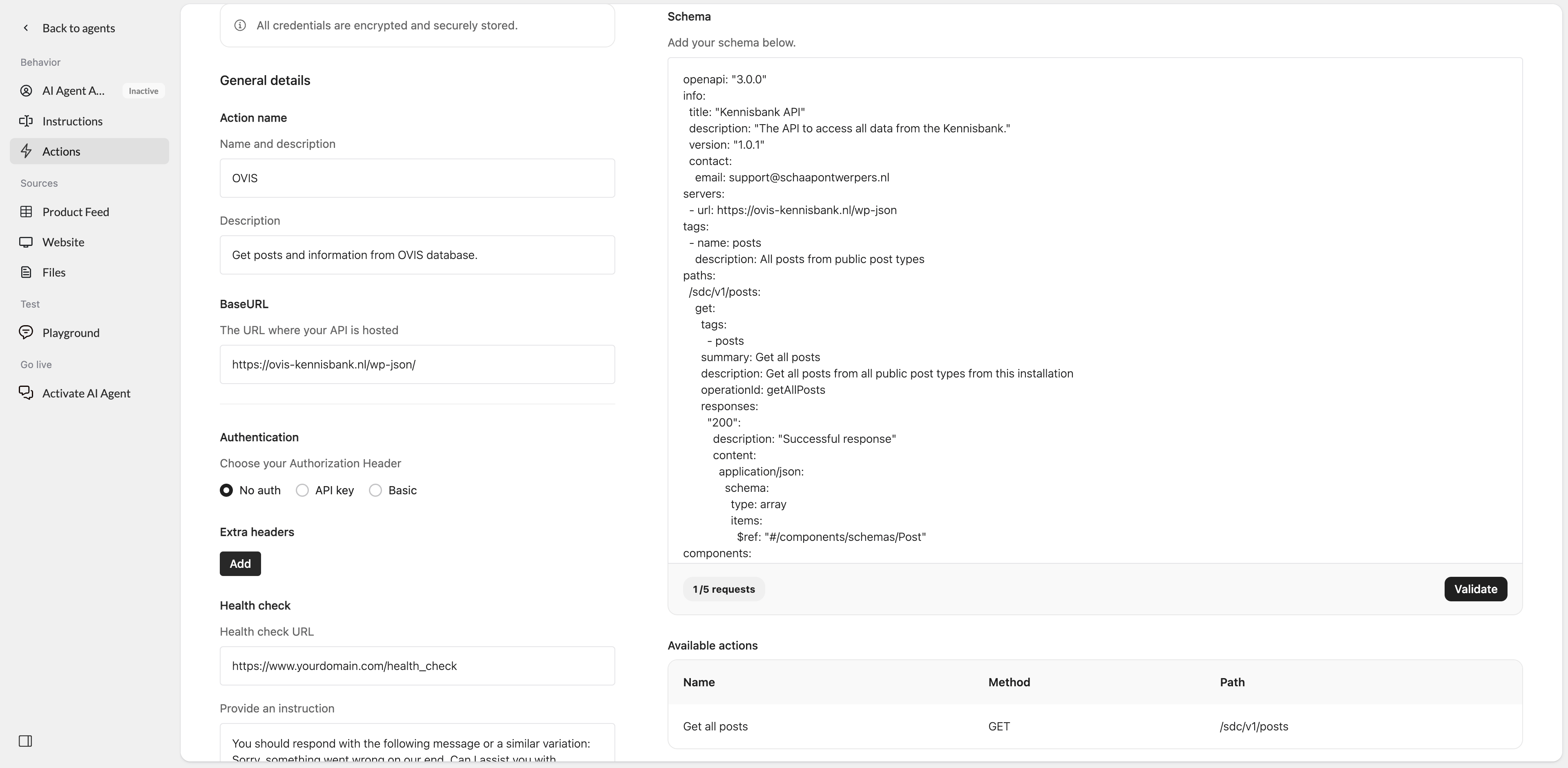
- A predefined OpenAPI schema for OVIS
- No authentication
- The required OVIS BaseURL
- A health check configuration
Set up the action
- Go to Actions in Watermelon.
- In the Actions catalog, click Custom action.
- Click Create new Action.
- Fill in the fields below.
General details
Action nameOVIS
DescriptionGet posts and information from OVIS database.
BaseURLhttps://ovis-kennisbank.nl/wp-json/
Authentication
For Authorization Header, select No auth. No additional authentication details are required for this template.Health check
Health check URLhttps://www.yourdomain.com/health_check
Replace this URL with the health check endpoint you want Watermelon to use.
Instruction
You should respond with the following message or a similar variation: Sorry, something went wrong on our end. Can I assist you with anything else? Please let me know how I can help.
Schema
Paste the OVIS schema into the Schema field:Example in Watermelon