

For these analytics you need:
- An active Watermelon license (any license will do)
- Google Analytics/CMS Statistics already set up
How to measure conversions from your AI Agent
There are two reliable ways to track conversions from your AI Agent:- Using a unique URL with a UTM tag
- Using a dedicated landing page
When to use each method
Choose a unique URL with UTM tags if:- You already use Google Analytics and are familiar with campaigns and reports.
- You want to track multiple goals (for example quotes, demo requests, and purchases) using the same pages.
- You want to compare traffic from the AI Agent with other sources like email or ads.
- You don’t want to create new pages on your website.
- You want a simple setup without working with UTM tags.
- You only need to measure one specific conversion, such as quote requests.
- You want to clearly attribute all visits on a page to the AI Agent.
- You prefer using basic CMS or website statistics instead of Google Analytics campaigns.
Method 1: Unique URL with UTM tag
A UTM tag is extra information added to a URL. It allows tools like Google Analytics to identify where visitors come from and how they reached your website.1
Create a UTM Tag
Use the Google UTM Builder and fill in the fields: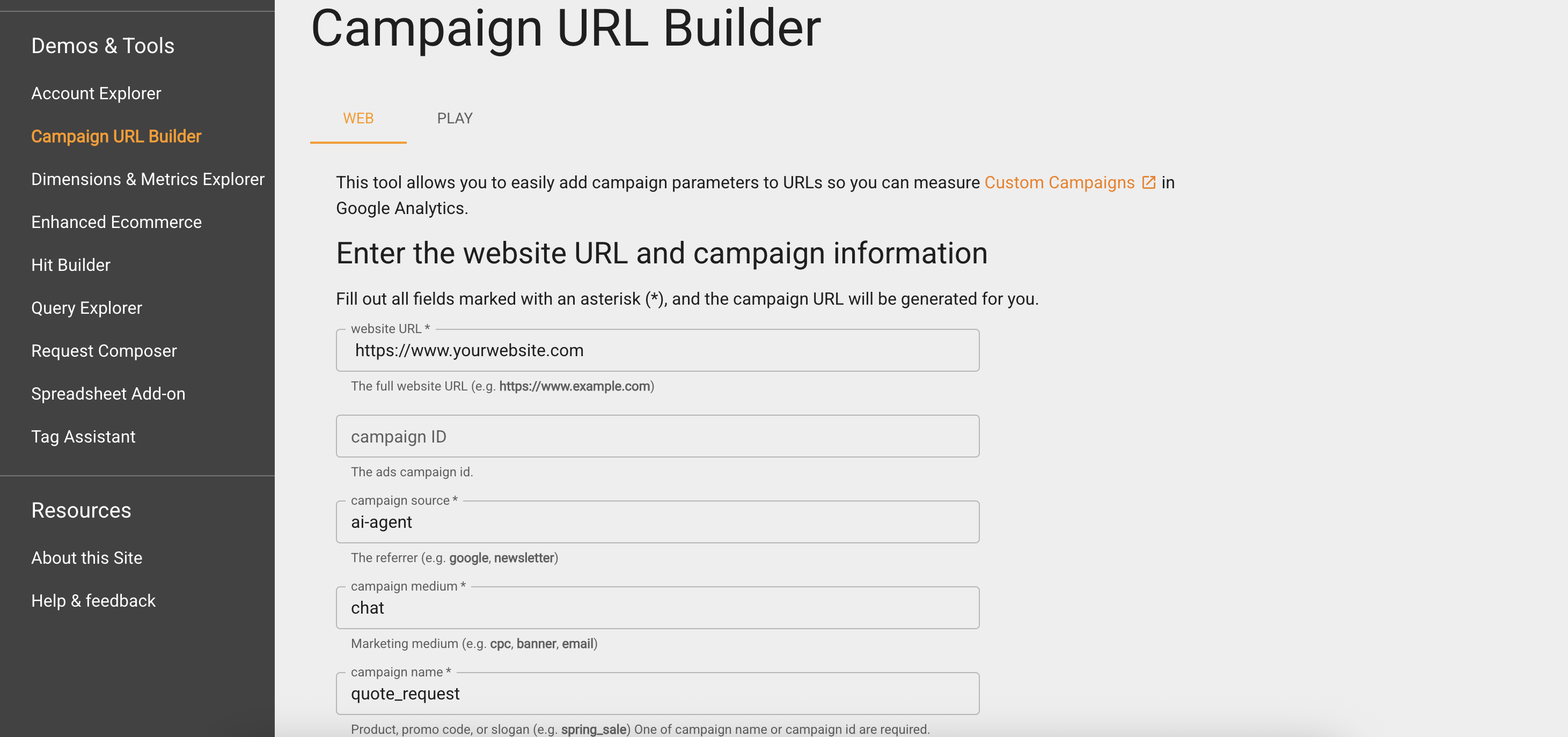
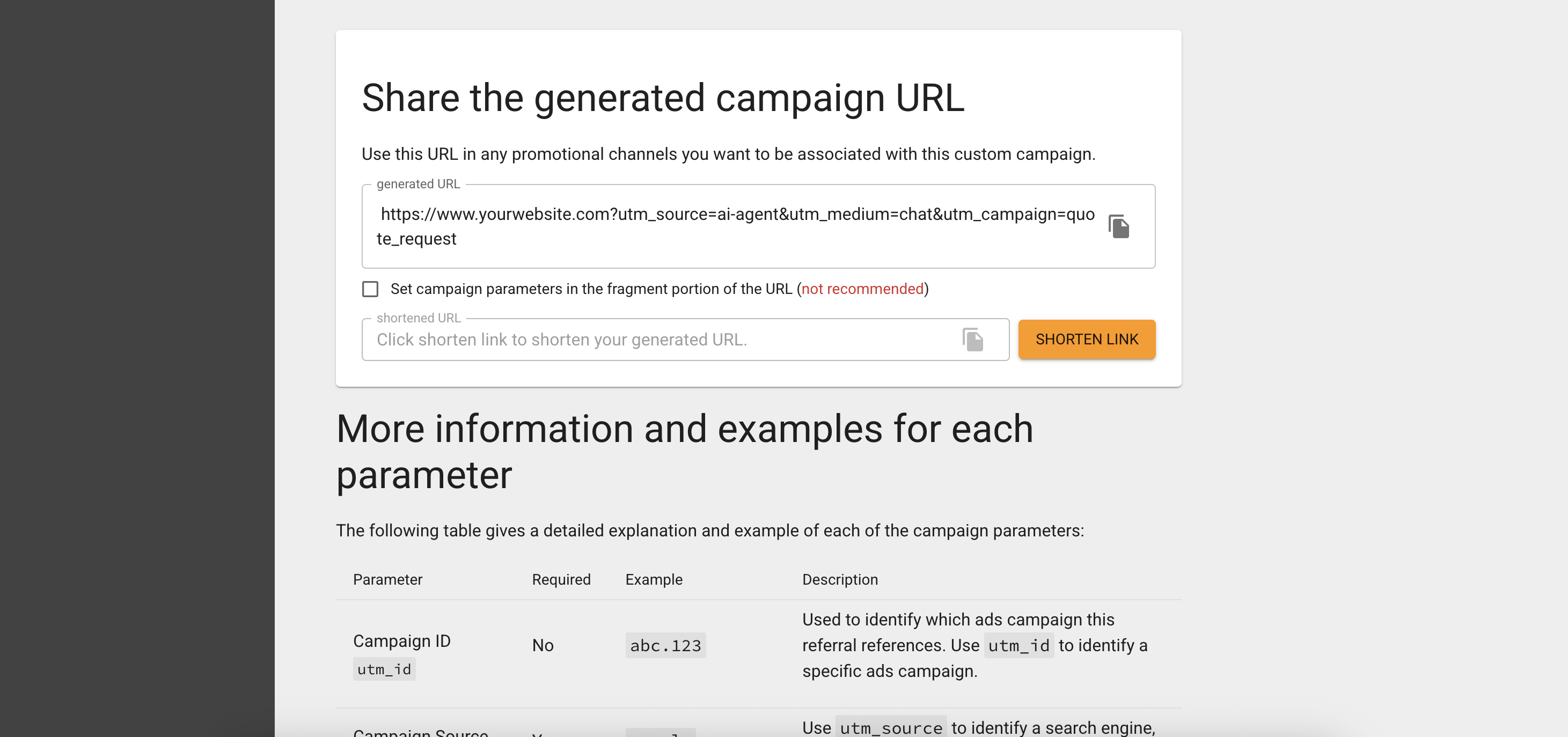
- Website URL: The page you want to track, such as a quote request or purchase page.
- Campaign source: ai-agent (to identify traffic from your AI Agent).
- Campaign medium: chat (or any label you prefer).
- Campaign name: quote_request (or another clear description).
Example UTM Link: https://www.yourwebsite.com/quote?utm_source=ai-agent&utm_medium=chat&utm_campaign=quote_request
2
Add the tag to your AI Agent's knowledge
- Open your AI Agent in Watermelon.
-
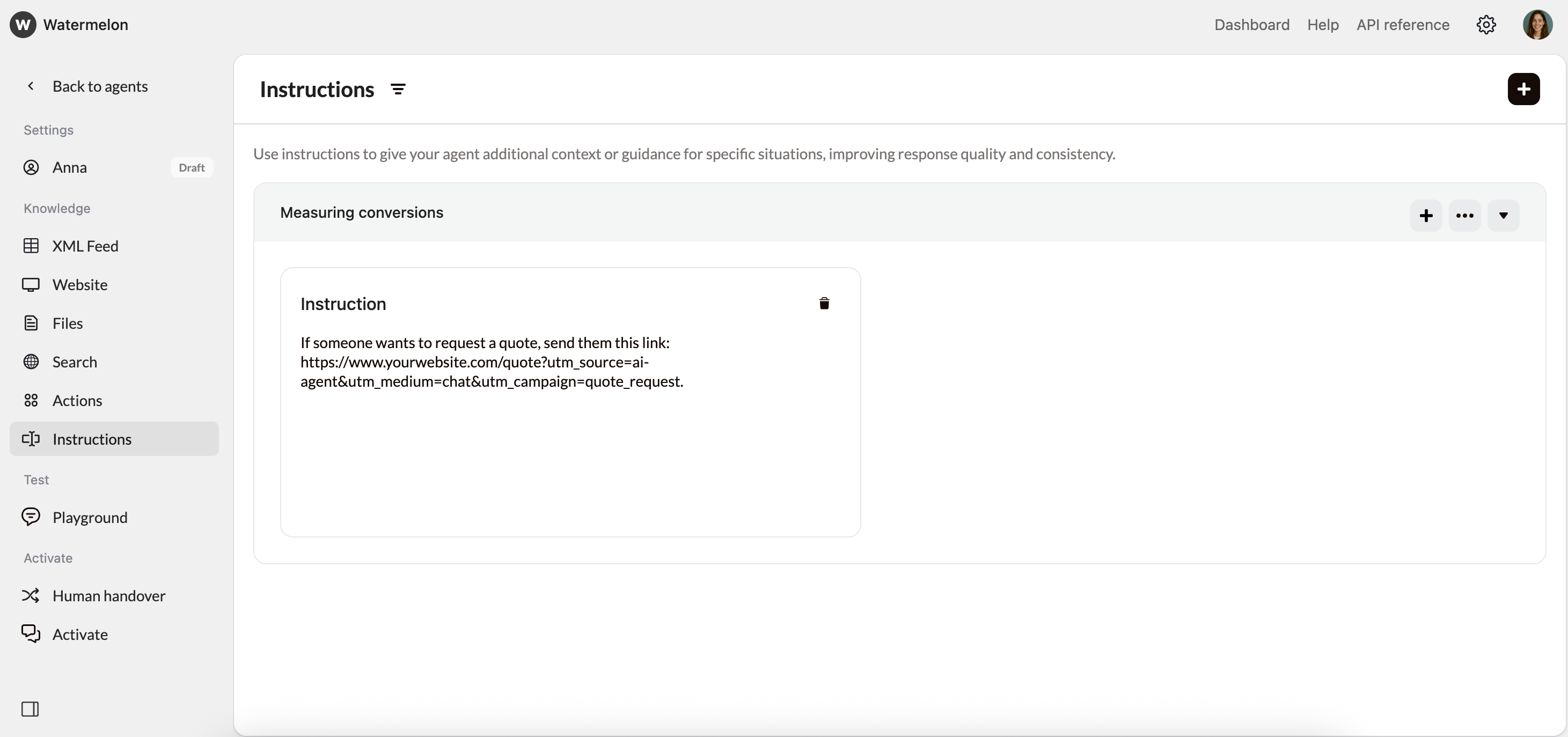
In Instructions, add an instruction specifying when the unique link should be sent and provide the URL. Example instruction:
If someone wants to request a quote, send them this link: https://www.yourwebsite.com/quote?utm_source=ai-agent&utm_medium=chat&utm_campaign=quote_request.
3
Analyze the results
- Open Google Analytics and go to Acquisition > Campaigns > All Campaigns.
- Find the campaign name (for example, quote_request).
- Review how many visitors reached the page via your AI Agent.
Method 2: Dedicated landing page
Instead of using UTM tags, you can also create a landing page that is only shared through your AI Agent.1
Create a dedicated landing page
Create a separate landing page on your website that is exclusively used by your AI Agent. You or your web developer can set this up in your CMS. Example:
https://www.yourwebsite.com/ai-agent-quote
2
Add the link to your AI Agent's knowledge
- Open your AI Agent in Watermelon.
-
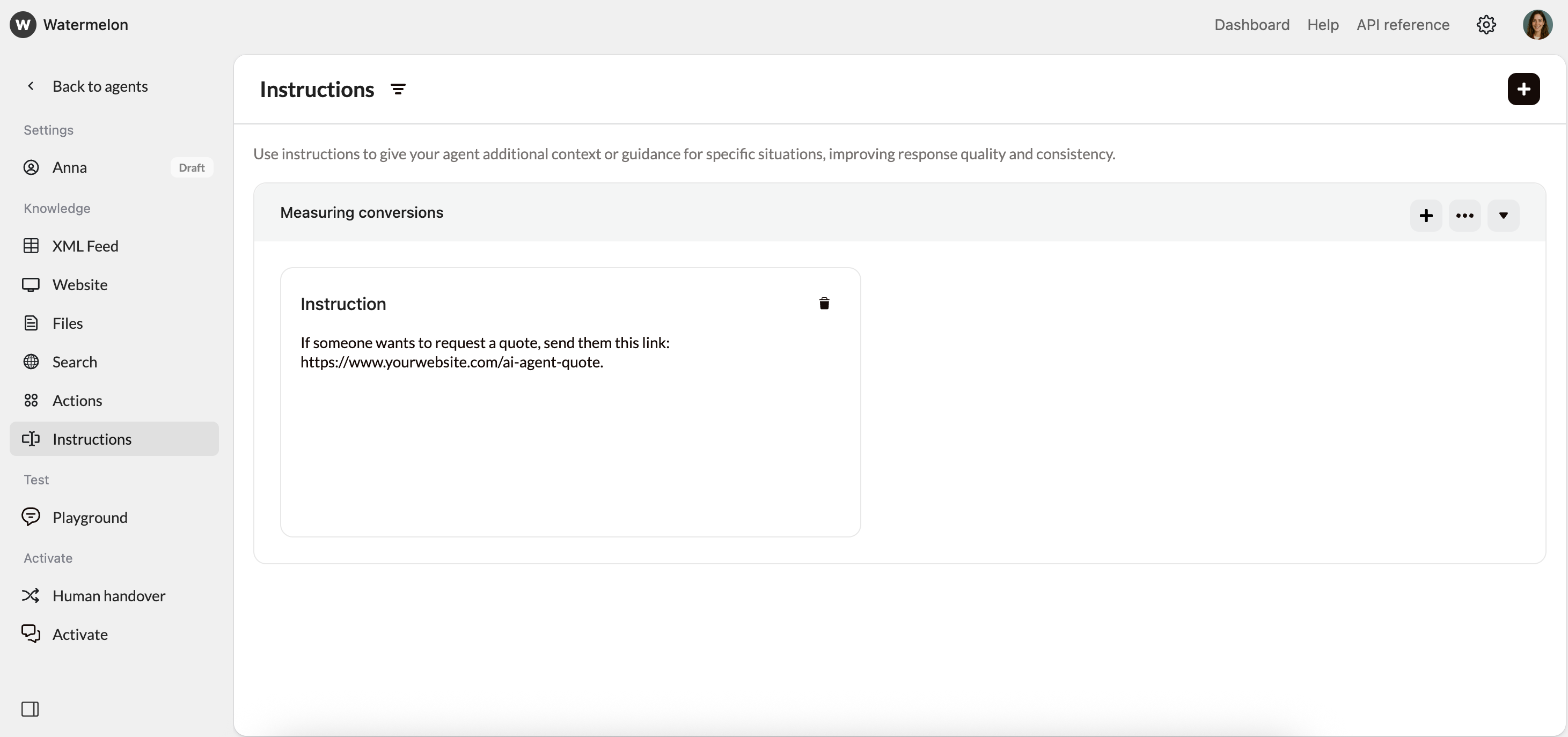
Go to Instructions. Add an instruction that tells the AI Agent when to share the link. For example:
If someone wants to request a quote, send them this link: https://www.yourwebsite.com/ai-agent-quote.
3
Use Google Analytics or your CMS statistics
Use Google Analytics or your CMS statistics to see how many visitors land on this page. Because the page is only shared by your AI Agent, all visits can be attributed directly to it.