

Automatically open the Chat Widget:
Follow the steps below to automatically open the Chat Widget.1
Open Chat Widget Settings
Navigate to Integrations and open your Chat Widget.
2
Open Placement settings
Go to Placement.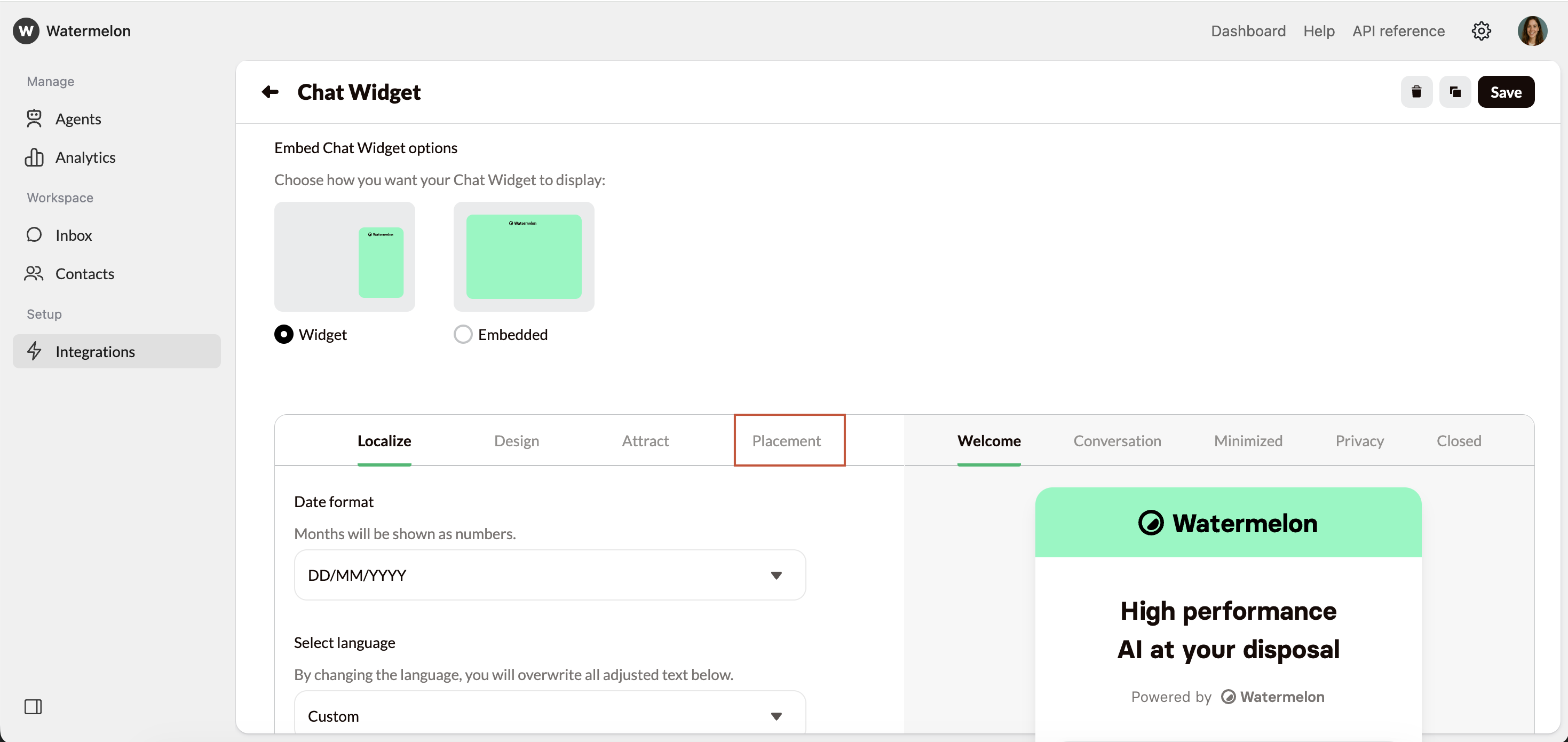
3
Enable automatically open once
Under Automatically open once, select On. The Chat Widget will now open automatically on your website. Press Save on the top right corner.
4
Mobile device settings (optional)
You can then choose to enable or disable automatic opening on mobile devices. On a mobile device, opening automatically can feel intrusive.
5
Test your settings
To test whether your Chat Widget opens automatically for first-time visitors, open your website in a private / incognito window. This simulates a new visitor without existing cookies or local storage. See intructions below on how to open a private/incognito window.
Safari
Safari
- Click File in the top menu
- Select New private window
- Open your website in the new window
- If your Widget opens, the set up was successful
Chrome
Chrome
- Click the three dots in the top-right corner
- Select New incognito window
- Open your website in the new window
- If your Widget opens, the set up was successful
Edge
Edge
- Click the three dots in the top-right corner
- Select New InPrivate window
- Open your website in the new window
- If your Widget opens, the set up was successful