
Documentation Index

Fetch the complete documentation index at: https://watermelon.ai/docs/llms.txt

Use this file to discover all available pages before exploring further.

User status lets your team see who is available to handle conversations in real time. By setting your status correctly, you help ensure that chats are assigned to the right person and that customers receive timely support.

Setting Your Status

1

Open Profile

Click your avatar in the top right corner.
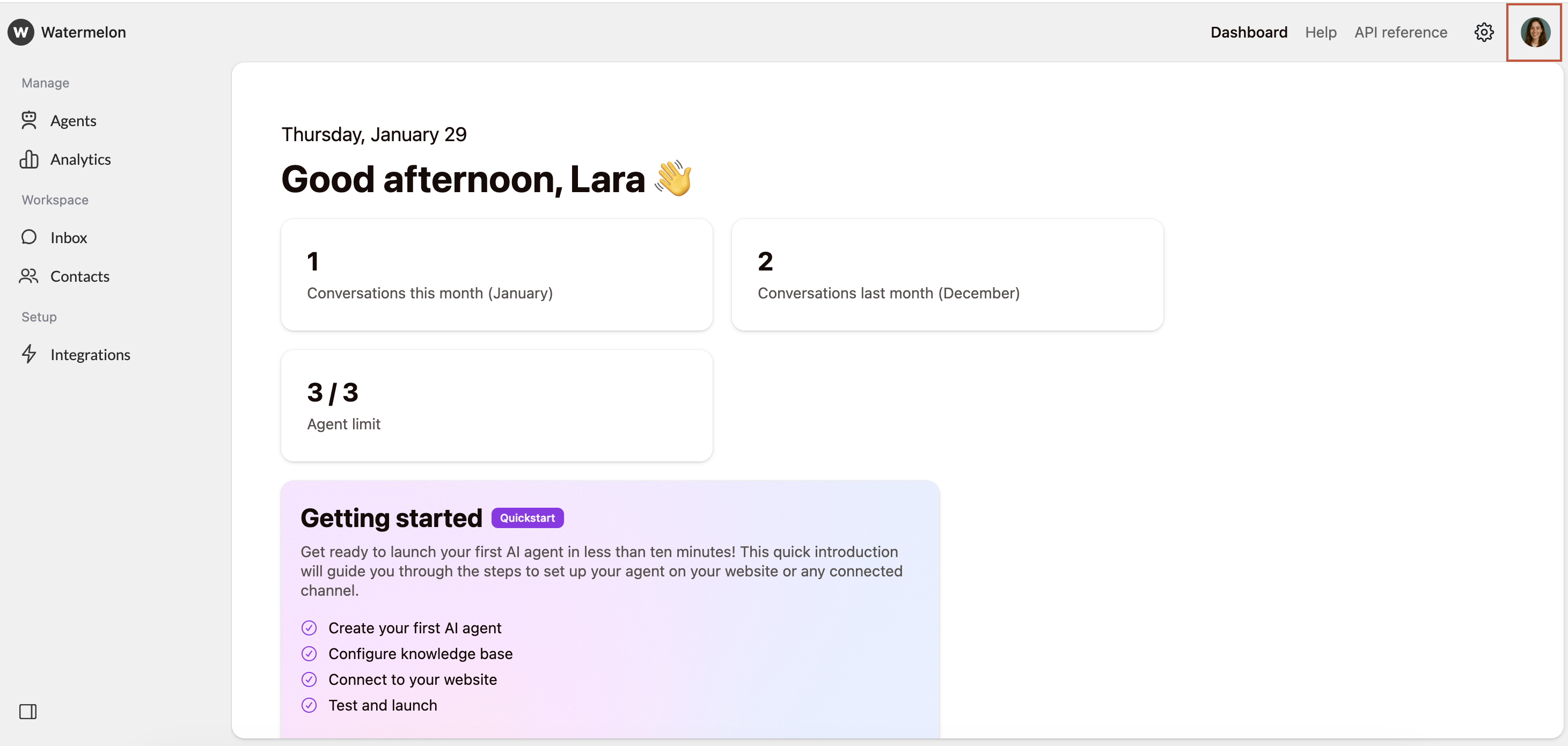
Set Status Open Profile
2

Set Status

Select either “Online” or “Away” to set your status
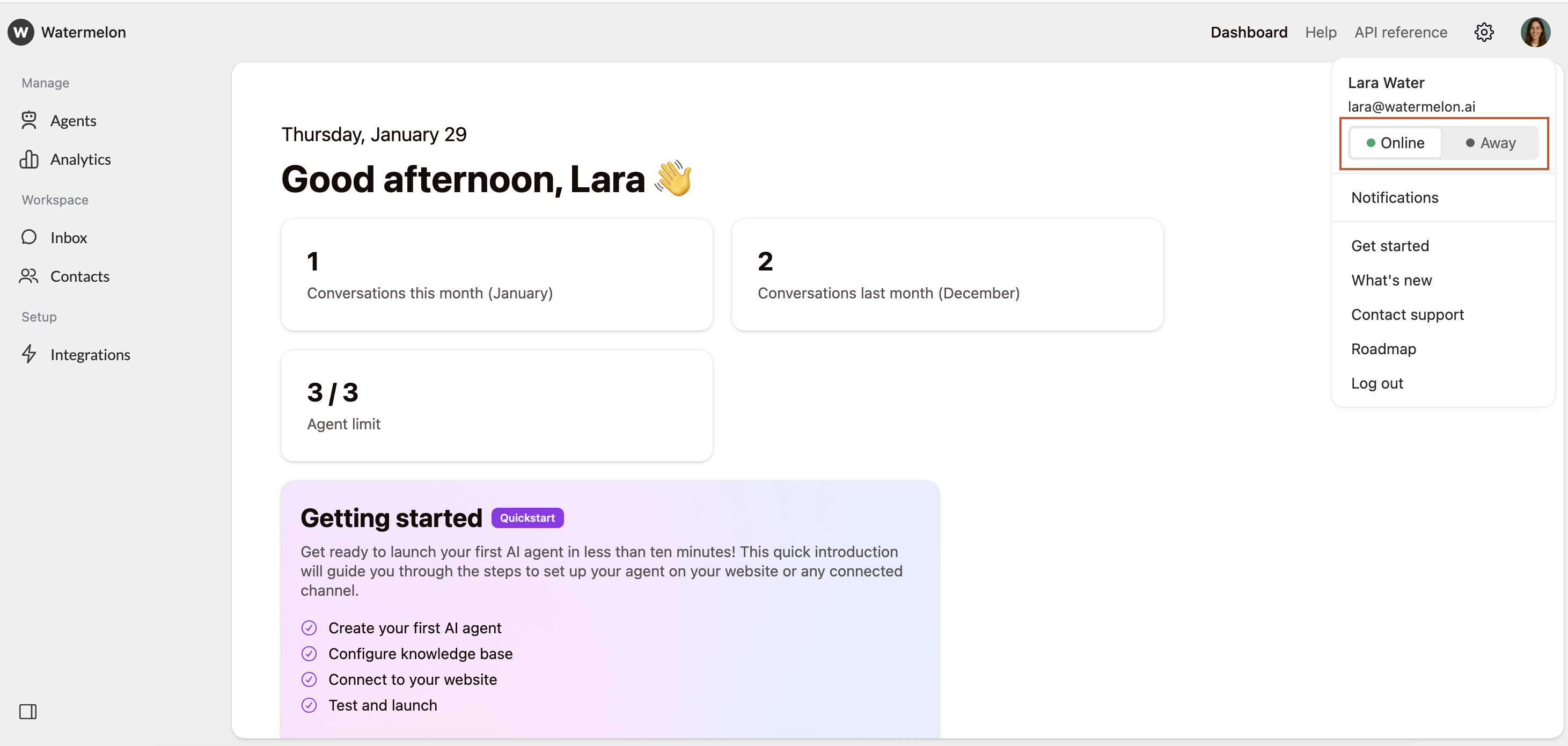
Set Status Set Status
Status does not automatically update, for example, in response to inactivity or ongoing meetings. If you know you will be unable to respond, remember to set your status to Away.
StatusMeaning
🟢 Online (default)You are available to handle conversations.
🟡 AwayYou are currently unavailable, but you will still receive messages and notifications.
🔴 OfflineThe Offline status is automatic and appears when you are logged out. It cannot be selected manually.
You can see the status of other team members in two places:
  1. In the Inbox: Under “Users” in your inbox you can see your team members’ names, alongside a colored status icon.
  2. When assigning a conversation: When you assign a conversation to a team member, their status icon appears next to their name, helping you choose the right person based on availability