

Select a template
1
Go to Agents
You can find the templates by clicking on Agents in the menu on the left-hand side.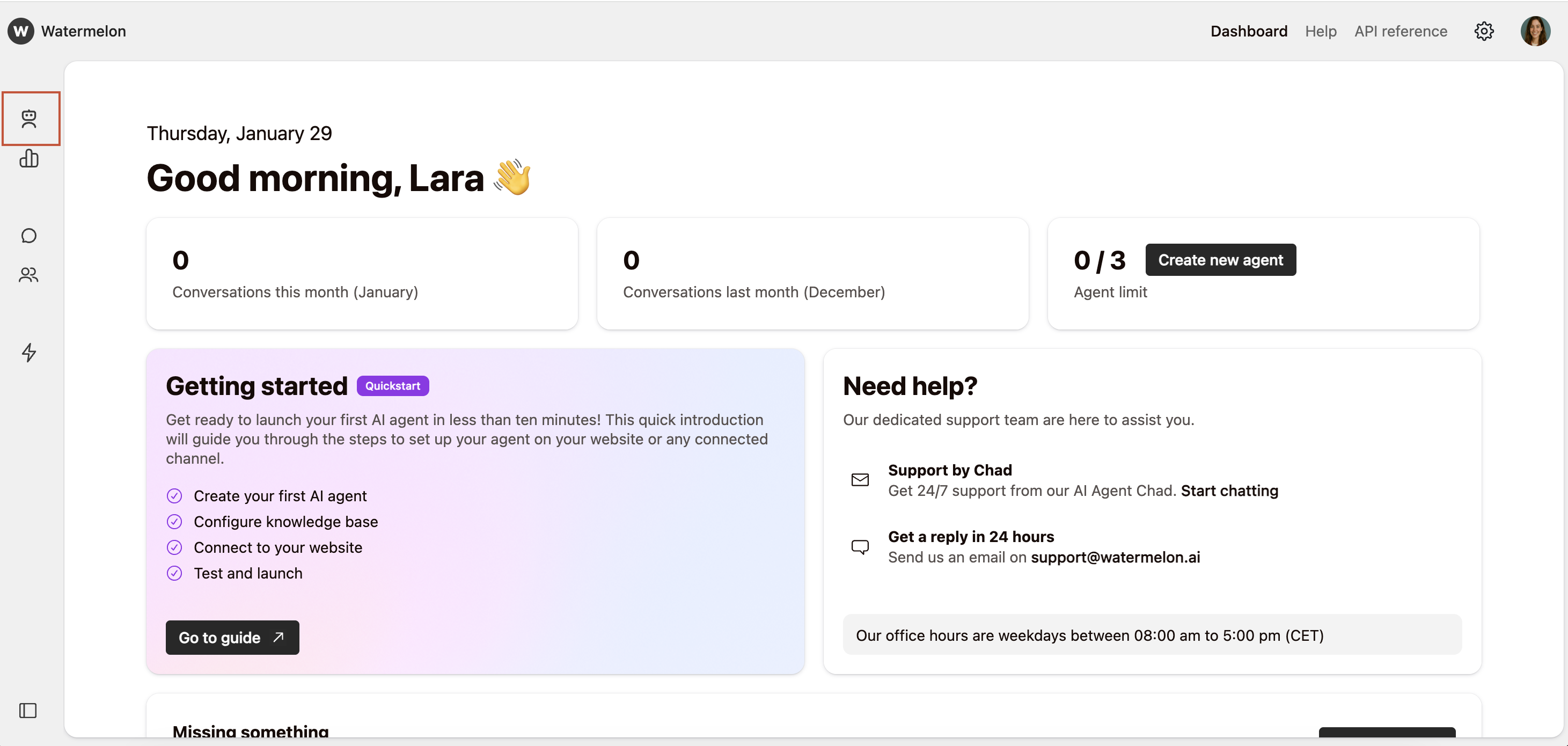
2
Select template
You can find the Templates at the bottom of the page. Click on Select to open the desired template.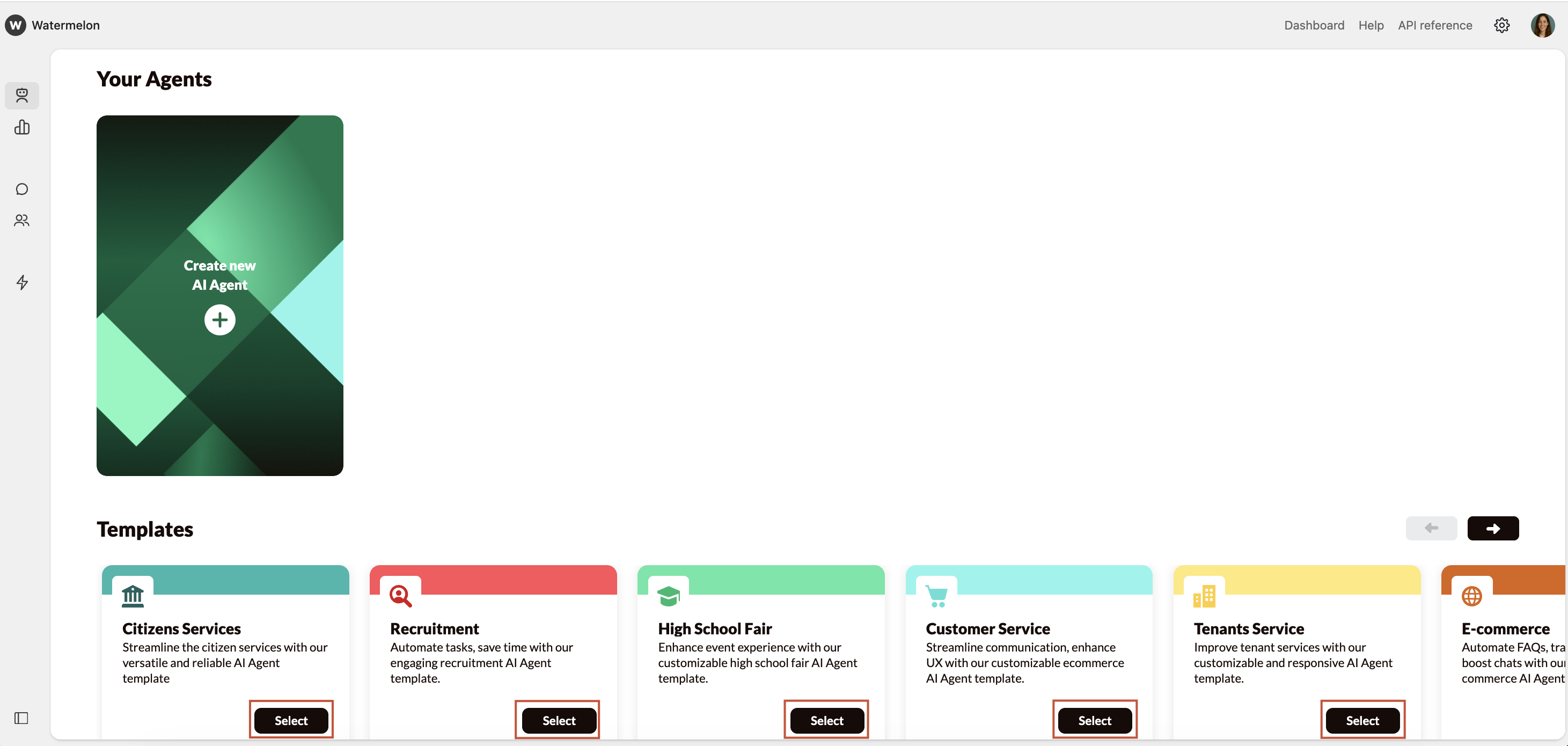
For a smooth start, start with a template.
Go to Agents
Select template