

- Administrator
- Support
As Administrator, you can monitor and take over or assign conversations that an AI Agent or Support Agent is currently handling. This is useful when you want to:
- Intervene in a sensitive or urgent customer interaction
- Support a team member in handling a complex issue
- Reassign a conversation to the right person or department
Viewing Conversations
1
Open your Inbox
In the menu, select Inbox to see conversations of your own as well as other teams, users, and AI agents.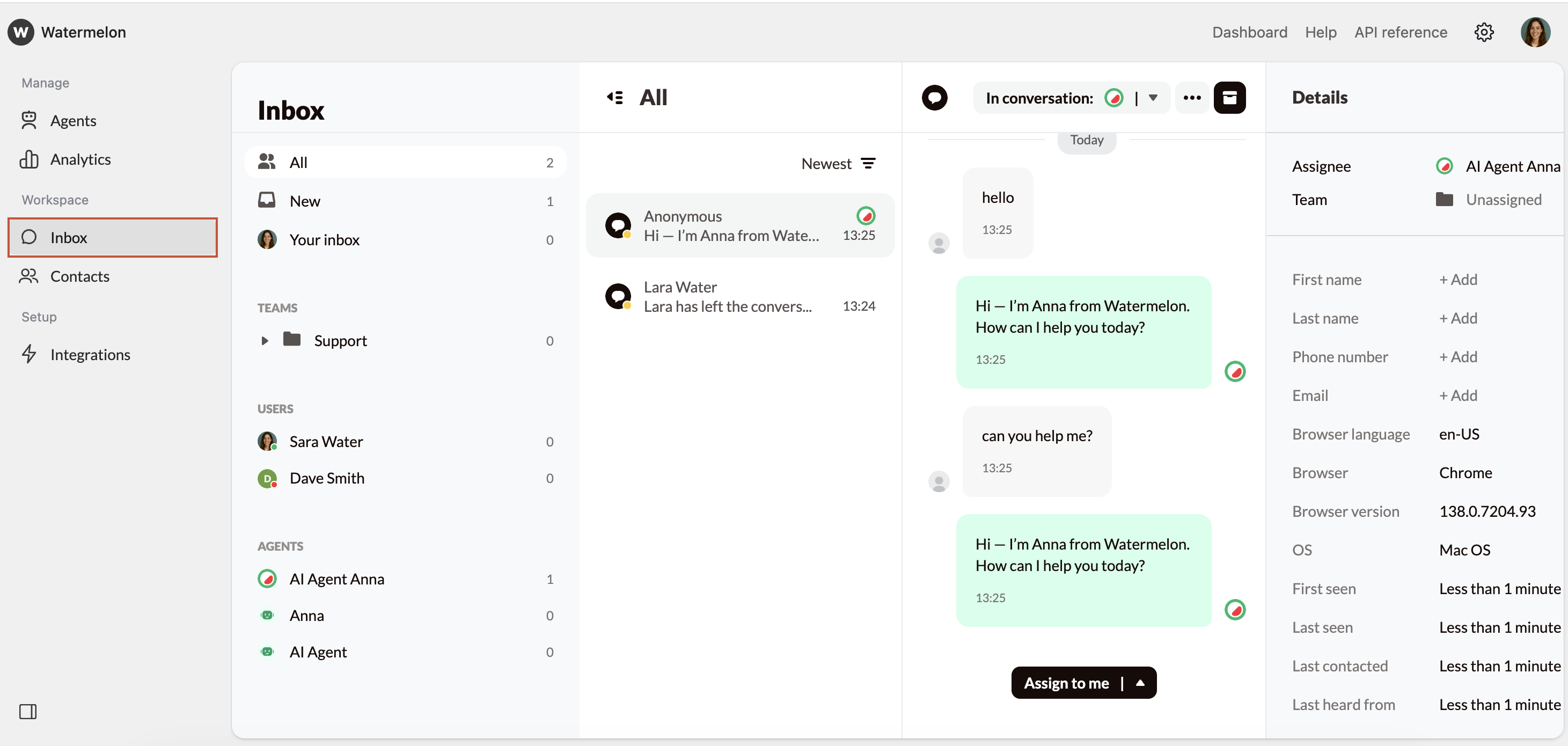
2
Select Conversation
Select the conversation you want to observe. You will now see all active conversations the user or AI Agent is currently handling. You will be able to view the conversation in real time, without notifying the customer.
3
Jump In or Assign
Using the Assign to me button at the bottom of the conversation area, you can also choose to assign the conversation to a colleague or a team.
Once assigned, the AI Agent will stop responding, and you (or your colleague) are free to continue the conversation from there.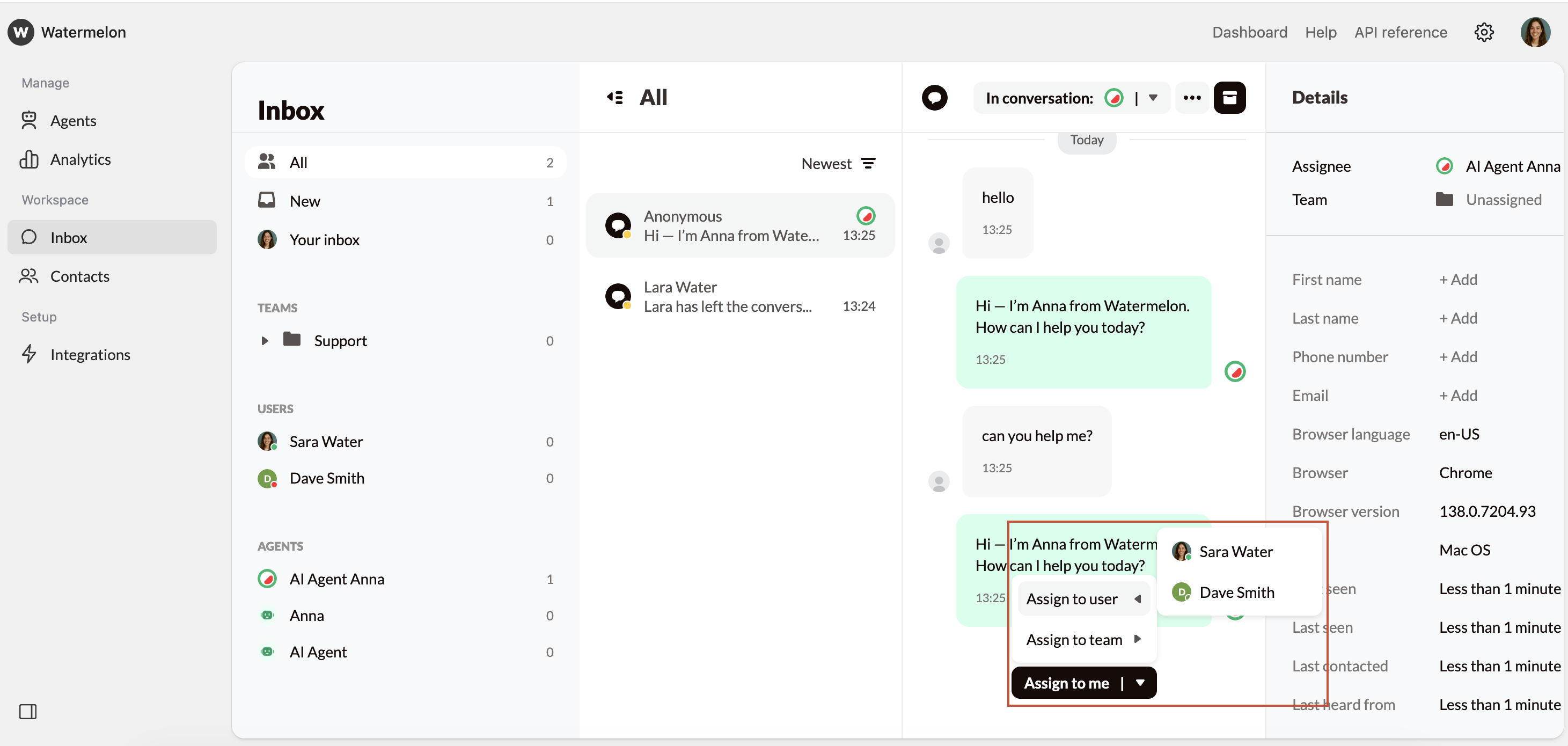
Once assigned, the AI Agent will stop responding, and you (or your colleague) are free to continue the conversation from there.

