
Documentation Index

Fetch the complete documentation index at: https://watermelon.ai/docs/llms.txt

Use this file to discover all available pages before exploring further.

Removing Watermelon branding makes the Chat Widget look fully aligned with your company’s own style and tone. It helps customers feel they’re talking directly to your company, building trust and consistency across all channels.

Removing the branding

Removing Watermelon branding is included in a Business or Enterprise license.In a Starter or Advanced license, removing the branding is available for additional costs.
1

Open your Chat Widget

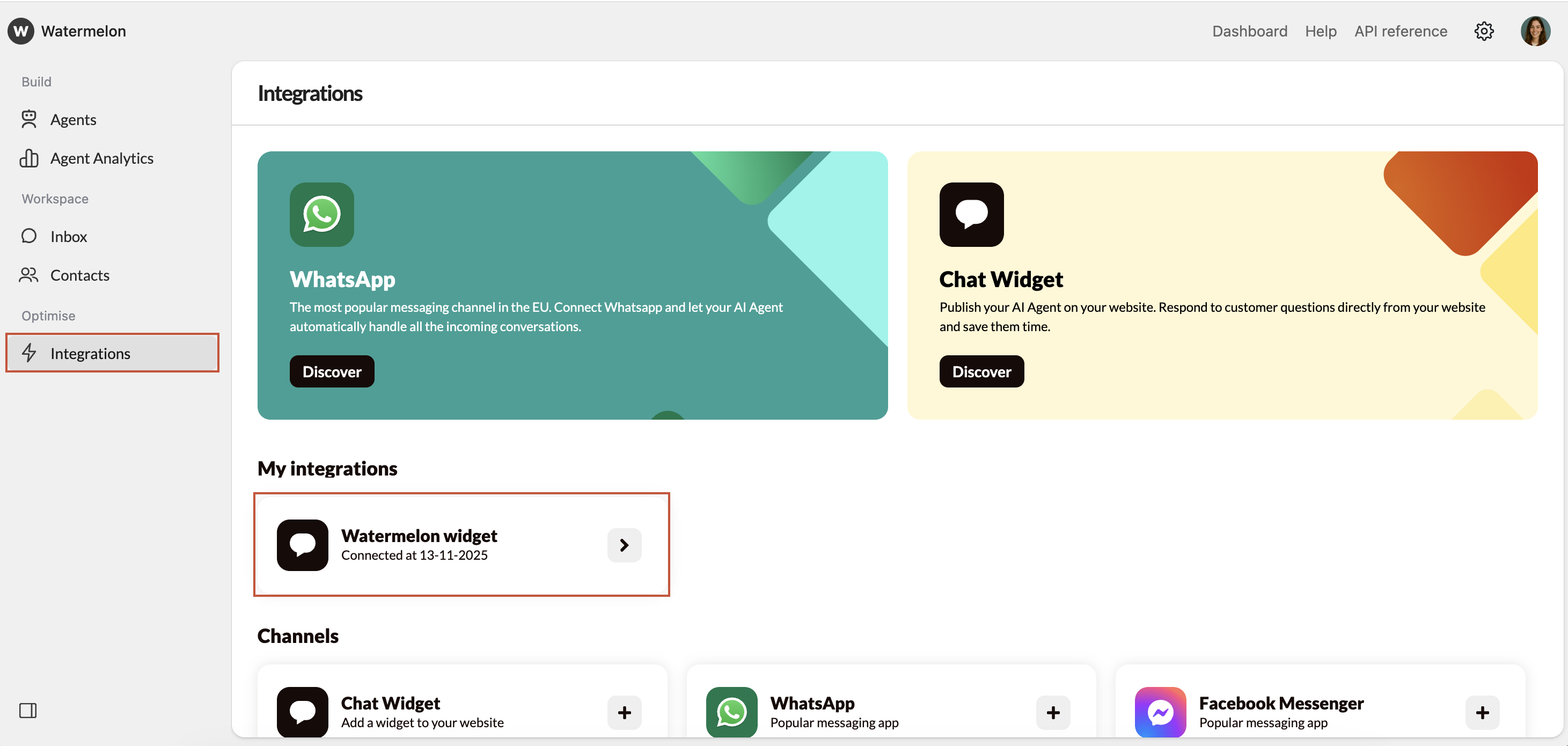
Go to Integrations under **Optimize **and open the Chat Widget where you want to remove the branding from.
Remove Branding Menu
2

Go to Attract

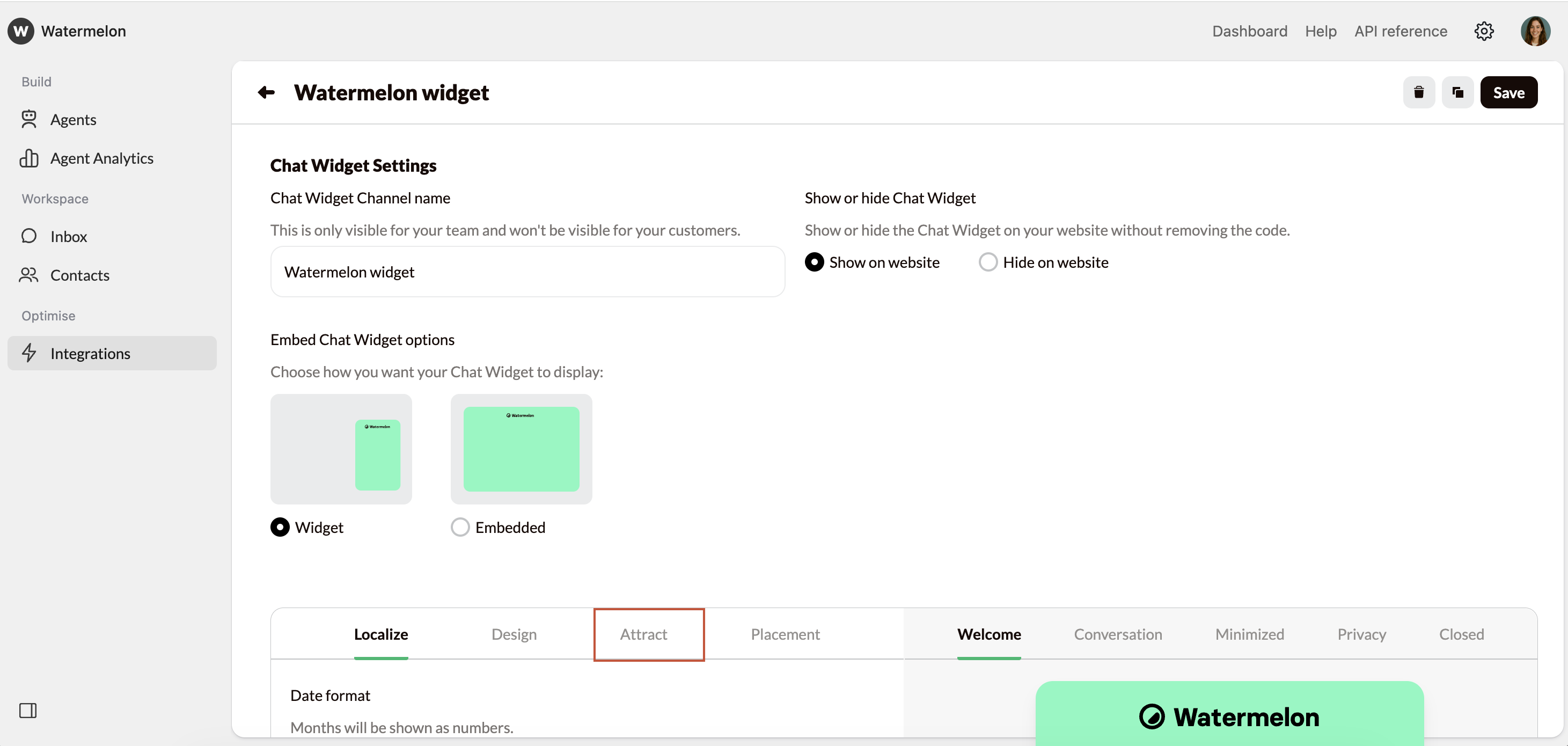
Open the Attract tab in the Widget menu.
Remove Branding Attract
3

Turn Watermelon branding off

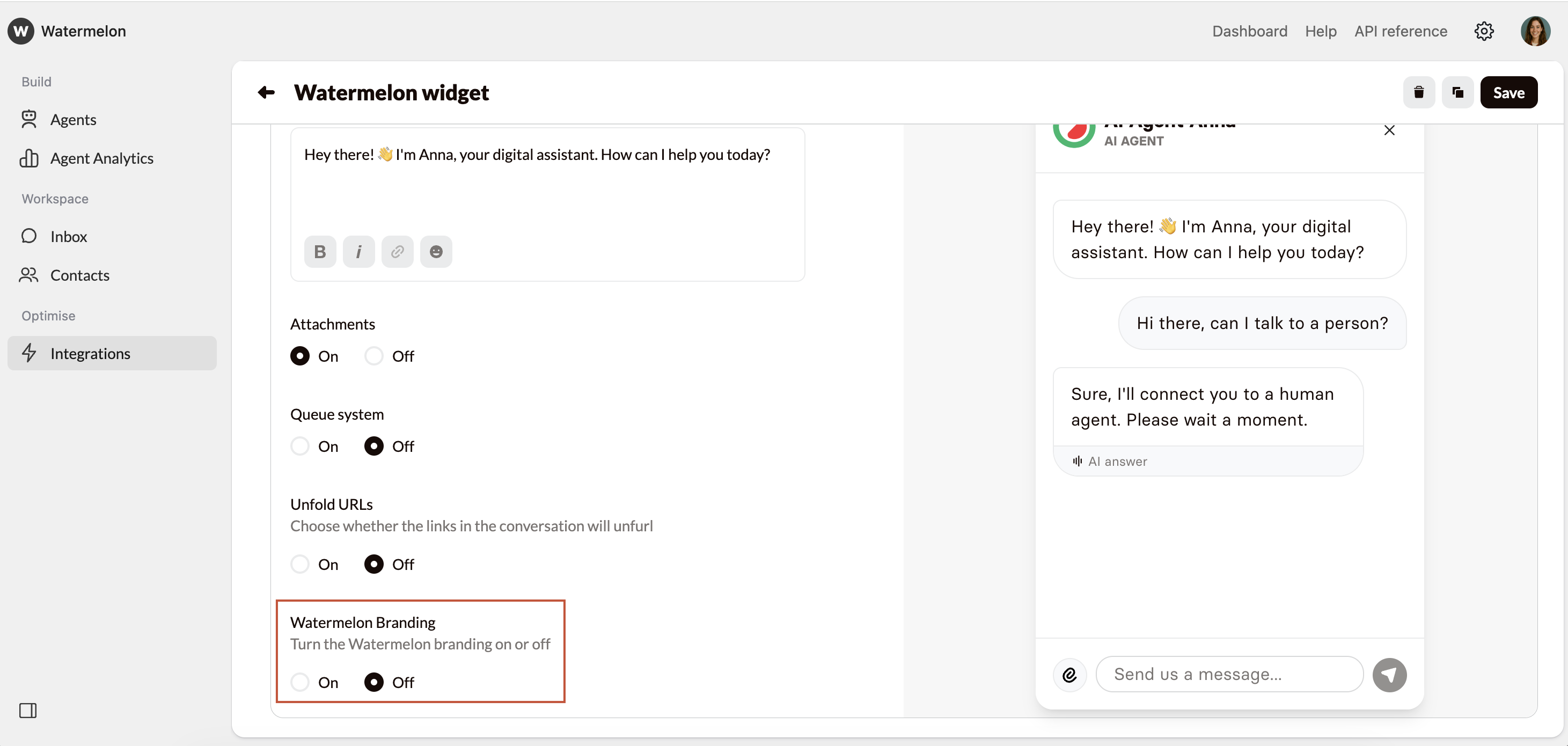
Scroll down to the bottom and select Off at Watermelon Branding. Don’t forget to click Save.
Remove Branding Off