

The Product feed is available for Starter, Advanced, Business and Enterprise plans.
Connecting your Product feed to your Agent will take 1-5 minutes.
Adding Product Feed
Follow the steps below to connect your Product feed.1
Add Feed
Add your Product feed by pasting the feed URL into the input field and clicking Add feed. Only XML feeds are supported — sitemaps and JSON feeds are not accepted.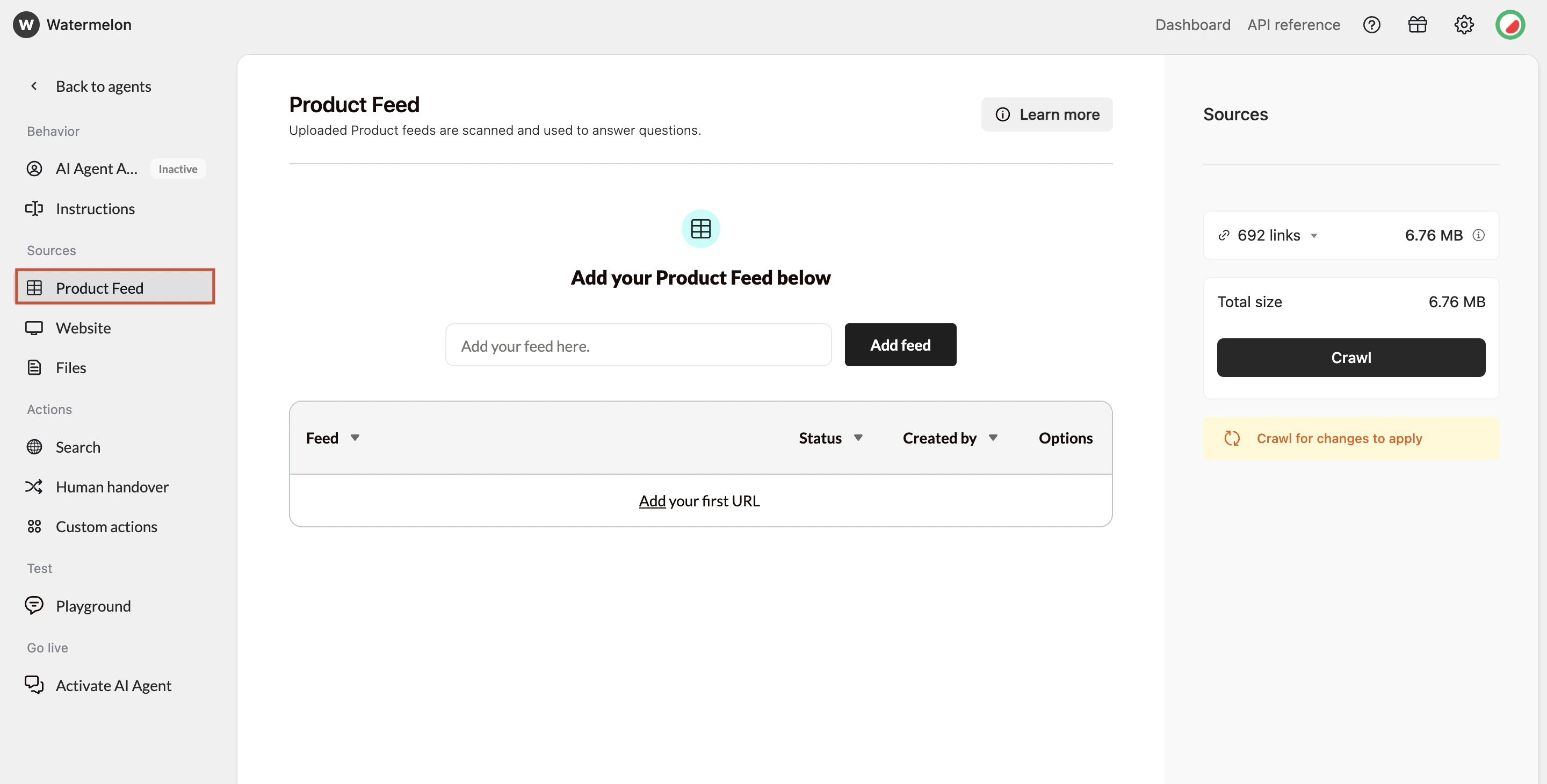
The maximum file size is 50 MB per Product feed.
2
Crawl data
Once added, you can Crawl your product feed. You can click **Crawl **to manually update your sources whenever changes occur.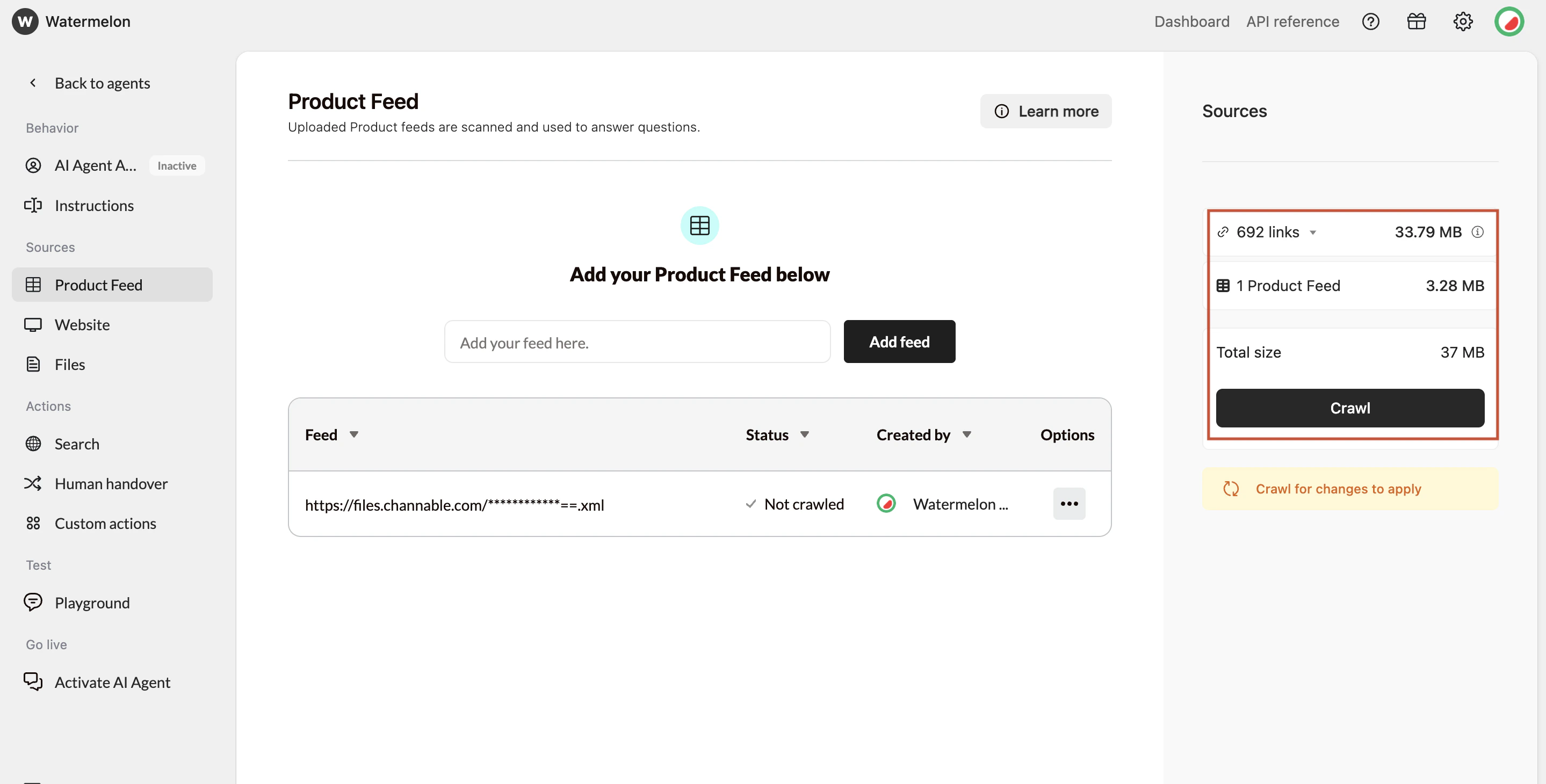
Product feed options
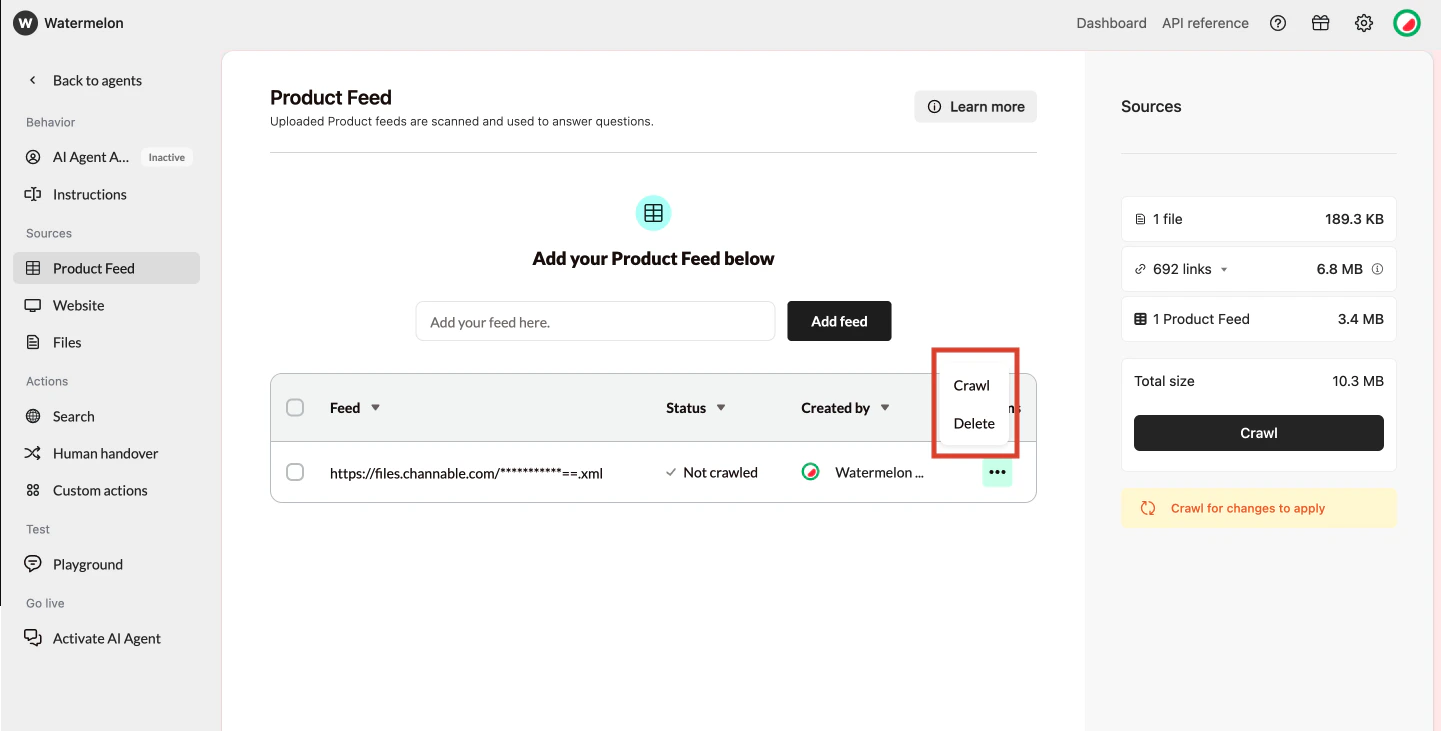
You can manage your feeds by clicking the Options button.- Delete – Removes the selected feed and all associated product data.
- Crawl – Updates only the selected feed, instead of crawling all sources at once.
How the Product feed fits in your agent
Product feed and Website connect
When using the Product feed together with Website, make sure the crawler skips all product pages. These pages are already included in the Product feed, and crawling them again could cause overlapping or inconsistent information for the Agent. You can also connect Product feeds from external tools such as Channable, Producthero, or DataFeedWatch. These platforms make it easy to generate structured product feeds that your Agent can use directly — while your Website focuses on other content like blog posts, help pages, or category descriptions.General requirements for an Product feed
Before looking at specific fields, your Product feed should meet these basic requirements:- The feed must be publicly accessible via a URL
- The feed format must be XML
- The feed must contain structured product-level data
- Each product should appear once in the feed
- The feed should be updated when products change
Required fields in an Product feed
To work properly with Watermelon, your Product feed must contain at least the following fields for each product.Strongly recommended fields
While not strictly required, these fields greatly improve the quality of your Agent’s answers.- Brand: Helps distinguish similar products and improves filtering.
- Example:
<brand>Sony</brand>
- Example:
- Category: Helps your Agent understand how products relate to each other.
- Example:
<category>Audio > Headphones</category>
- Example:
- Variants (if applicable): If your product has variants (size, color, material), include them clearly.
- Use separate variant entries or
- Include structured variant fields
- Example:
<color>Black</color>or<size>Medium</size>