

What is Search?
Search lets your AI Agent:- Search the entire internet or
- Search a specific website that you choose
Enabling Search
By default, the Search action is not active on your agent. To activate it:1
Open the AI Agent
Select which Agent you would like to use Search.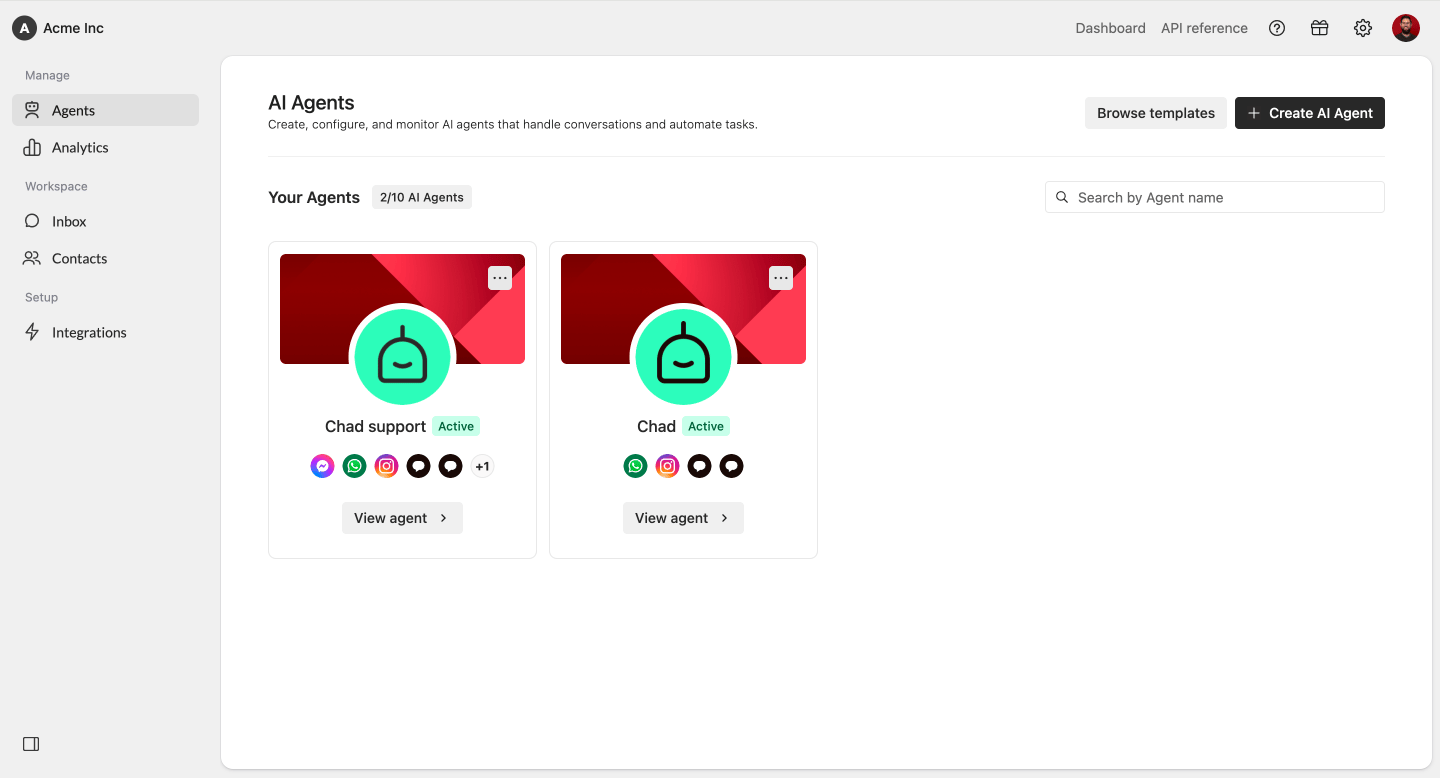
2
Navigate to Search
In the Agent menu, underneath Behavior, select Actions. Within Actions, click on the plus icon at the Web Search action.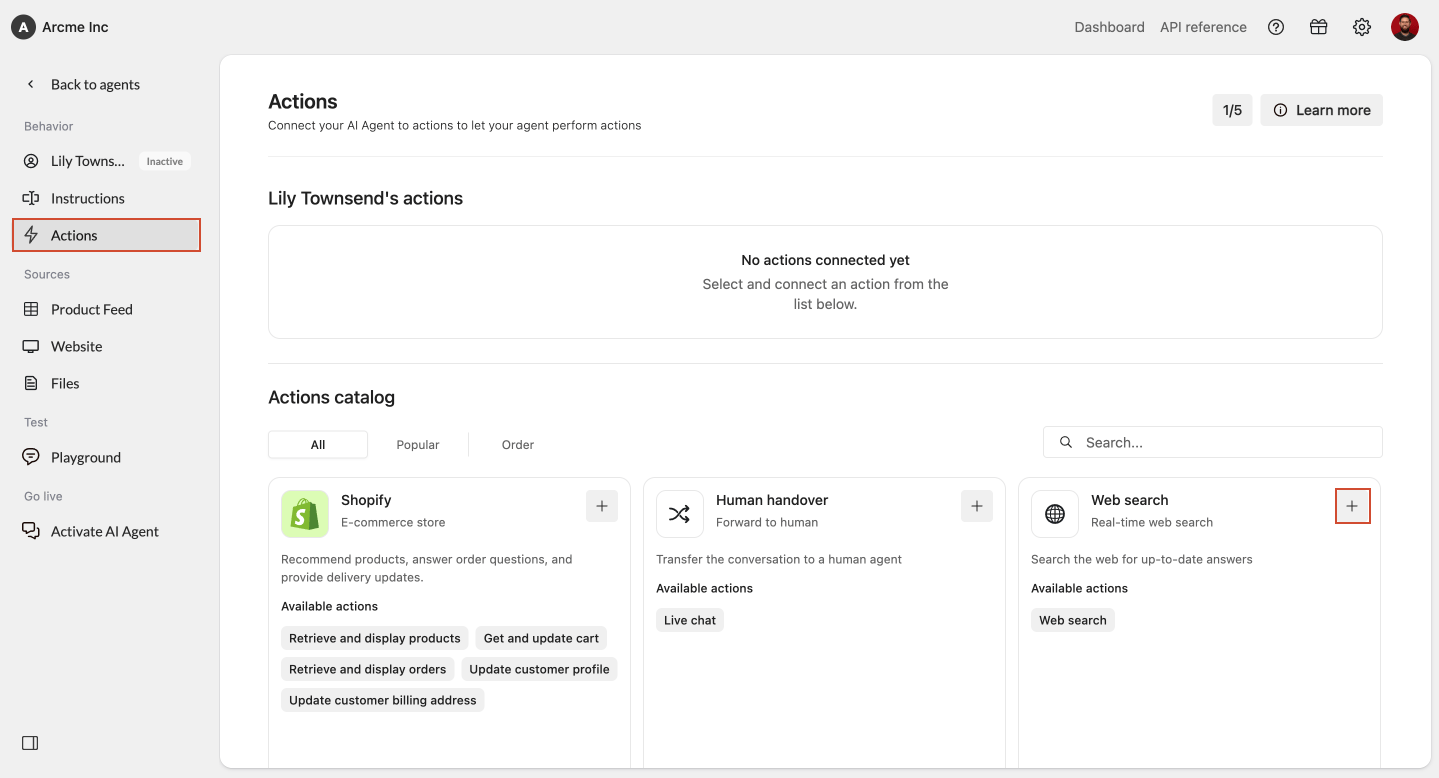
3
Choose where to search
You can choose between: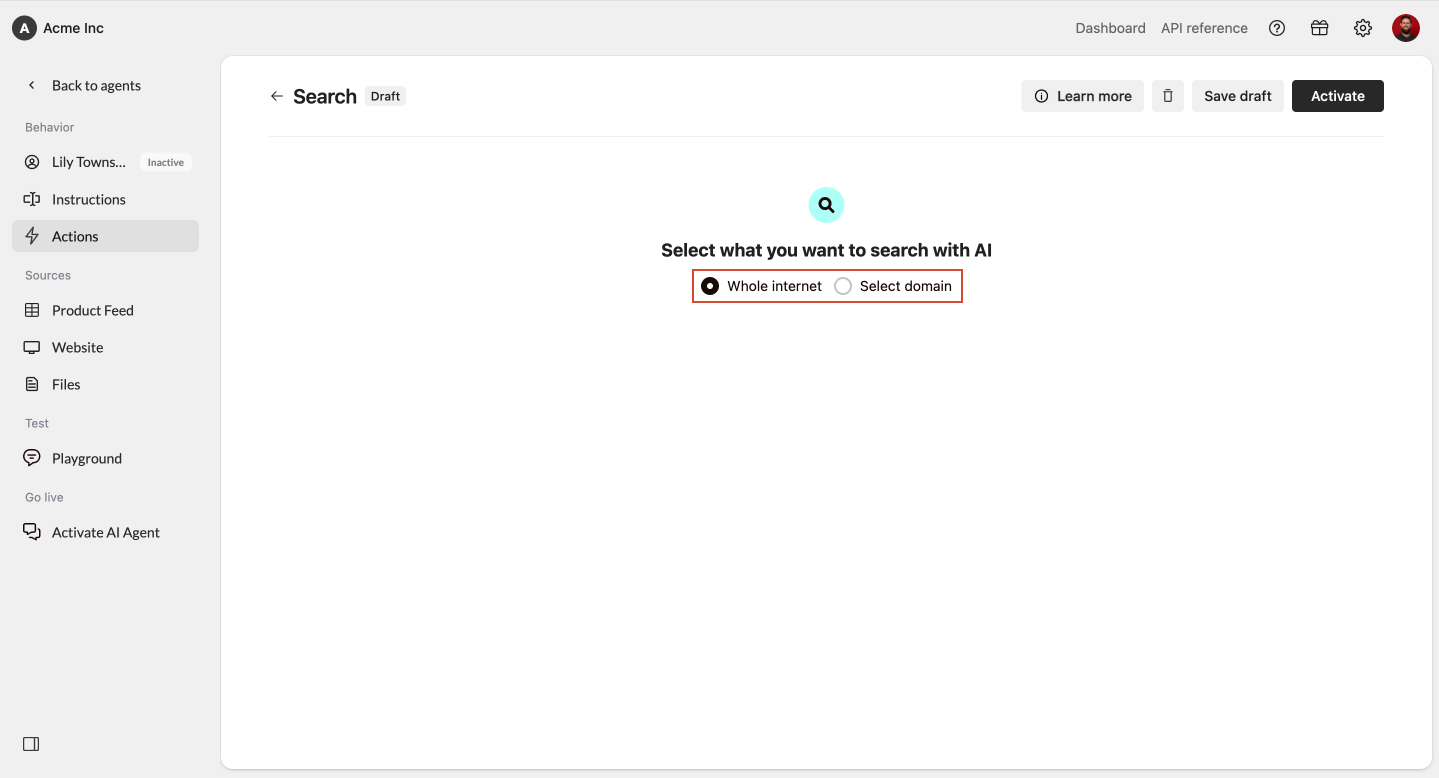
- Searching a selected URL (recommended for controlled and consistent results)
- Searching the whole internet
4
Input Selected URLs
If you choose to have your AI Agent to only search one website:
- Choose Selected URL
- Enter the domain you want the Agent to search
- If you enter a subpage, it automatically adjusts to the main domain
- Search cannot target a single subpage
- Click Add URL
5
Activate your search action
Lastly, you need to activate your search actions. Otherwise your agent will only use Search within the Playground. Click on Activate in the top right corner.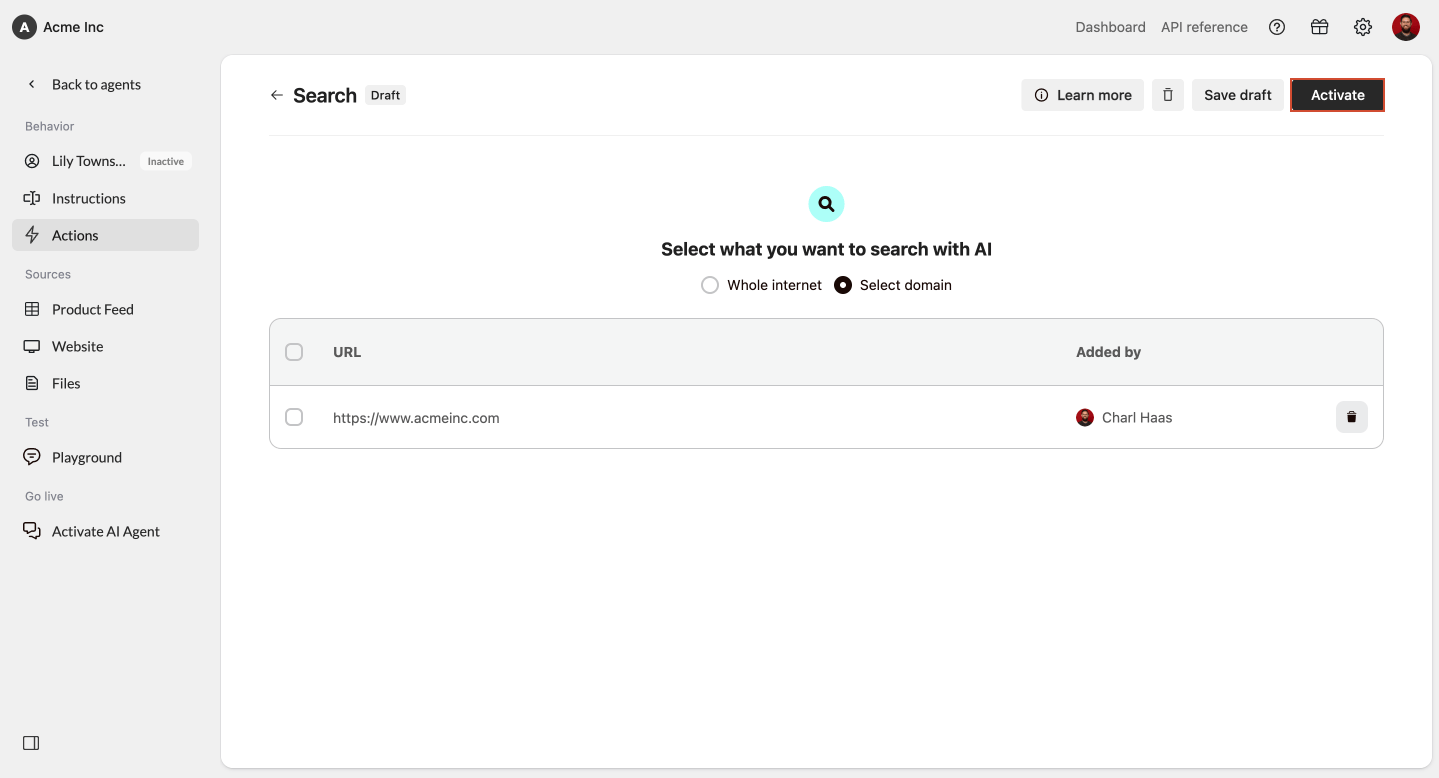
Managing Allowed URLs
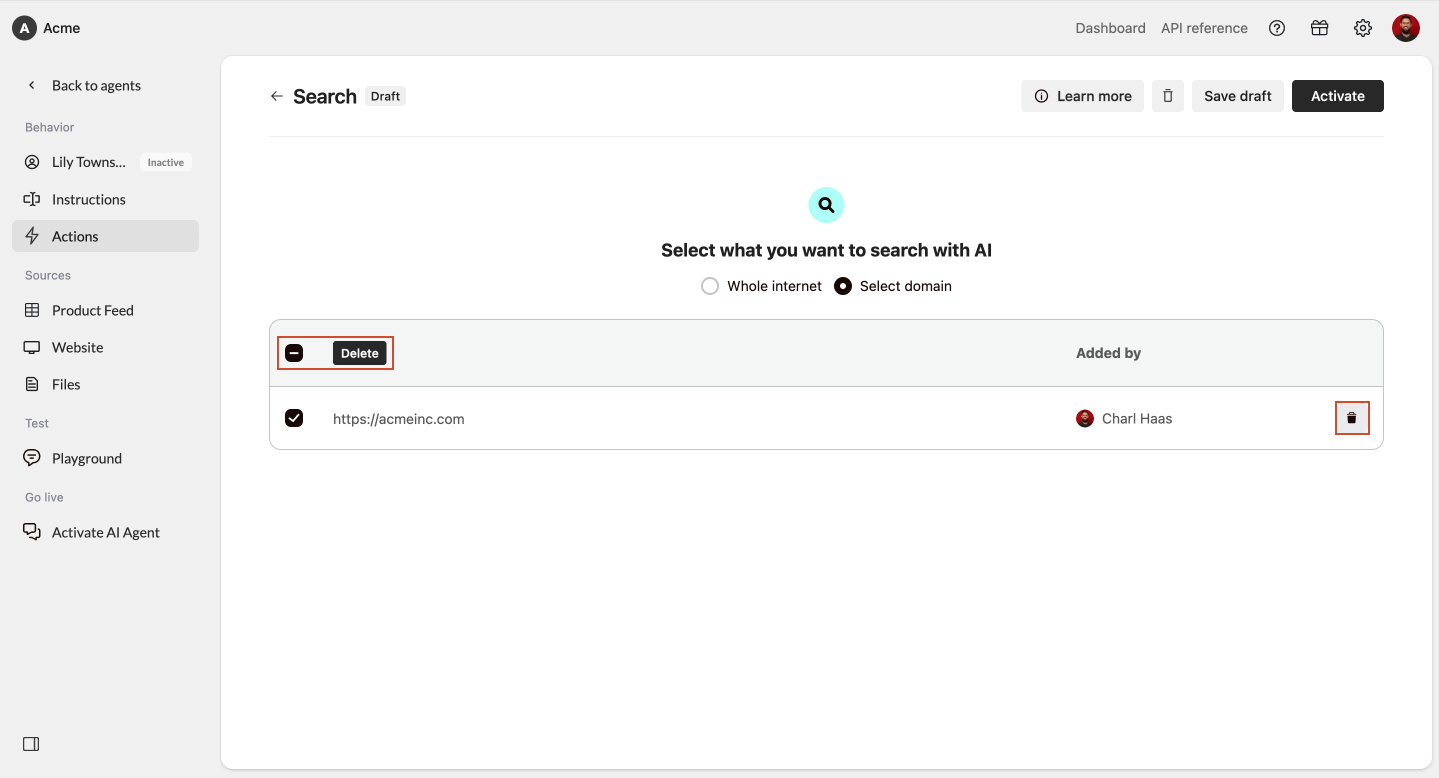
To update or remove the websites your Agent is allowed to search:- View the list of added URLs
- Select a URL
- Click Delete or use the bin icon
Technical details
Search works behind the scenes as follows:- Performs a Google search based on the customer’s question
- Retrieves the top search result
- Scans that webpage
- Uses the extracted content to generate the answer
- Total search time is limited to 7,500 ms
Best practice
- Use Selected URL if your company has a reliable website for consistent and brand-safe results
- Use Search the entire internet only when your customers need broad, dynamic information
- Always test your AI Agent in the Playground after enabling Search