
Product updates
Watermelon Product Update: June 2026
Discover everything we shipped in June, including Conversation Starters, Shopify, Agent Actions, and more.

Alexander Wijninga
July 6, 2026 • 4 min
/ Introducing Automated Tags: Organize Conversations Effortlessly

Alexander Wijninga
|
3 min

Keeping your conversations organized just got a whole lot easier. We're excited to introduce Automated Tags, a new feature in Watermelon that helps you categorize customer interactions automatically, without any manual effort.
Whether you're managing support or sales conversations, Automated Tags reduce manual work and give your team immediate clarity, right from the first message.
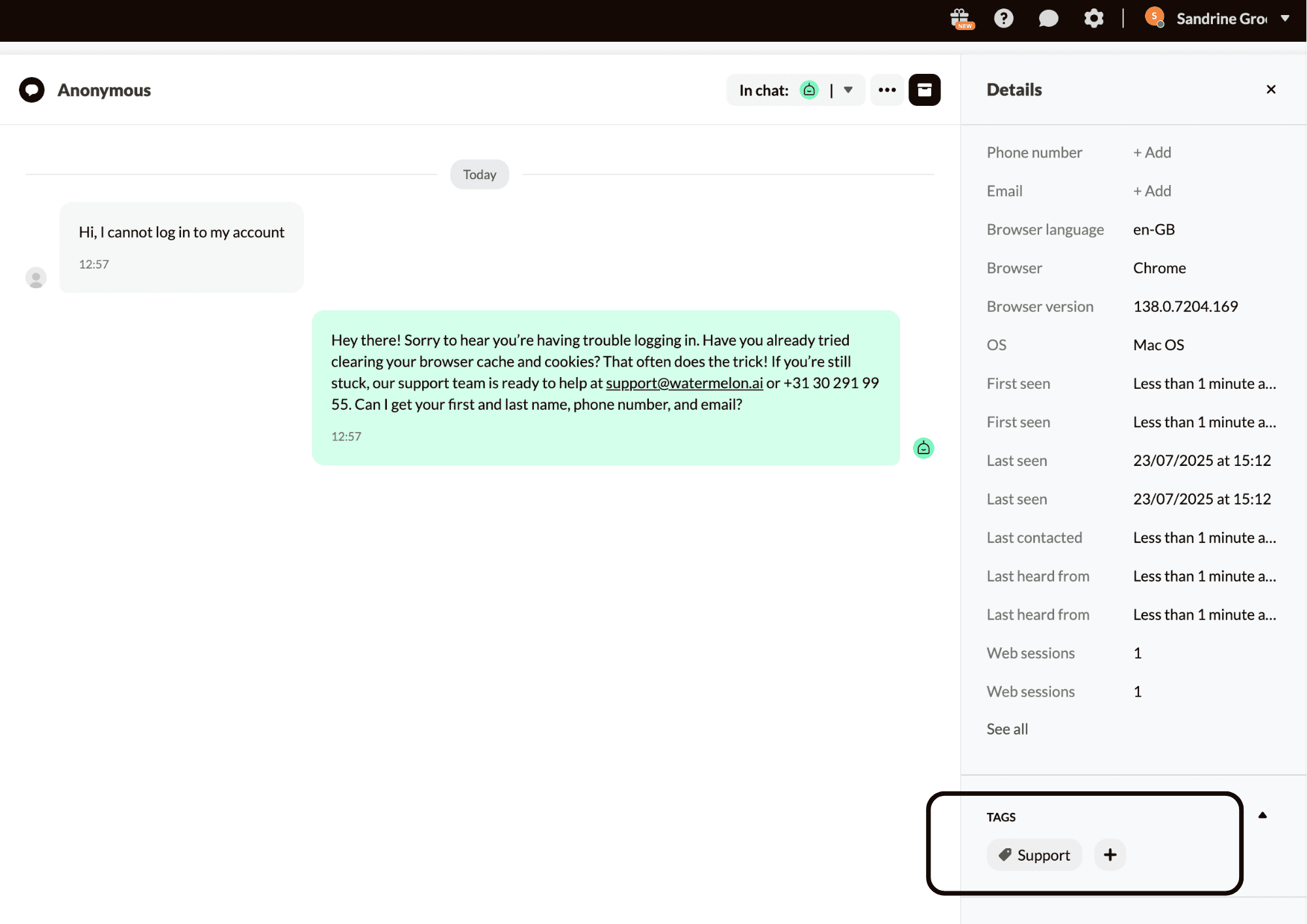
Automated Tags allow your AI Agent to automatically assign a topic based tag to a conversation after responding to the customer's first message. These tags help categorize the conversation according to its subject, such as Support, Returns, or Sales, and are drawn from your existing tag library. No additional setup is needed.
This means every conversation begins with context, making it easier to filter, report, and prioritize conversations at scale.
Example
Customer: “Hi, I’m having trouble logging in.”
AI Agent response: “No problem. Let me guide you through a few steps to reset your password.”
Assigned tag: Support
The tag reflects the topic of the conversation, login issues in this case, so your team can quickly understand and manage the request.
The tagging process is simple and seamless:
A customer starts a conversation.
The AI Agent replies.
A tag is automatically applied once sufficient context is available, typically within the first few messages of the customer conversation.
Another example:
Customer: “I want to know more about your pricing plans.”
AI Agent: “Sure! Here’s an overview of our pricing options…”
Assigned tag: Sales
The tag is based on the main subject of the customer’s first message and helps structure your inbox automatically.
Currently, the system supports one tag per conversation. However, we're gathering feedback to explore multi-tagging in the future.
Save time: No need to manually tag every conversation
Stay organized: Conversations are categorized based on topic from the start
Reduce errors: Eliminate inconsistent or forgotten tags
Enable reporting: Use tags to filter and analyze trends across topics
Automated Tags are enabled by default for all users as of August 4, 2025.
Want to disable it? Simply go to:
Settings > Tags > Toggle Off
You always have full control. Tags can still be added, removed, or adjusted manually at any time.
Automated Tags are now live in your Watermelon account.
Check your next conversation, or start a new one, to see it in action.
Share this article
