

What Is a Schema?
A schema describes:- What your Action does (e.g., get an order, create a ticket)
- What parameters it needs (e.g., order number, email)
- What responses it expects (e.g., success, not found, server error)
The Required Minimum Structure
Your schema must contain five core sections:
Here’s the simplest valid example:
Choosing Parameter Locations
Parameters tell your API what data you’re sending. They can live in paths, queries, or headers.Path Parameters
Used for identifying specific resources directly in the URL. Example:Query Parameters
Used for filtering or adding optional details. Example:Header Parameters
Used for authentication or metadata. Example:Authentication headers don’t go inside your schema in Watermelon — they’re added separately under Authentication Settings when creating the Action.
Defining Responses
Your schema must include response definitions for key status codes. Each tells the AI Agent what kind of reply to expect from the API.
Example:
Common YAML Mistakes
Small syntax errors can make your schema invalid. Here’s what to watch for:Validation Flow in Watermelon
How to Validate
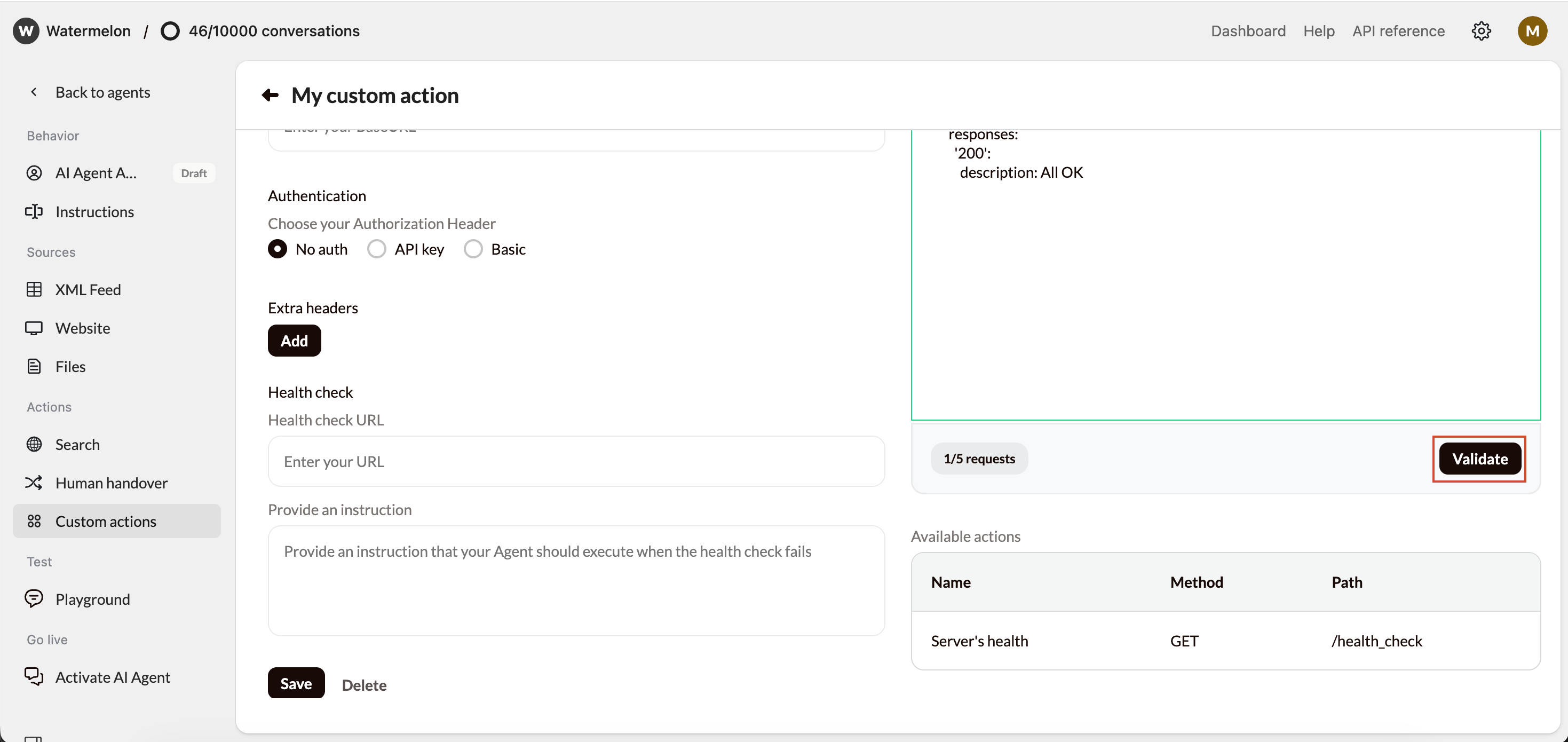
- In your Action setup, click Validate Schema.
- Watermelon checks:
- Syntax validity
- Required fields
- Correct parameter structure
- Supported OpenAPI version (3.0+)
What happens Next
- Valid Schema: You’ll see the available actions listed automatically. They’re now ready to use.
-
Invalid Schema:
You’ll get an error message with:
- The line number
- The column number
- The error type (e.g., missing field, bad indentation)