What is a customer service tool?
Customer service software, customer service platform, customer support tool - although dozens of terms exist for it, they all come down to practically the same thing. Namely: a way to manage your customer service more easily. So that you no longer overlook messages and can handle questions as fast as possible with a fitting answer, regardless of the time or the channel on which they are asked.

Why a customer service tool?
Because of the rapid growth of e-commerce companies in recent years and mounting competition, companies increasingly try to set themselves apart through rock-solid customer service. Broad availability is part of that, as is a fast response. To achieve this, customer service needs a clear structure. That is why various tools have sprung up like mushrooms to help companies with it.
When you google ‘customer service tool’, it produces more than 2 billion hits. We can imagine, therefore, that you do not quite know where to start looking. What makes a tool suitable for you?
What are you looking for in a customer service tool?
We recommend starting at the beginning: what makes you want to switch to a customer service tool? What do you run into within your customer service? Do you want to create more overview within your customer service, for example? Do you want to focus on speed, or does your need lie more in a more efficient way of working? Are you looking for a way to measure progress within your customer service, or are you more after a tool on which several staff can work together? And what is your budget? Try to put together a list for yourself of the aspects you are looking for in a customer service tool.
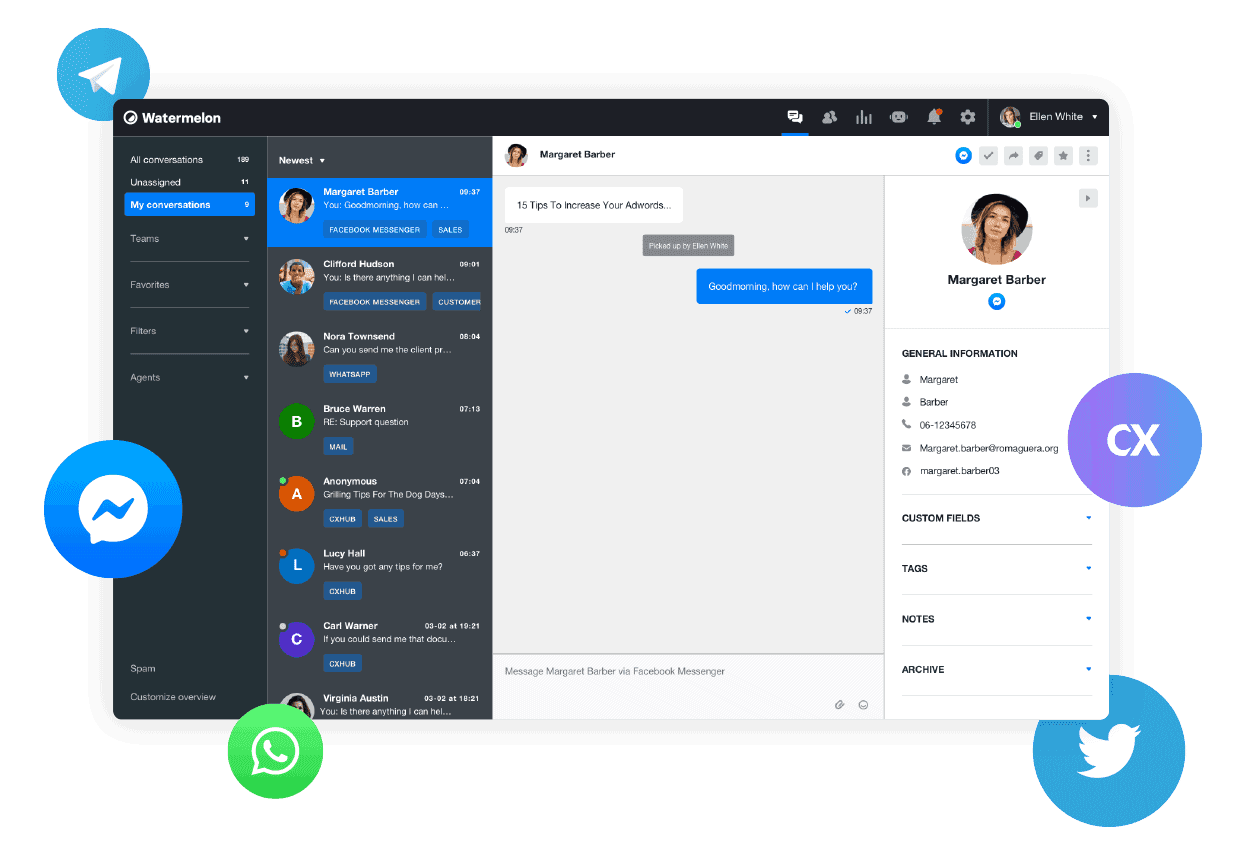
Commonly sought aspects of a customer service tool
Curious what most companies choose their customer service tool on? Below we have drawn up a list of terms that come up often in the search for a tool, and what they mean.
Create overview
Because as a company you want to be visible and reachable on every channel, different ways for a customer to get in touch with you quickly arise. A customer service tool makes sure you receive all these messages in a single inbox, so that you no longer have to switch between all the channels the social media landscape has to offer. Facebook messages, WhatsApp messages, emails, live chats through the website: by centralising all messages you no longer overlook anything. That creates calm in your customer service department, which lets you work faster and more efficiently.
Queue management
When all messages come in through one inbox by means of a customer service tool, you can work through these questions chronologically. This way you have a clear overview of your queue. On top of that, various tools also offer the possibility of forwarding customer questions to a colleague. Does Esmee know better how those particular trousers fit? Or is Bob more of a sales-questions person? Then you forward the customer question easily.
Connecting channels
If you could choose anything: which channels would you want to connect to the tool? Think outside the box here: not only social media channels, but every form of communication the customer looks for. Think for example of a website widget, so that the customer can live chat on your website. Look for a tool that can take in as much communication as possible.
Measuring is knowing
When you start working with a tool, it is good to be able to keep track of how that tool works for you. That is why there is a lot of searching for tools that can also show statistics for your customer service. How quickly is a conversation picked up, for example? How long does it take for a customer question to be resolved? Through which channel do most questions come in? By being able to keep track of the statistics, you know where you can optimise further.
An easy way of working
Every customer service agent has to be able to get going with the tool, without training taking too long. A user-friendly tool may not be the first thing you think of, but it is at least as important. If it takes you weeks to explain to a new customer service agent how to forward or save a conversation, that comes at the cost of efficiency and speed.
On top of that, various customer service tools offer handy features that make the customer service agent's work a good deal easier. Think of a notification when a new question comes in, or notification preferences each member of staff can tune to their own liking. Think also of built-in email templates, or the possibility of forwarding customer questions to colleagues.
There are also tools that offer handy integrations, such as an integration with your CRM system, so that you can give a status update on an order. Or an integration with Mollie, which lets you send the customer a new payment request if the payment failed.
A personal service
Has a customer contacted your customer service before, but through another channel? Various tools then offer the possibility of storing customer profiles. That way you can see the conversation history, which means the customer no longer has to repeat themselves. A personal service is, after all, absolutely essential in 2021.
Centralising and automating
Besides centralising and optimising your customer service, there are also tools on the market that let you automate parts of it. This is done by means of a chatbot. A chatbot can answer the frequently asked questions for you automatically, which gives your customer service staff more time for the more complex issues.
Get started!
Would you like to take big, efficient steps with your customer service? Then we recommend taking a look at our Customer Service Playbook for e-commerce. In it we describe the customer service landscape, what to look out for, and how Watermelon can take your customer service to a higher level!
Not finished reading?
Read on in our whitepaper: "Benefits of chatbots".


